

You are using an out of date browser. It may not display this or other websites correctly.
You should upgrade or use an alternative browser.
You should upgrade or use an alternative browser.
Random FPS drops
- Thread starter Aaron Lin
- Start date
rockbottom
Active Member
Never touched them, no idea.
Here's some info the different v-syncs
 www.technopat.net
Here's some info the different v-syncs
Video: What is NVIDIA Fast Sync?
Nvidia explains what is Fast Sync? This new technology is a new Sync technology, different from G-Sync. It's implemented in the GPU as a buffer. Watch for details. This video was recorded at U.S.A. Texas Austin Nvidia Global Presentation of GeForce GTX 1080 and GTX 1070. After the agreed NDA...
rockbottom
Active Member
"If the game starts lagging and I keep recording for a prolonged time, the recording will also lag."
Not great news here, worried about that SSD being not up to the task of sustained writes while running the OS, Virtual Memory ect.
Is there any room left on the new SSD or did you fill it up already?
Not great news here, worried about that SSD being not up to the task of sustained writes while running the OS, Virtual Memory ect.
Is there any room left on the new SSD or did you fill it up already?
rockbottom
Active Member
Do away with the Ultra Low Latacy Tuning in the encoder settings, change it to HQ. You can switch back after we hopefully get this running correctly.
My recordings are being written on the new SSD. Almost half of its space is being used up by footages though."If the game starts lagging and I keep recording for a prolonged time, the recording will also lag."
Not great news here, worried about that SSD being not up to the task of sustained writes while running the OS, Virtual Memory ect.
Is there any room left on the new SSD or did you fill it up already?
I put on all the settings you showed me, there's some improvement, but only a matter of time before the lag shows up again in my gameplay. Recording itself though also improved, the lag I picked up is less noticable than before. We're getting closer and closer to solving this.
As for ultra low latency though, it's worse if I switch it to high quality.
Ultra low latency logs:
High quality logs:
As for ultra low latency though, it's worse if I switch it to high quality.
Ultra low latency logs:
High quality logs:
rockbottom
Active Member
OK, we'll circle back to the SSD if needed. It's at the end of the line.
Still going through the logs but no rendering lag in either. +
Not sure what to make of this:
With HQ Tuning
03:59:02.649: ┣tick_sources: min=0.001 ms, median=4.984 ms, max=32.338 ms, 99th percentile=7.634 ms
With ULL Tuning
03:44:49.635: ┣tick_sources: min=0.001 ms, median=5.36 ms, max=20.507 ms, 99th percentile=12.834 ms
Still going through the logs but no rendering lag in either. +
Not sure what to make of this:
With HQ Tuning
03:59:02.649: ┣tick_sources: min=0.001 ms, median=4.984 ms, max=32.338 ms, 99th percentile=7.634 ms
With ULL Tuning
03:44:49.635: ┣tick_sources: min=0.001 ms, median=5.36 ms, max=20.507 ms, 99th percentile=12.834 ms
I recorded for a lot less time in my HQ one cause I stopped recording as soon as the lag shows up. My ULL went on a lot longer before that started happening.OK, we'll circle back to the SSD if needed. It's at the end of the line.
Still going through the logs but no rendering lag in either. +
Not sure what to make of this:
With HQ Tuning
03:59:02.649: ┣tick_sources: min=0.001 ms, median=4.984 ms, max=32.338 ms, 99th percentile=7.634 ms
With ULL Tuning
03:44:49.635: ┣tick_sources: min=0.001 ms, median=5.36 ms, max=20.507 ms, 99th percentile=12.834 ms
rockbottom
Active Member
Check the bit-rate of the recordings. The HQ recording is probably 2x to 3x the bit-rate of the ULL recording. We're heading back to the SSD now.
What make & model is it?
What make & model is it?
rockbottom
Active Member
I probably should have mentioned it, but I only use & recommend "Pro" SSD's for any type of video work. Samsung 990Pro, WD 850X, the new Cosair is nice. All of them have on-board DRAM & are designed to get hammered non-stop.
The bitrate for both of them says 0Check the bit-rate of the recordings. The HQ recording is probably 2x to 3x the bit-rate of the ULL recording. We're heading back to the SSD now.
What make & model is it?
rockbottom
Active Member
Try the Intel, I found a picture of it, looks like there's DRAM on it. The Timetec has no DRAM.

 timetecinc.com
DRAM Cache No
TIMETEC PREMIUM M.2 NVMe PCIe 3.0 SSD
This Timetec SSD is designed to use the NVMe PCIe interface efficiently during both READs and WRITEs while delivering bandwidth-focused performance. 3D TLC NAND Flash SSD technology enables enhanced boot times, faster application load times, reduced power consumption, and extended reliability. 3...
timetecinc.com
DRAM Cache No
Recording directory back to the OS? My OS uses the Intel one.Try the Intel, I found a picture of it, looks like there's DRAM on it. The Timetec has no DRAM.
TIMETEC PREMIUM M.2 NVMe PCIe 3.0 SSD
This Timetec SSD is designed to use the NVMe PCIe interface efficiently during both READs and WRITEs while delivering bandwidth-focused performance. 3D TLC NAND Flash SSD technology enables enhanced boot times, faster application load times, reduced power consumption, and extended reliability. 3...
DRAM Cache No
rockbottom
Active Member
Yeah, I know but the Timetec is a non-starter, it's not suitable for recording unless you want to record just a few minutes at a time.
Recorded with the HQ settings again to same length as my ULL
rockbottom
Active Member
Some good news, switch over & record on the Intel
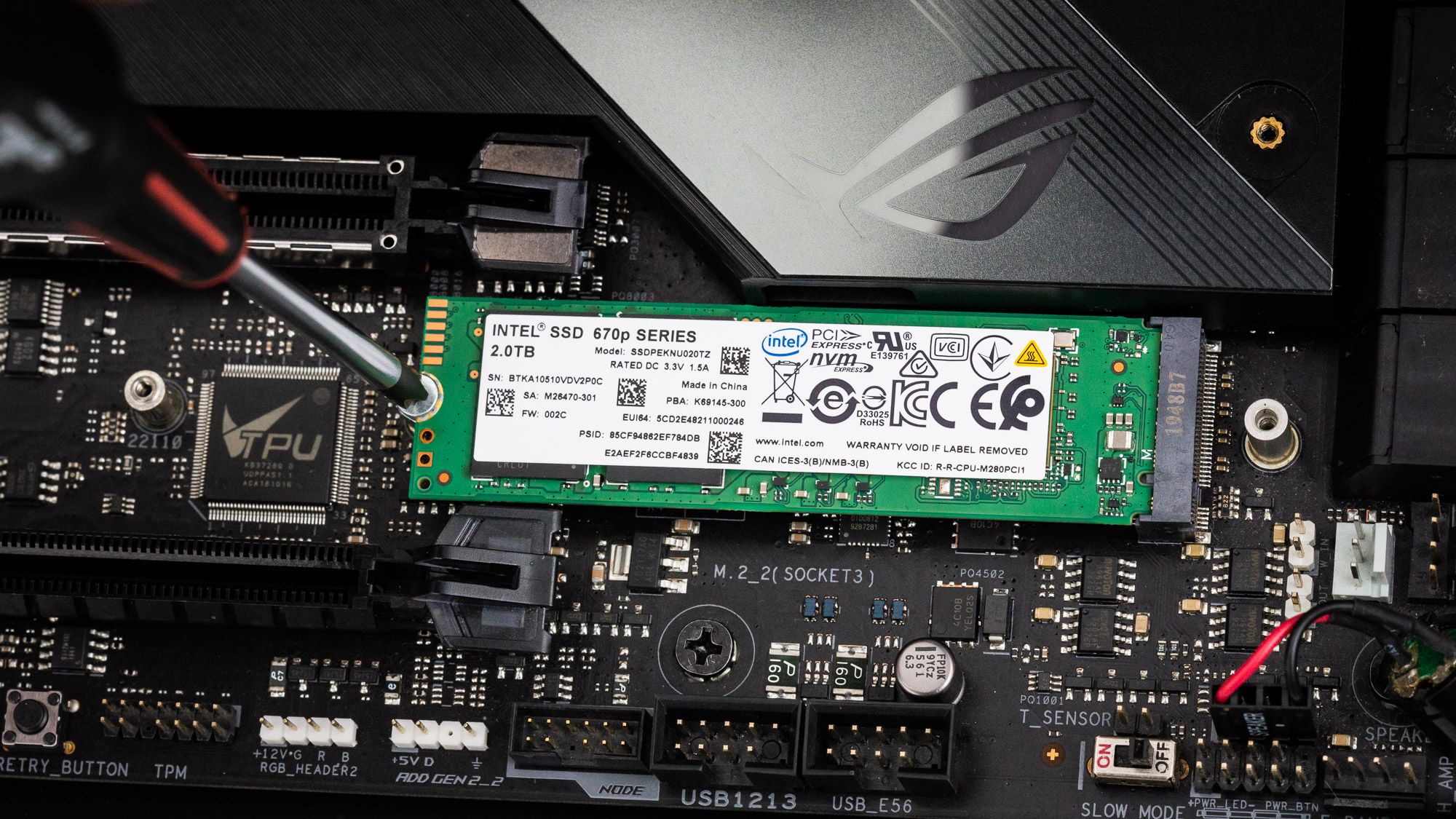
The SM2265 leverages two Arm Cortex R5 CPU cores for I/O processing and interfaces with a single 2Gb Nanya DDR3L-1866 DRAM chip to buffer FTL metadata.
 www.tomshardware.com
The SM2265 leverages two Arm Cortex R5 CPU cores for I/O processing and interfaces with a single 2Gb Nanya DDR3L-1866 DRAM chip to buffer FTL metadata.
Intel SSD 670p M.2 NVMe SSD Review: Scaling QLC to New Heights
144 layers of QLC flash
rockbottom
Active Member
OS drive & it's small, the only drawbacks.
I keep more free space (600GB) on my 1TB OS drive....
I keep more free space (600GB) on my 1TB OS drive....
rockbottom
Active Member
That sticks.
Capture some video instead of Roblox for the next test. I want to see if the source lag gets reduced, cause other than that the last log looks really good.
Capture some video instead of Roblox for the next test. I want to see if the source lag gets reduced, cause other than that the last log looks really good.