

You are using an out of date browser. It may not display this or other websites correctly.
You should upgrade or use an alternative browser.
You should upgrade or use an alternative browser.


falti
Member
It's probably my mistake:
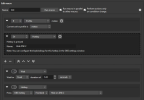
Each time I start OBS with my production scene collection, the last item in my Downstream Keyer list "Overlay Wait" will be visible, although, last time I shut down OBS it was not. So I have to press its hotkey to get rid of it. No big deal, but maybe I'm doing something wrong?

Each time I start OBS with my production scene collection, the last item in my Downstream Keyer list "Overlay Wait" will be visible, although, last time I shut down OBS it was not. So I have to press its hotkey to get rid of it. No big deal, but maybe I'm doing something wrong?
The same thing happens to me, I already announced it but I haven't seen it yet @ExeldroIt's probably my mistake:
Each time I start OBS with my production scene collection, the last item in my Downstream Keyer list "Overlay Wait" will be visible, although, last time I shut down OBS it was not. So I have to press its hotkey to get rid of it. No big deal, but maybe I'm doing something wrong?
View attachment 100507


Exeldro
Active Member
@Smart Net the hotkey to show can be found on the scene you want to show
apa56khabar
New Member
Hi, I am using the MacOS High Sierra and managed to install OBS version 27. I have downloaded this Downstream Keyer and have performed the installation. The installation seems successful. However, the Dock does not show the Downstream Keyer plugin. Any hint of what went wrong?
RavenStreamer
Member
I've just been noodling around with this plugin. I have a Talkback scene that allows off-air comms between remote talent, cam ops and producer. Adding it ONCE is a lot easier than adding it to EVERYTHING. Any chance it could be made to work with audio filters? I'd personally love to be able to apply a global Limiter, for example. That would be revolutionary for OBS as we've been asking for a proper Master Output bus for years.
franklyray
New Member
Looking for your - Source Toggler lua script - please.

ottawafro
Member
Look on the scripts sections of this forum , it's on the first page.Looking for your - Source Toggler lua script - please.
Exeldro
Active Member
@furrymayo how do you want the tally data to be send?

Halefa
New Member
I am revisiting my question from above again as I so much would like this to work and failed back then. Can anyone help me?Is it possible to get a bit more information on the output source? What does it do, how can one use it?
I tried to use it with the source record plugin, but it didn't quite work and I'm wondering whether it works at all, or whether I used it wrong.
What I did:
- Created a scene with only the output source in it. Source record plugin on that source. (I would never show this scene)
What happened:
- The first scene I was on when the recording starts, is recorded fine. As soon as I switch scene, the recording would stop.
Do I need to add the recording scene to every scene that I might want to record?
I found this post by @jkao that seems to go in the same direction and describing the output source as the magic element, but I still don't understand how to combine and use output source and source recording to in the end hold a single video file without the DSK in my hands (metaphorically :D).

Exeldro
Active Member
@Ryuzaziki you need an update in the downstream keyer plugin that is not released yet.
You can download a test version when logged in on GitHub at the bottom of this page:

 github.com
You can download a test version when logged in on GitHub at the bottom of this page:
bump version · exeldro/obs-downstream-keyer@05f5263
Contribute to exeldro/obs-downstream-keyer development by creating an account on GitHub.
github.com

pocketbroto
New Member
Hi! I was wondering if there's a way to make the plugin work with virtual camera?
Exeldro
Active Member
Exeldro updated Downstream Keyer with a new update entry:
Version 0.3.1
Read the rest of this update entry...
Version 0.3.1
Add view support to output source (Aitum Vertical)
Add name to output source channels
Read the rest of this update entry...
Hello, I can't understand how output source works in the plugin... I have read the forum from end to end but it has been impossible for me to understand it and I can't find any information about it. Could you give us a little help to understand how to use it. I have a slight idea but nothing after some tests I can't achieve anything. thanksExeldro updated Downstream Keyer with a new update entry:
Version 0.3.1
Read the rest of this update entry...

furrymayo
New Member
Would be great if we could integrate that tally information with TallyArbiter software. They accept all sorts of tally data but I know that UDP and TCP work. Right now, I have TallyArbiter listening to tally information from OBS and works great but when the DSK is on, it doesn't register in the TallyArbiter software but it does register if the same scene being used in DSK is put in program/preview alone. Does that make sense?@furrymayo how do you want the tally data to be send?