

You are using an out of date browser. It may not display this or other websites correctly.
You should upgrade or use an alternative browser.
You should upgrade or use an alternative browser.
Remember to load logos from your LOGOS folder. You must copy your logos inside that folder and load from there.Are there any requirements for file type or size when uploading custom logos? I have tried PNG from 300x300 and 50x50 and they will not load. This is what happens after I try to load them. -Thanks
View attachment 66896

Whatever33TV
New Member
this plugin is awesome. I am having an issue with the logos. The 1st 1 is showing, but the logos for 2,3,and 4 are not showing. I photoshop saved themas png24. trying for hours, any suggestions to solve this issue?
Not sure if this is the best place to ask this question, but..
I have using UpDeck extensively to command my OBS scene changes, etc.. and have tried to use it to call up hotkey commands for ALT. I think it may have to do with a LUA script stacked on another LUA script, but I cannot get it to reliably work. Wondering if there is a plan to further integrate control structure into OBS (not just hotkeys)? I think I may be able to figure out code to address the html of the control panel, but i'm wondering if anyone else has experienced something similar. The hotkeys work fine on the keyboard, but seem to be far too unreliable relayed from Updeck > OBS > hotkeys > ALT. Thanks for this ridiculously great tool.
I have using UpDeck extensively to command my OBS scene changes, etc.. and have tried to use it to call up hotkey commands for ALT. I think it may have to do with a LUA script stacked on another LUA script, but I cannot get it to reliably work. Wondering if there is a plan to further integrate control structure into OBS (not just hotkeys)? I think I may be able to figure out code to address the html of the control panel, but i'm wondering if anyone else has experienced something similar. The hotkeys work fine on the keyboard, but seem to be far too unreliable relayed from Updeck > OBS > hotkeys > ALT. Thanks for this ridiculously great tool.
Can you post an image of your dock panel to see the current configuration?this plugin is awesome. I am having an issue with the logos. The 1st 1 is showing, but the logos for 2,3,and 4 are not showing. I photoshop saved themas png24. trying for hours, any suggestions to solve this issue?
rangeltech
New Member
Subjection, add function that disables lower third time counting, staying fixed on the screen and transition fade in
rangeltech
New Member
[QUOTE = "NoeAL, postagem: 474896, membro: 268657"]
NoeAL adicionou um novo recurso:
[plano] Terços inferiores animados com painel de controle encaixável [/ plano] - [plano] Terços inferiores animados [/ plano]
Leia mais sobre este recurso ...
[/ CITAR]
function of disabling time counting, leaving fixed
NoeAL adicionou um novo recurso:
[plano] Terços inferiores animados com painel de controle encaixável [/ plano] - [plano] Terços inferiores animados [/ plano]
Leia mais sobre este recurso ...
[/ CITAR]
function of disabling time counting, leaving fixed

NoeAL
Member
If you want the lower thirds to always be active, just lock the active state by checking this option:Subjection, add function that disables lower third time counting, staying fixed on the screen and transition fade in

Silven_Myst
New Member
The gap between the logo and the text in Style 1 selection seems a bit larger than need be. Its a noticeable rectangle when the two pieces are sliding out. Also in Style 3, which I love, however when the text slides out there is a single white dot left behind that seems to go away when the text slides back in, but only to come back when it slides out again.
DigitalRazor
New Member
I want to thank you for such a useful plug-in!
I am successfully using it on a compiled-from-source version of OBS-Studio ( 26.1.2-152 ) on Centos 8 Stream with no issues. Mighty Fine Work!!!
I am successfully using it on a compiled-from-source version of OBS-Studio ( 26.1.2-152 ) on Centos 8 Stream with no issues. Mighty Fine Work!!!

giannipinotto
New Member
Slot memory are not exported !!!!
NoeAL
Member
Hi! When disabling the vertical line that separates the logo from the texts, I suppose the space that remains is too large.The gap between the logo and the text in Style 1 selection seems a bit larger than need be. Its a noticeable rectangle when the two pieces are sliding out. Also in Style 3, which I love, however when the text slides out there is a single white dot left behind that seems to go away when the text slides back in, but only to come back when it slides out again.
You can fix it by pasting this at the end of the style-source.css file:
.style-1.left > .text-content { margin-left: 0}
.style-1.right > .text-content { margin-right: 0}
Regarding the issue of style 3. Could you show me a picture? I couldn't replicate the bug.
NoeAL
Member
Sorry, but at the moment there is no way for the tool to know what scene or state OBS is in. But I find it a very interesting feature for future updates.Is there a way to trigger this animation at a certain start point after a recording is started, rather than by hotkey?
Whatever33TV
New Member
I had to remove from progam files completly, and put the lower thirds folder on my C; drive directly. afterward go throuugh install process, then it worked.this plugin is awesome. I am having an issue with the logos. The 1st 1 is showing, but the logos for 2,3,and 4 are not showing. I photoshop saved themas png24. trying for hours, any suggestions to solve this issue?
Whatever33TV
New Member
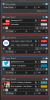
@NoeAL I got this program mostly figured out now, I love it.
Could you add 1 feature to custom time settings?
I'll explain.
I would like to run 4 different lower thirds, a minute apart in a loop. But with different background and text colors. So I was unable to do that in lower third 1's timer slots alone. what I did was, I use all 4 lower thirds, assigning the respective timer slot, but they all launch at once, so everyday, I turn off Lower3rd's 2 - 4 and when the one above reaches 60 seconds I turn the next one on and so on. I have them all set to 256 seconds inactive, this gets the desired effect.
If you could add a time to initiate to each lower third, it would be automated then. I could set it to Start 1st at 0, 2nd at 60, 3rd at 120, 4th at 180 seconds.Much appreciation for your hard work, and ingeniousness.
Could you add 1 feature to custom time settings?
I'll explain.
I would like to run 4 different lower thirds, a minute apart in a loop. But with different background and text colors. So I was unable to do that in lower third 1's timer slots alone. what I did was, I use all 4 lower thirds, assigning the respective timer slot, but they all launch at once, so everyday, I turn off Lower3rd's 2 - 4 and when the one above reaches 60 seconds I turn the next one on and so on. I have them all set to 256 seconds inactive, this gets the desired effect.
If you could add a time to initiate to each lower third, it would be automated then. I could set it to Start 1st at 0, 2nd at 60, 3rd at 120, 4th at 180 seconds.Much appreciation for your hard work, and ingeniousness.
Attachments
Grandpastrami
New Member
@NoeAL I got this program mostly figured out now, I love it.
Could you add 1 feature to custom time settings?
I'll explain.
I would like to run 4 different lower thirds, a minute apart in a loop. But with different background and text colors. So I was unable to do that in lower third 1's timer slots alone. what I did was, I use all 4 lower thirds, assigning the respective timer slot, but they all launch at once, so everyday, I turn off Lower3rd's 2 - 4 and when the one above reaches 60 seconds I turn the next one on and so on. I have them all set to 256 seconds inactive, this gets the desired effect.
If you could add a time to initiate to each lower third, it would be automated then. I could set it to Start 1st at 0, 2nd at 60, 3rd at 120, 4th at 180 seconds.Much appreciation for your hard work, and ingeniousness.
I came here looking specifically for this solution.
I'm interested in looping 4 different lower thirds for my stream. Like a different lower third appearing every 300 seconds, but it does not seem possible because you cannot set different starting times. Unless you do it manually.

Cerberus262
New Member
Is there a way to embed the current date and/or time into either the Name or Info slot? So it always shows current date when triggered? Thanks!
How to have this new option ? I don't have it !!If you want the lower thirds to always be active, just lock the active state by checking this option:
View attachment 67099