


You are using an out of date browser. It may not display this or other websites correctly.
You should upgrade or use an alternative browser.
You should upgrade or use an alternative browser.

Waveform 1.9.1
- Thread starter Phandasm
- Start date
Hey, just wanted to say thank you for putting this out there for us to use. Its a delight to play with, and I've been using an obscene number of duplicates to make a sound reactive boquet.

If anyone else wants to try making these, I make them as a separate Scene with just the waveforms, and add them into desired scenes as a Scene Source.
My settings for the waveform visualizer source are:
for 4 petal flowers: Center-to-screen > Copy > Duplicate source > Rotate 90 degrees > Duplicate both sources and rotate 180 degrees.
for 3 or 5 petal flowers: Center-to-Screen > Duplicate > hand rotate with Snap to angles turned off > repeat per petal.
To make the center petals a different color, I Group all > Duplicate > Scale down > Center-to-screen > and then Apply a Color Correction filter to the new group.
To make a thin petaled or 6+ petal flower, make a 3 petal flower > Duplicate > Drop its opacity with a color correction filter > and rotate it about 15-30 degrees.
I styled this multicolored 5 petal after a Forget Me Not, but this would also work for a Sakura Blossom, Daisies, or Hibiscus with different color values. You could also Scale>Center>Rotate the Scene Sources to make a multi-layered Lotus, or spread them out on a stem.png to look like a Lily of the Valley!
If anyone else wants to try making these, I make them as a separate Scene with just the waveforms, and add them into desired scenes as a Scene Source.
My settings for the waveform visualizer source are:
| Display Mode | Curve |
| Video Width X Height | 350 x 350 |
| Log. Mirror. Radial. and Invert check boxes | All enabled |
| Deadzone | 0 |
| Radial Arc | 3 petals=120 degrees 4 petals=90 degrees 5 petals=72 degrees |
| Simple EMA > Temporal Smoothiing | Inertia 0.63 with Fast Peaks enabled |
| Gaussian Filter set to 14.30 | Low cutoff =0 High cutoff = 17000 |
| Floor -80 dbfs, Cieling -6 dbfs, Slope 3.87 | Gradient Ratio 0.98 |
for 4 petal flowers: Center-to-screen > Copy > Duplicate source > Rotate 90 degrees > Duplicate both sources and rotate 180 degrees.
for 3 or 5 petal flowers: Center-to-Screen > Duplicate > hand rotate with Snap to angles turned off > repeat per petal.
To make the center petals a different color, I Group all > Duplicate > Scale down > Center-to-screen > and then Apply a Color Correction filter to the new group.
To make a thin petaled or 6+ petal flower, make a 3 petal flower > Duplicate > Drop its opacity with a color correction filter > and rotate it about 15-30 degrees.
I styled this multicolored 5 petal after a Forget Me Not, but this would also work for a Sakura Blossom, Daisies, or Hibiscus with different color values. You could also Scale>Center>Rotate the Scene Sources to make a multi-layered Lotus, or spread them out on a stem.png to look like a Lily of the Valley!
berrypabba
New Member
Currently doesn't work on the Metal renderer for OBS, only OpenGL, on macOS Tahoe. I don't really know how much better the Metal renderer is, I can't find any actual objective discussion on it, just a lot of shrugs and PC master race piss-throwing on Reddit. ♀️
My bad it's another audio visuualizer plugin that causes the crash, sorry (I don't seem to be able to delete my message?)The plugin causes OBS to crash as soon as I add a Waveform source, and I have to restart OBS in safe mode and remove the source for it to work again. I tried the 1.8.1 and 1.9.0 beta, I'm on Windows 11 and OBS 32.0.4.

Phandasm updated Waveform with a new update entry:
Waveform v1.9.0
Read the rest of this update entry...
Waveform v1.9.0
This release primarily addresses compatibility issues with OBS 32 and macOS.
- Support OBS 32
- Support Metal renderer on macOS
- Hotfix for possible OOM crash
- Allow high and low cutoffs to be equal
- Improve render quality in waveform mode
- Allow much larger buffer sizes in waveform mode
Read the rest of this update entry...
I get an error after updating to the newest version:
The following OBS-Plugin could not be loaded: waveform
The OBS Log says:
15:40:01.696: Module '../../obs-plugins/64bit/waveform.dll' compiled with newer libobs 32.2
There is no OBS Version 32.2 available. The current Version is 32.1.2. Could this be a mistake somehow? Maybe forgot the .1 in 32.1.2?
The following OBS-Plugin could not be loaded: waveform
The OBS Log says:
15:40:01.696: Module '../../obs-plugins/64bit/waveform.dll' compiled with newer libobs 32.2
There is no OBS Version 32.2 available. The current Version is 32.1.2. Could this be a mistake somehow? Maybe forgot the .1 in 32.1.2?
It was built against the 32.2 beta, please try 1.9.1: https://github.com/phandasm/waveform/releases/tag/v1.9.1I get an error after updating to the newest version:
The following OBS-Plugin could not be loaded: waveform
The OBS Log says:
15:40:01.696: Module '../../obs-plugins/64bit/waveform.dll' compiled with newer libobs 32.2
There is no OBS Version 32.2 available. The current Version is 32.1.2. Could this be a mistake somehow? Maybe forgot the .1 in 32.1.2?
Sorry for the inconvenience.
Phandasm updated Waveform with a new update entry:
Waveform v1.9.1
Read the rest of this update entry...
Waveform v1.9.1
Hotfix release.
- Target OBS 32.1.2 (was 32.2 beta)
Read the rest of this update entry...
Want To Learn
Member
Just a little note.... I had issues with my OBS not starting up unless it was in safe mode. When I followed your directions to uninstall old for new Wave it started up in normal mode. That was the last version. I haven't tried your last update though. I will soon. I'm sure it cleared up or fixed it Thanks Mac OS Ventura OBS 32.2. beta 2.
Last edited:

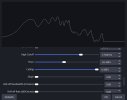
Not currently, but it's on the todo list.hey @Phandasm , is there a way to increase the width of this line?
From what I remember, people used to use StreamFX for that, but I haven't really kept up with OBS in recent years so I'm not sure if there's a modern equivalent.and perhaps is there a site where we can find templates which are compatible with your plugin which have more effects?