Hi everyone, hope someone can give me a hand. I try and try to get the logo to show without success. The process I'm following is this:
1. The logo was exported from Photoshop in PNG format, with transparencies.
2. I copied and pasted it inside the logo folder in the LT installation folder (C:\Program Files\obs-studio\Animated-Lower-Thirds\logos).
3. The control panel shows perfect and it works well.
4. I renamed the logo (logo_1.png)
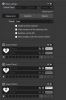
5. I selected it from the Control Panel in Default logo slot #1 and the miniature shows.
6. I also tried to select the image in the logo square in LT 1 and it also shows the miniature.
7. I kept both, I erased one or the other, I saved ti in the memory slot, but I don't get the image to show.
Any ideas?
Thanks in advance for taking the time to help me.
UPDATE- I just closed and reopened OBS and now it works. Thanks!
1. The logo was exported from Photoshop in PNG format, with transparencies.
2. I copied and pasted it inside the logo folder in the LT installation folder (C:\Program Files\obs-studio\Animated-Lower-Thirds\logos).
3. The control panel shows perfect and it works well.
4. I renamed the logo (logo_1.png)
5. I selected it from the Control Panel in Default logo slot #1 and the miniature shows.
6. I also tried to select the image in the logo square in LT 1 and it also shows the miniature.
7. I kept both, I erased one or the other, I saved ti in the memory slot, but I don't get the image to show.
Any ideas?
Thanks in advance for taking the time to help me.
UPDATE- I just closed and reopened OBS and now it works. Thanks!