Hey everyone!
I’m excited to share a new update (27.03.2026) for my very first tool for streamers!
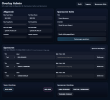
✨ Head-to-Head Comparison
You can now add a head-to-head view as a browser source. Depending on your settings, it will either compare random players after a few seconds or display a full team comparison (e.g. CS or kills) with a clean chart and timestamp. Everything is customizable — including what stats are compared and how it looks.
⚙️ Settings Panel
There’s now a settings menu in the top right corner where you can fully customize your HUD — size, text, colors, icons, spacing, background, transparency, and more. Changes are applied instantly after saving — no server restart needed.
⬆️ Level Up Notification
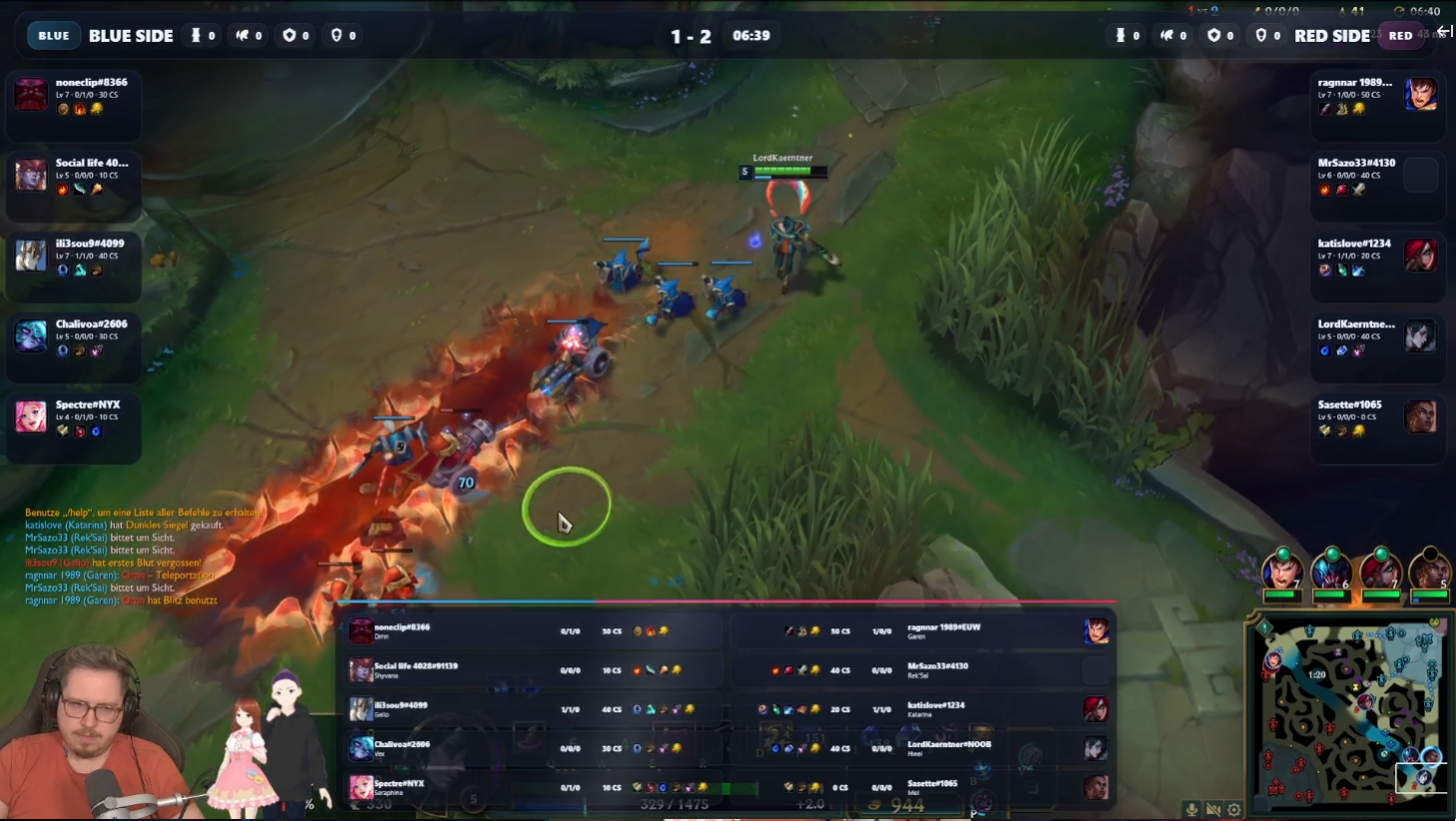
Level-ups are now displayed directly in the in-game overlay.
Translations
Everything should now be available in English — including overlays. No restart required.
Draft Highlighting
You can now choose in the settings whether the streamer should be highlighted.
Momentometer Improvements
The momentometer has been fine-tuned for better accuracy.
This is my first public tool for streamers, and I really hope you enjoy using it!
Feedback is always welcome
(P.S. Yes… the update came out before I even published the post )
DraftForge is a lightweight overlay toolkit for OBS Studio that lets you create professional esports-style broadcasts for League of Legends in minutes.
It provides ready-to-use browser overlays for draft phase, in-game stats and sponsor displays — all running locally with full control.
Built for creators who want a clean esports broadcast without complicated setups.
✨ Features
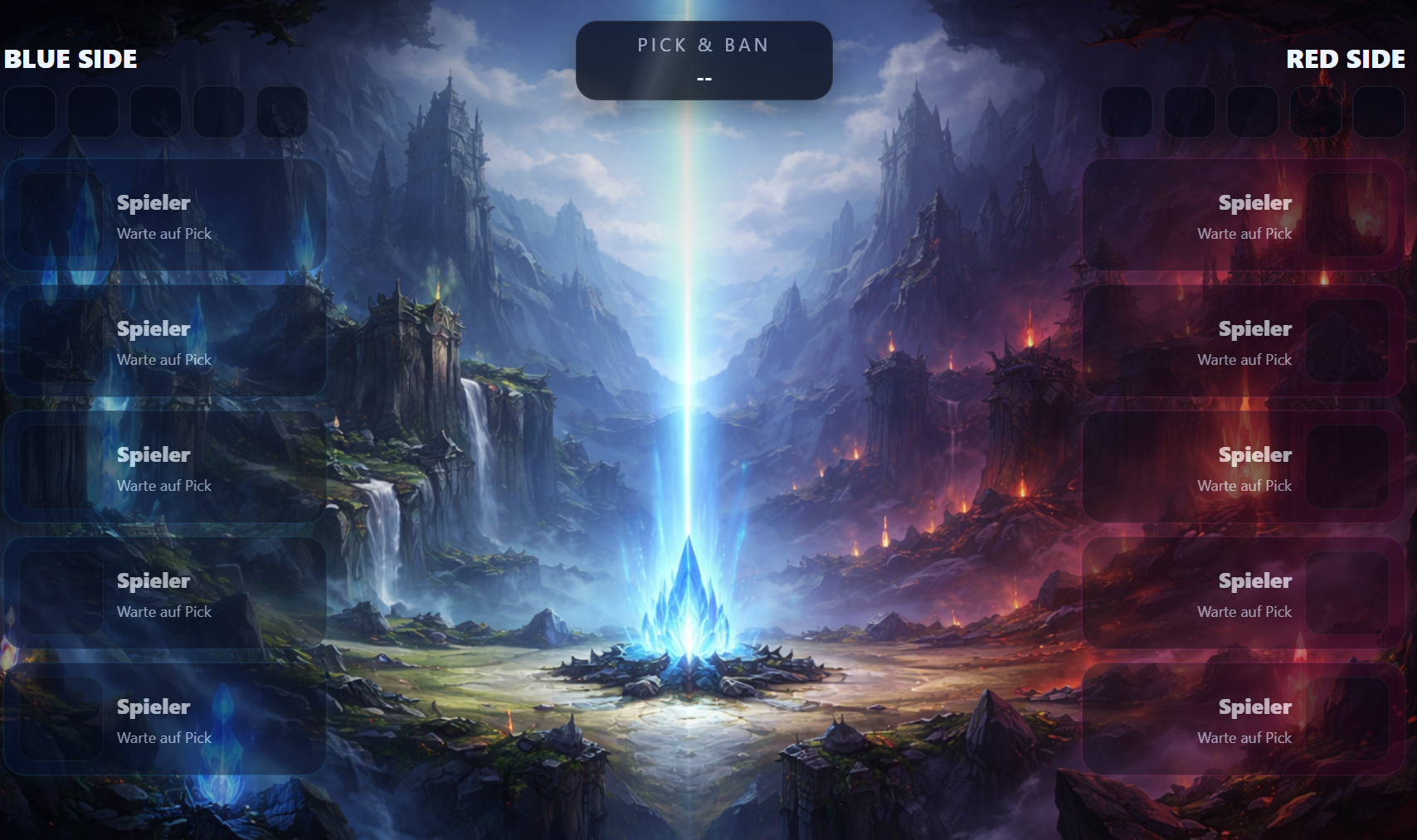
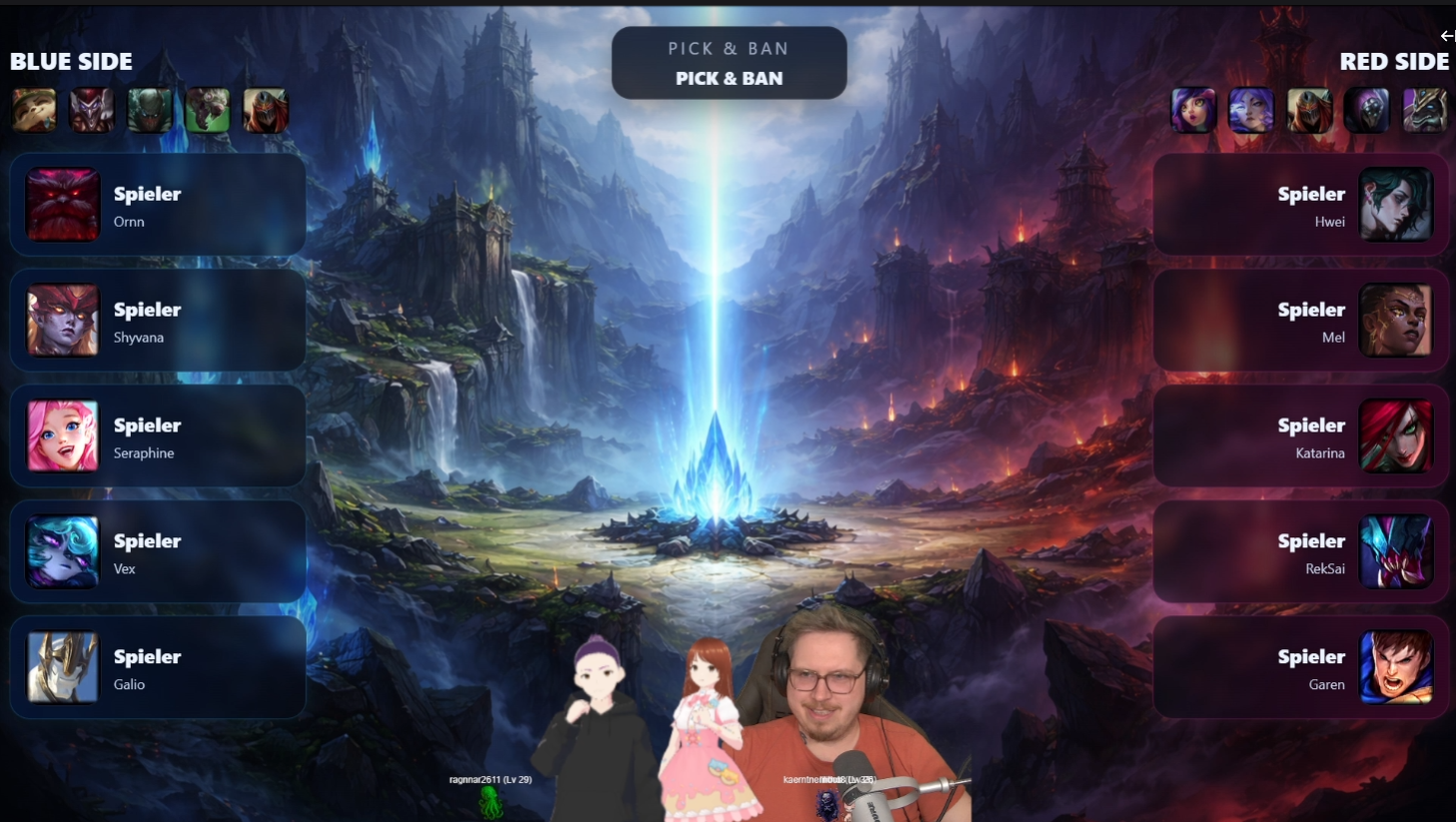
Draft Overlay
- Clean pick & ban display
- Active player highlight
- Designed for competitive streams
In-Game Overlay
- Live game stats
- Momentum Indicator
- Objectives and team overview
Sponsor Integration
- Dedicated sponsor page
- Ideal for breaks and shoutouts
⚙️ Control Panel
- Configure team names
- Customize colors
- Manage sponsors easily
Lightweight & Local
- Runs locally (no accounts required)
- Works via OBS Browser Sources
- Fast and performance-friendly
️ Setup
1. Start DraftForge Launcher and run the server
2. Add Browser Sources in OBS:
Draft: http://127.0.0.1:18181/draft
Ingame: http://127.0.0.1:18181/ingame
Sponsors: http://127.0.0.1:18181/sponsors
3. Open Admin Panel:
http://127.0.0.1:18181/admin
4. Customize your overlay and go live.
Requirements
- League of Legends must be running
- Works best during champion select or in-game
Notes
- All overlays run locally
- No internet connection required
- Server must be running while streaming
⚠️ Disclaimer
DraftForge is a fan-made tool and is not affiliated with or endorsed by Riot Games.
About this project
DraftForge was built as a personal project by a hobby developer who wanted better tournament-style overlays for League of Legends streams.
A lot of ideas came from real streaming needs, experimentation and iteration — with help from modern tools like ChatGPT.
The goal was simple: create something clean, easy to use and actually useful in real broadcasts.
Feedback
Feedback is highly appreciated!
If you have ideas, feature requests or run into issues, feel free to share them — it really helps improving the project.
⚠️ Data limitations
DraftForge uses the official League of Legends client API.
Because of that, some data is limited:
- Gold values are not available
- CS values are only updated in steps (e.g. 10)
- Some stats may not be perfectly accurate in real time
These are technical limitations from the API, not the overlay itself.
Future plans
DraftForge is actively being improved — more features and customization options are planned.


I’m excited to share a new update (27.03.2026) for my very first tool for streamers!
✨ Head-to-Head Comparison
You can now add a head-to-head view as a browser source. Depending on your settings, it will either compare random players after a few seconds or display a full team comparison (e.g. CS or kills) with a clean chart and timestamp. Everything is customizable — including what stats are compared and how it looks.
⚙️ Settings Panel
There’s now a settings menu in the top right corner where you can fully customize your HUD — size, text, colors, icons, spacing, background, transparency, and more. Changes are applied instantly after saving — no server restart needed.
⬆️ Level Up Notification
Level-ups are now displayed directly in the in-game overlay.
Translations
Everything should now be available in English — including overlays. No restart required.
Draft Highlighting
You can now choose in the settings whether the streamer should be highlighted.
Momentometer Improvements
The momentometer has been fine-tuned for better accuracy.
This is my first public tool for streamers, and I really hope you enjoy using it!
Feedback is always welcome
(P.S. Yes… the update came out before I even published the post )
DraftForge is a lightweight overlay toolkit for OBS Studio that lets you create professional esports-style broadcasts for League of Legends in minutes.
It provides ready-to-use browser overlays for draft phase, in-game stats and sponsor displays — all running locally with full control.
Built for creators who want a clean esports broadcast without complicated setups.
✨ Features
Draft Overlay
- Clean pick & ban display
- Active player highlight
- Designed for competitive streams
In-Game Overlay
- Live game stats
- Momentum Indicator
- Objectives and team overview
Sponsor Integration
- Dedicated sponsor page
- Ideal for breaks and shoutouts
⚙️ Control Panel
- Configure team names
- Customize colors
- Manage sponsors easily
Lightweight & Local
- Runs locally (no accounts required)
- Works via OBS Browser Sources
- Fast and performance-friendly
️ Setup
1. Start DraftForge Launcher and run the server
2. Add Browser Sources in OBS:
Draft: http://127.0.0.1:18181/draft
Ingame: http://127.0.0.1:18181/ingame
Sponsors: http://127.0.0.1:18181/sponsors
3. Open Admin Panel:
http://127.0.0.1:18181/admin
4. Customize your overlay and go live.
Requirements
- League of Legends must be running
- Works best during champion select or in-game
Notes
- All overlays run locally
- No internet connection required
- Server must be running while streaming
⚠️ Disclaimer
DraftForge is a fan-made tool and is not affiliated with or endorsed by Riot Games.
About this project
DraftForge was built as a personal project by a hobby developer who wanted better tournament-style overlays for League of Legends streams.
A lot of ideas came from real streaming needs, experimentation and iteration — with help from modern tools like ChatGPT.
The goal was simple: create something clean, easy to use and actually useful in real broadcasts.
Feedback
Feedback is highly appreciated!
If you have ideas, feature requests or run into issues, feel free to share them — it really helps improving the project.
⚠️ Data limitations
DraftForge uses the official League of Legends client API.
Because of that, some data is limited:
- Gold values are not available
- CS values are only updated in steps (e.g. 10)
- Some stats may not be perfectly accurate in real time
These are technical limitations from the API, not the overlay itself.
Future plans
DraftForge is actively being improved — more features and customization options are planned.