Resource icon

OBS-VirtualCam 2.0.4

Dear Catxfish could you please say when will be available plugin for Apple Macbook? My friend work in Bongacams and this product don't work with their services. Camera don't identified by bongacams and we can't configure OBS for better work. Thanks in advance.
 
Is it possible to make Facebook Messenger recognize OBS Virtual Camera as a webcam source? I can't get it to. Works great with Skype & Hangouts.
 
Hi,
I use this plug-in and have got some of my coworkers using it as well. I just helped two get set up to use OBS and OBS Virtual Cam today. In one case, everything went flawlessly (as it did in my setup), but in another we couldn't get Virtual Cam to show up in Tools.
We are not savvy with coding or anything. What do we need to look at or do to get it to work for them?
Thanks in advanced.

Z
 
Hi, I can't make obs-camera work with resolution of 864x480. My obs video setting base, output and preview scaling are set to 864x480. but obs-camera only gives me output in 1920x1080.( i mean on thirdparty app when i select obs-camera got red screen because virtual cam dont match with 864x480) What can I have wrong? virtual cam are running (start) and i have logitech c920.
 

Attachments

  • obs.png
    obs.png
    16.3 KB · Views: 245
Hi there - I have an odd bug when using VirtualCam with RC Meetings (aka Zoom). When I press stop video, then try to restart, sometimes I get frozen video and it crashes RC Meetings. This has happened on multiple machines - just not sure why it would behave like that. Thanks for the amazing plugin.
 
Im kinda new to OBS and I've been playing around with OBS + OBS VirtualCam. Im having a hard time understanding why I get a drost effect when using the OBS VirtualCam. I'm wondering if I did something wrong. Using 1 webcam, setup 2 video sources.... one using integrated laptop camera and the other is set to use OBS Virtual Cam. Screen caps included
 

Attachments

  • droste.jpg
    droste.jpg
    75.4 KB · Views: 175
  • VCD1.jpg
    VCD1.jpg
    64.9 KB · Views: 171
  • VCD2.jpg
    VCD2.jpg
    59.6 KB · Views: 191
Solved an issue when VirtualCam wouldn't appear under Tools menu. Hope this will help out others stuck at this point.
Affected versions: OBS 24.0.3 x64, OBS VirtualCam 2.0.4, Windows 10
I noticed that OBS suggested installation under /Program Files while VirtualCam got installed under /Program Files (x86)/obs-studio
VirtualCam didn't offer any directory choice. So I ended up indicating OBS Studio to install under /Program Files (x86)
 
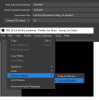
Hi there and thank you for this wonderful plugin. However I am having trouble getting it to work. I've tried installing it (using the installer) with OBS versions 22, 23, and 24. But every time, I fail to see the plugin in tools. :( Please see the attached images.
 

Attachments

  • image 1.jpg
    image 1.jpg
    254 KB · Views: 127
  • image 2.jpg
    image 2.jpg
    74.2 KB · Views: 132
  • image 3.jpg
    image 3.jpg
    219 KB · Views: 119
Hi there and thank you for this wonderful plugin. However I am having trouble getting it to work. I've tried installing it (using the installer) with OBS versions 22, 23, and 24. But every time, I fail to see the plugin in tools. :( Please see the attached images.

OKAY NEVERMIND! Thanks to the previous post by Oleksiy Rudenko, I was encouraged to keep trying things. I installed OBS 24 into my x86 Program Files folder as he suggested. Then I reinstalled OBS Virtual Cam. Still, nothing in tools. Then I manually copied the obs-virtualoutput.dll file from my previous install of OBS (which was in Program Files, not Program Files 86 lol) into the plugins directory of my fresh install (in Program Files 86) and IT FINALLY WORKED!
 
Good Afternoon
Thank you for a very cool plugin
I'm using it to deliver digital training from home

I have a feature request (and I know it has been asked before)
could a virtual mic be added to the plugin this will allow control from OBS
 
I have been using the VirtualCam plugin for cisco webex meetings for a while now but it does not work with webex teams, is there a solution for the problem
 

Attachments

  • Meetings.png
    Meetings.png
    130.4 KB · Views: 172
  • Teams.png
    Teams.png
    99.2 KB · Views: 172
Hello, i have a problem, i've choose the wrong directory for install the plugin and it dosen't show up on obs. What i can do to fix it? Thanks
 
Hi I install but I don't see any virtual cam in the tools menu. Is it somewhere else?
I'm on OBS 23.2.1 (64-bit)
 
Hello guys, can you help me?
]Until yesterday Skype could recognize the OSB virtualcam normally but yesterday I scanned with Avast Antivirus and it stopped working.
I've tried to reinstall everything, I've registered by cmd as instructed but to no avail.
Do not recognize as webcam anymore.
HELP ME PLEASE!
 
Back
Top