mb-PiBox
New Member
Is there a way for the "move scene" filter from one Scene, trigger the "move scene" filter configured in another Scene?
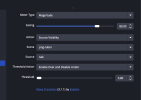
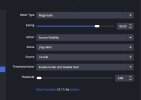
I setup to move my FaceCam in a nest scene ("Face Cam Overlay") to a different corner, in case the game I'm playing has important stats/info in the current corner.. But I have music player in another corner, follower stats in another.. I'd like to trigger, for example, the music player (which is in nested Scene called "Music") to be hidden based on the "FaceCam" sliding over to that corner.
Also, clicking the "Get Transform" button, it doesn't detect if the "source" has been flipped horizontally or vertically.
Is there a way to flip the source as its moving?
I setup to move my FaceCam in a nest scene ("Face Cam Overlay") to a different corner, in case the game I'm playing has important stats/info in the current corner.. But I have music player in another corner, follower stats in another.. I'd like to trigger, for example, the music player (which is in nested Scene called "Music") to be hidden based on the "FaceCam" sliding over to that corner.
Also, clicking the "Get Transform" button, it doesn't detect if the "source" has been flipped horizontally or vertically.
Is there a way to flip the source as its moving?