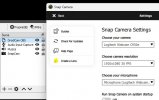
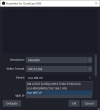
I'm struggling to get this working over USB or WiFi on OBS v28.01 and DroidCam v1.6.0.
I've followed the guides through to the letter, several on youtube, but the Android App just scrolls through Waiting for Connection forever in WiFi mode. I've disabled Mobile Data on the phone so I'm definitely connected to Home WiFi as is Windows 10 running OBS Studio. I confirmed IP address all match, allowed port 4747 through the firewall of TCP & UDP etc. Enabling USB Debugging on the phone doesn't get much further with USB mode either, I just get SM-G955F [USB] which is the model of my Samsung phone nothing happens, just blank. I've tried setting the debugging modes Default USB Configuration as Transferring Files, USB Tethering, MIDI, Transferring Images & Charging Phone Only, but doesn't make any difference. I've tried front and rear cameras. The OBS Log file from the moment I add the DroidCam plugin to a scene to use USB mode reads:
Code:
13:07:37.312: User added source 'DroidCam OBS' (droidcam_obs) to scene 'Scene'
13:07:48.520: [DroidCamOBS] Refresh Device List clicked
13:07:48.520: [DroidCamOBS] mDNS: query _droidcamobs._tcp.local. ANY via socket 4532
13:07:48.521: [DroidCamOBS] USBMux: found 0 devices
I assume the found 0 devices is the issue, but not sure what that means as the device is listed as SM-G955F [USB??
Weirdly, when I look at the OBS logs when connecting the Samsung over WiFi, the logs mention LG-H990 which is my old phone that had DroidCam installed, but I've never used on this computer or installation of OBS, so not sure where/how DroidCam OBS is thinking my Samsung is the LG-H990 which has long been recycled.
Code:
13:14:28.950: [DroidCamOBS] Refresh Device List clicked
13:14:28.951: [DroidCamOBS] mDNS: query _droidcamobs._tcp.local. ANY via socket 4644
13:14:28.952: [DroidCamOBS] USBMux: found 0 devices
13:14:29.011: [DroidCamOBS] mDNS: ANSWER record=LG-H990._droidcamobs._tcp.local.
13:14:29.011: [DroidCamOBS] added new device with serial 'LG-H990._droidcamobs._tcp.local.'
13:14:29.011: [DroidCamOBS] using model='LG-H990' for 'LG-H990._droidcamobs._tcp.local.'
13:14:29.011: [DroidCamOBS] device 'Android.local.' not found
13:14:29.011: [DroidCamOBS] device 'Android.local.' not found
13:14:29.011: [DroidCamOBS] device 'Android.local.' not found
13:14:29.011: [DroidCamOBS] device 'Android.local.' not found
Any ideas. I generally use scncpy, but was hoping to perhaps do audio at the same time as sndcpy isn't compatible with my Android version od the Samsung Galaxy S8+ unfortunately.