
Advanced Scene Switcher

Advanced Scene Switcher 1.35.1

Will there be an update to support an Ubuntu 26.04 LTS deb package? Ubuntu 26 has removed pre Qt 6 libraries and some older packages are getting updated to the latest - aka boomaga ( https://askubuntu.com/questions/1566961/boomaga-is-not-available-in-26-04-what-now ) - PR involved 32 files ( https://github.com/archisman-panigrahi/boomaga/commit/e530af2000e2f23e8bad452f2d59ff80711a0b85 )

Code:
sudo apt install ./advanced-scene-switcher-1.35.1-x86_64-linux-gnu.deb
Note, selecting 'advanced-scene-switcher' instead of './advanced-scene-switcher-1.35.1-x86_64-linux-gnu.deb'
Solving dependencies... Error!
Some packages could not be installed. This may mean that you have
requested an impossible situation or if you are using the unstable
distribution that some required packages have not yet been created
or been moved out of Incoming.
The following information may help to resolve the situation:

Unsatisfied dependencies:
 advanced-scene-switcher : Depends: libqt6gui6t64 (>= 6.4.0) but it is not installable
                           Depends: libqt6widgets6t64 (>= 6.3.0) but it is not installable
                           Recommends: libopencv-core406t64 (>= 4.6.0+dfsg) but it is not installable
                           Recommends: libopencv-imgproc406t64 (>= 4.6.0+dfsg) but it is not installable
                           Recommends: libopencv-objdetect406t64 (>= 4.6.0+dfsg) but it is not installable
                           Recommends: libpaho-mqtt1.3 (>= 1.3.0) but it is not going to be installed
                           Recommends: libpaho-mqttpp3-1 (>= 1.2.0) but it is not going to be installed
                           Recommends: libtesseract5 (>= 5.3.4) but it is not going to be installed
Error: Unable to satisfy dependencies. Reached two conflicting assignments:
   1. advanced-scene-switcher:amd64=1.35.1 is selected for install
   2. advanced-scene-switcher:amd64 Depends libqt6gui6t64 (>= 6.4.0)
      but none of the choices are installable:
      [no choices]
@Warmuptill Thank you so much for looking into this so quickly. Apologies for the delayed return to this.

So.. It DID NOT work entirely, but it did make some "progress"

It installed OK, but in the process it removed obs-studio ( !! ) lol

and if I try to reinstall obs-studio, it wants to remove advanced-scene-switcher.

1785177937734.png


1785177965475.png


I'm digging more to see if there might be any more helpful details. but right now, no cigar, but closer.
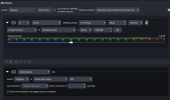
 
@Warmuptill Thank you so much for looking into this so quickly. Apologies for the delayed return to this.

So.. It DID NOT work entirely, but it did make some "progress"

It installed OK, but in the process it removed obs-studio ( !! ) lol

and if I try to reinstall obs-studio, it wants to remove advanced-scene-switcher.

View attachment 120657

View attachment 120658

I'm digging more to see if there might be any more helpful details. but right now, no cigar, but closer.
How did you install the "obs-studio" package?
I think it might just differ to how I do it in the CI environment and thus they are technically different packages.
 
How did you install the "obs-studio" package?
I think it might just differ to how I do it in the CI environment and thus they are technically different packages.
Agreed, I am using the "official" PPA from obs ( as listed here: https://obsproject.com/kb/linux-installation )
Code:
sudo add-apt-repository ppa:obsproject/obs-studio
and it is listed first as priority over the ubuntu package.
Code:
apt-cache policy obs-studio
obs-studio:
  Installed: 32.2.0-0obsproject1~resolute
  Candidate: 32.2.0-0obsproject1~resolute
  Version table:
 *** 32.2.0-0obsproject1~resolute 500
        500 https://ppa.launchpadcontent.net/obsproject/obs-studio/ubuntu resolute/main amd64 Packages
        100 /var/lib/dpkg/status
     32.1.0-0ubuntu3 500
        500 http://us.archive.ubuntu.com/ubuntu resolute/universe amd64 Packages
 
Agreed, I am using the "official" PPA from obs ( as listed here: https://obsproject.com/kb/linux-installation )
Code:
sudo add-apt-repository ppa:obsproject/obs-studio
and it is listed first as priority over the ubuntu package.
Code:
apt-cache policy obs-studio
obs-studio:
  Installed: 32.2.0-0obsproject1~resolute
  Candidate: 32.2.0-0obsproject1~resolute
  Version table:
 *** 32.2.0-0obsproject1~resolute 500
        500 https://ppa.launchpadcontent.net/obsproject/obs-studio/ubuntu resolute/main amd64 Packages
        100 /var/lib/dpkg/status
     32.1.0-0ubuntu3 500
        500 http://us.archive.ubuntu.com/ubuntu resolute/universe amd64 Packages
Yep, that is likely it.
Was using the obs-studio package provided by Ubuntu itself instead of the PPA.
Will try to fix that tomorrow and send you a new link.
 
Back
Top