
Advanced Scene Switcher

Advanced Scene Switcher 1.36.1

Will there be an update to support an Ubuntu 26.04 LTS deb package? Ubuntu 26 has removed pre Qt 6 libraries and some older packages are getting updated to the latest - aka boomaga ( https://askubuntu.com/questions/1566961/boomaga-is-not-available-in-26-04-what-now ) - PR involved 32 files ( https://github.com/archisman-panigrahi/boomaga/commit/e530af2000e2f23e8bad452f2d59ff80711a0b85 )

Code:
sudo apt install ./advanced-scene-switcher-1.35.1-x86_64-linux-gnu.deb
Note, selecting 'advanced-scene-switcher' instead of './advanced-scene-switcher-1.35.1-x86_64-linux-gnu.deb'
Solving dependencies... Error!
Some packages could not be installed. This may mean that you have
requested an impossible situation or if you are using the unstable
distribution that some required packages have not yet been created
or been moved out of Incoming.
The following information may help to resolve the situation:

Unsatisfied dependencies:
 advanced-scene-switcher : Depends: libqt6gui6t64 (>= 6.4.0) but it is not installable
                           Depends: libqt6widgets6t64 (>= 6.3.0) but it is not installable
                           Recommends: libopencv-core406t64 (>= 4.6.0+dfsg) but it is not installable
                           Recommends: libopencv-imgproc406t64 (>= 4.6.0+dfsg) but it is not installable
                           Recommends: libopencv-objdetect406t64 (>= 4.6.0+dfsg) but it is not installable
                           Recommends: libpaho-mqtt1.3 (>= 1.3.0) but it is not going to be installed
                           Recommends: libpaho-mqttpp3-1 (>= 1.2.0) but it is not going to be installed
                           Recommends: libtesseract5 (>= 5.3.4) but it is not going to be installed
Error: Unable to satisfy dependencies. Reached two conflicting assignments:
   1. advanced-scene-switcher:amd64=1.35.1 is selected for install
   2. advanced-scene-switcher:amd64 Depends libqt6gui6t64 (>= 6.4.0)
      but none of the choices are installable:
      [no choices]
@Warmuptill Thank you so much for looking into this so quickly. Apologies for the delayed return to this.

So.. It DID NOT work entirely, but it did make some "progress"

It installed OK, but in the process it removed obs-studio ( !! ) lol

and if I try to reinstall obs-studio, it wants to remove advanced-scene-switcher.

1785177937734.png


1785177965475.png


I'm digging more to see if there might be any more helpful details. but right now, no cigar, but closer.
 
@Warmuptill Thank you so much for looking into this so quickly. Apologies for the delayed return to this.

So.. It DID NOT work entirely, but it did make some "progress"

It installed OK, but in the process it removed obs-studio ( !! ) lol

and if I try to reinstall obs-studio, it wants to remove advanced-scene-switcher.

View attachment 120657

View attachment 120658

I'm digging more to see if there might be any more helpful details. but right now, no cigar, but closer.
How did you install the "obs-studio" package?
I think it might just differ to how I do it in the CI environment and thus they are technically different packages.
 
How did you install the "obs-studio" package?
I think it might just differ to how I do it in the CI environment and thus they are technically different packages.
Agreed, I am using the "official" PPA from obs ( as listed here: https://obsproject.com/kb/linux-installation )
Code:
sudo add-apt-repository ppa:obsproject/obs-studio
and it is listed first as priority over the ubuntu package.
Code:
apt-cache policy obs-studio
obs-studio:
  Installed: 32.2.0-0obsproject1~resolute
  Candidate: 32.2.0-0obsproject1~resolute
  Version table:
 *** 32.2.0-0obsproject1~resolute 500
        500 https://ppa.launchpadcontent.net/obsproject/obs-studio/ubuntu resolute/main amd64 Packages
        100 /var/lib/dpkg/status
     32.1.0-0ubuntu3 500
        500 http://us.archive.ubuntu.com/ubuntu resolute/universe amd64 Packages
 
Agreed, I am using the "official" PPA from obs ( as listed here: https://obsproject.com/kb/linux-installation )
Code:
sudo add-apt-repository ppa:obsproject/obs-studio
and it is listed first as priority over the ubuntu package.
Code:
apt-cache policy obs-studio
obs-studio:
  Installed: 32.2.0-0obsproject1~resolute
  Candidate: 32.2.0-0obsproject1~resolute
  Version table:
 *** 32.2.0-0obsproject1~resolute 500
        500 https://ppa.launchpadcontent.net/obsproject/obs-studio/ubuntu resolute/main amd64 Packages
        100 /var/lib/dpkg/status
     32.1.0-0ubuntu3 500
        500 http://us.archive.ubuntu.com/ubuntu resolute/universe amd64 Packages
Yep, that is likely it.
Was using the obs-studio package provided by Ubuntu itself instead of the PPA.
Will try to fix that tomorrow and send you a new link.
 
Sadly, the log does not give any new insights.
Unfortunately, I am still not able to reproduce a crash:
View attachment 120656
Am I missing a step or did I misunderstand anything?
Are you sure that the advanced scene switcher is at fault?
Hi,

It seems to be contributing at the very least. If I delete the macro then delete the scene I don't get a crash.

I'm looking to setup Visual Studio 2006 and OBS to see what is happening. I've gotten OBS building and running. But I'm getting held up on where to put the Advanced Scene Switcher plugin to be picked up by the debug OBS and then also how to setup Advanced Scene Switcher in development along with the OBS solution. I did software development for over 20 years mainly in C, Delphi 1 through to 7, VB.Net, C Sharp but the IDE's etc have changed a lot since I quit development.

1785195373138.png


09:07:53.703: Skipping module '../../obs-plugins/64bit/advanced-scene-switcher-lib.dll', not an OBS plugin

09:07:54.408: LoadLibrary failed for '../../obs-plugins/64bit/advanced-scene-switcher.dll': The specified module could not be found.

09:07:54.408: (126)

09:07:54.408: Module '../../obs-plugins/64bit/advanced-scene-switcher.dll' not loaded

regards,

David
 
Hi,

It seems to be contributing at the very least. If I delete the macro then delete the scene I don't get a crash.

I'm looking to setup Visual Studio 2006 and OBS to see what is happening. I've gotten OBS building and running. But I'm getting held up on where to put the Advanced Scene Switcher plugin to be picked up by the debug OBS and then also how to setup Advanced Scene Switcher in development along with the OBS solution. I did software development for over 20 years mainly in C, Delphi 1 through to 7, VB.Net, C Sharp but the IDE's etc have changed a lot since I quit development.

View attachment 120665

09:07:53.703: Skipping module '../../obs-plugins/64bit/advanced-scene-switcher-lib.dll', not an OBS plugin

09:07:54.408: LoadLibrary failed for '../../obs-plugins/64bit/advanced-scene-switcher.dll': The specified module could not be found.

09:07:54.408: (126)

09:07:54.408: Module '../../obs-plugins/64bit/advanced-scene-switcher.dll' not loaded

regards,

David
Note to self. Read the instructions stupid. Ok, I put it in tree as per your excellent instructions and have built it and will test it tomorrow
 
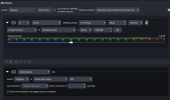
Hey, feel like there's something obvious I'm missing but I can't figure it out. I'm trying to get the scene to change when no audio is detected for a specific amount of time. When I set it up with no duration, it works (audio is playing, I pause it and the scene switches.) But when I add the duration timer to for at least and set any amount of time, it never works - this is even true when I tried another macro. Does this feature just not work or have I messed something up?
 

Attachments

  • 19ae9bb46564e7168d5ffae0093cc699.png
    19ae9bb46564e7168d5ffae0093cc699.png
    31 KB · Views: 60
Agreed, I am using the "official" PPA from obs ( as listed here: https://obsproject.com/kb/linux-installation )
Code:
sudo add-apt-repository ppa:obsproject/obs-studio
and it is listed first as priority over the ubuntu package.
Code:
apt-cache policy obs-studio
obs-studio:
  Installed: 32.2.0-0obsproject1~resolute
  Candidate: 32.2.0-0obsproject1~resolute
  Version table:
 *** 32.2.0-0obsproject1~resolute 500
        500 https://ppa.launchpadcontent.net/obsproject/obs-studio/ubuntu resolute/main amd64 Packages
        100 /var/lib/dpkg/status
     32.1.0-0ubuntu3 500
        500 http://us.archive.ubuntu.com/ubuntu resolute/universe amd64 Packages
Here is the new build:
Let me know if it works! :)

Note to self. Read the instructions stupid. Ok, I put it in tree as per your excellent instructions and have built it and will test it tomorrow
Thanks!
I appreciate you trying to analyze the issue yourself a lot!

Hey, feel like there's something obvious I'm missing but I can't figure it out. I'm trying to get the scene to change when no audio is detected for a specific amount of time. When I set it up with no duration, it works (audio is playing, I pause it and the scene switches.) But when I add the duration timer to for at least and set any amount of time, it never works - this is even true when I tried another macro. Does this feature just not work or have I messed something up?
I can only guess that there still is some miniscule sound being output for a short duration, which resets the condition's timer.
The slider can be a bit deceiving:
A value of ~ -60db translates to roughly 0,10% volume level.

Does it work as expected if you specify a lower threshold?
 
Here is the new build:
Let me know if it works! :)


Thanks!
I appreciate you trying to analyze the issue yourself a lot!


I can only guess that there still is some miniscule sound being output for a short duration, which resets the condition's timer.
The slider can be a bit deceiving:
A value of ~ -60db translates to roughly 0,10% volume level.

Does it work as expected if you specify a lower threshold?
No, it doesn't matter what threshold it is it doesn't work. I also had the same issue when I set it to change scene if on another scene - if i swap to that scene it will swap back instantly, but if I added the timer for at least 5 seconds it would just never change so I think it's something with the timer in general, if that's even possible?
 
Here is the new build:
Let me know if it works! :)
**************************
**************************
tl;dr yes it works. the rest is a little info regarding some versions between the OBS PPA for ubuntu 26 and the OBS official github releases.
**************************
**************************

1785260609935.png


I do appear to have a lingering plugin reference that I need to clean out for "libadvanced-scene-switcher"
1785260702617.png


*************
Details from uncovering the OBS version differences:
*************
Excellent and fantastic and quick update. It does install! YAY --- but... it does not appear in OBS

1785259762158.png


Do the 84 misses in the "Ccache" build mean anything ( the ubuntu 24 version stats appear a little different...

1785259837996.png


The plugin manager says it is missing.
1785259867631.png

It does not appear in Docks or Tools:
1785259900698.png


**************************
**************************
OK as I was constructing this, I found I had updated to 32.2.1 - from the OBS github page recent releases ( https://github.com/obsproject/obs-studio/releases/tag/32.2.1 ). That version did not want to show the advanced scene switcher. But going back to the 32.2.0 version in the offical PPA ( not from their github page ) and it is WORKING! Woot!!

So I'll leave this here, as it may or may not be relevant when the 32.2.1 version rolls through the PPA, or by then maybe something will be in the right place and it will be a non issue. -- also just in case anyone else runs across any issue

**************************
**************************

THANK YOU SO MUCH!

ooof dependencies and version mismatches - the miracle and curse of software engineering..
 
And FWIW removing the entry for the plugin_manager showing "libadvanced-scene-switcher" was simply just removing the entry block listed below in the file ~/.config/obs-studio/plugin_manager/modules.json
Code:
    {
        "display_name": "",
        "enabled": false,
        "encoders": [],
        "id": "",
        "module_name": "libadvanced-scene-switcher",
        "outputs": [],
        "services": [],
        "sources": [],
        "version": ""
    }

I guess OBS official is slowly rolling out some of this plugin manager capability.

Now to finish de-compiling and porting the surround sound 6&8 channel HDMI2.1 avermedia drivers and plugin from win/mac to linux.
 
No, it doesn't matter what threshold it is it doesn't work. I also had the same issue when I set it to change scene if on another scene - if i swap to that scene it will swap back instantly, but if I added the timer for at least 5 seconds it would just never change so I think it's something with the timer in general, if that's even possible?
Could it be that some other macro is interfering?
If you have multiple macros can you share those as well?

Also can you share an OBS log file with verbose logging of the advanced scene switcher plugin enabled?
 
Could it be that some other macro is interfering?
If you have multiple macros can you share those as well?

Also can you share an OBS log file with verbose logging of the advanced scene switcher plugin enabled?
I don't have any other macros - I just installed the plugin earlier and this is the only one I've tried to set up. Attaching log file - it looks like the condition is being met but it never activates the scene change (I have the settings set to be for at least 5 seconds currently, and the audio was paused for 10 seconds)
 

Attachments

I don't have any other macros - I just installed the plugin earlier and this is the only one I've tried to set up. Attaching log file - it looks like the condition is being met but it never activates the scene change (I have the settings set to be for at least 5 seconds currently, and the audio was paused for 10 seconds)
Well nevermind, it works now, I changed the perform actions to always and it is now working (only changed off of that earlier because it wasn't, but oh well!) thanks for the time and help!
 
I don't know if this is a bug or if I'm not using the plugin correctly but I just can't get this to work:

What I'm trying to do: When I enter the "Be Right Back Scene" I want a random Audio Scene Element of the scene "Anime Eyecatchers" to play. After the Eyecatcher played, I want to activate the Background Music. Additionally, when I leave the "Be Right Back Scene" I want to deactivate the Background Music of the scene I just switched to (if it has background music), play a random Anime Eyecatcher once again and after that has been played re-activate the background music of the new scene (if it has any background music).

But the Problem is that the Anime Eyecatchers I have have random lenghts. I used to wait a fixed amount of seconds but that leads to extended periods of silence if the random eyecatcher happens to be short. So I figured I use the "Wait for Media to stop"-Action. However it never works. I start the scene item (play the audio) and wait for it to end but the waiting never happens.
Screenshot 2026-08-27 045722.png
Screenshot 2026-08-27 045641.png


"Enter Be Right Back"

Code:
AAASCnic7VjNbhs3EH6VBdFDm0qqJTm2o5vtKKiAOFElJz0EQkDtjlesd8kFyVXsGj71AfoIfZC+VB+hM+T+cGXLDdJTgBwErYbzP9/McHXHch5rZdjkwx2TPAc2YVNpQUdnEC1EurHRGY+voxHrsVSrsmCTK54Z6LGClwaWfAtnsOFboTSbHFRUNrG6dCyaZxlkjUy8gfj6XMlEWKGkmcn5LgeP6eRSizQFfaES1DXsMXMtiukNxG/l0nJtG25jVXEae11Xb5R9qSQ0h+TeRml7LnRcCjvd8qzkxBtynJeoI29cOicHZxQ/crduP8l0x0gzBA8Hg3GP2duCHu/RjBTWJWcL2jj7Q6QmKr5egrVCpoZkNaTCoM4gOC4TnmFIL5G1zimJ/Spkoj5hpdxBj224WZTyrLSWlHs+pM2pFg+omEFbmtd8HWR9g4XOqNizq7Y6l7psk6lr/Zdwg8EwtMeqanfoziajmB+evfM0PI07RrxHFVNrP+IaInJ70JF4RQ49JeI8JhlK1SxBBp5sjek7oPeJ2D88Gp68SEZx/+Rwfdg/BDjun4xG4/7B8xGHOB6/WI8StlMvJ+7B1hhcFpmwWLO5MsIjC7uooG4aHqNM9Xx8dHC/qhRM0TevZL/s0dFxI3s0JNEaGz8rew23ptuDnojiqybtIcmqNM1gvktuE+oMG0hzkDYEZKyyjBcGksbclusLXhTIML0pEJzBUdNKXWDFIY1d3EaZe+wxkHydkbzHZZPpUWiFXFth6gUV0cQgCTuZSkXs2ikptetnHBPiSlDn3DErcviIsRmruZC+7QxQsObxTj34r05FsjO9hAxiX6i7WqRXj8wPy1X0z19//oGfvzuDk6DL5RbbrhVnF+gau68ND93YJCjQ2eDZkqwNnjGX1EvNpcfHJdcpWHdYZw1hATcIxiuRklM+p8HwtSIYYqqoqk2BBvGt6qH7tQABycIF2mse3/gqLNAVlUdvynyNaGiPR9X5DAuRiSSq6ZFpikLjVr/3oGD4S5b5+6ex0jQQ+jru1XmbJTds0qeVVa6XVqPv1cZq1YRKWi7xO+xjcmWeBwhhFe2C23jjLD4ueIV7YkGMITqa0fEEPEgQ/UJjNGIjqyKiOLNFxmPonlXE6JOwG7YXlbt2fb07ZnNuNwgoDcZjgH0fDaMfo1H0LBpHP0Q/RYcsANhcq7xo7wJCFqWtaewUVaQyclkhH+uST7yGmWMmrzcqS4KlKx4csH7fBQpYJViD7PcdardCK0kVf9/F4LvldDFfvH01ez1lnzM5nh4QkBeovyMnaoS5ZtjdUs7gDOVm2JUhMIYhMBKha1sHDvkY22uQKdZvj0TBkwSZzjfkzeEJOY3DqfZJu8bzfbeL92G3bULWKWJqL2OKgeB8B7popVSIauY5edebfmBV0v57yGhzdkijh6Qxc1Mvy9SnBRTAba3Om/jNKPlLCRo3JftuYFQOAwm4fpOB1+I5dhPccb5RMb3BRRTbJeYuaIKwZF/DyM0hEZzVi6JaqhVcPQiG7Tr+wj1LKuF6DhoRbHkaSj/fEXfuLFWJrI+21Oet7NNVdCrxuhBNbyGmSep2xv5mbFrrEbVj35iXnSal74dd2Kyvh/uqug/c33+dqDj5hopvqPAJ+bgVRqwFvuHcftYW/LL781O535d65K7KTOrpLw2ZRBelwXcKgmCR4MppL91Ngmx7D69V2oCL9rCXfdngvZL83w0QDN11hm+v76QVWeti8J8HbTVoXjCNf9FzN5r6kuIrtQossOFgfDTAvfkvingxiQ==

"Exit Be Right Back"

Code:
AAAWBHic7Vjbbhs3EP2VBdGHNpVU3Zw4enMcBRUQJ6rkpA+BEFC74xXrXXJBcmW5Rp76Af2Efkh/qp/QGXKvsq1cWqAN4AdBq+HcOHPmsrphKQ+1Mmzy7oZJngKbsOlO2OAZBAsRb/CBh5fBkHVYrFWesckFTwx0WMZzA0u+hWew4VuhNJv0CyqbWJ07Fs2TBJJKJtxAeHmqZCSsUNLM5Hyfg4d0cq5FHIM+UxHqGnSYuRTZdAfha7m0XNuK21iVnYRe18UrZZ8rCdUhubdR2p4KHebCTrc8yTnxNjlOc9SRVi6dkoMzaUEjd+32QaYbRpqh8dDvjTrMXmf0+AHNSGFdcLagjbM/QGqkwsslWCtkbEhWQywM6mxcjsuIJ3il58haxpTEfhYyUleYKHfQYRtuFrl8lltLyj0f0uaUi1tUjKDNzUu+bkR9g4lOKNmzizo75zqvg6lL/eeww8swtMeKbLfoziajO98+e+NpeBq2jHiPCqbafsA1BOR2ryXxghw6JOI8JhkK1SxCBh5tjek6nHeJ2I34eHB0HB11h6P1ujsejI+76yfjUXcUDcfhqM8fP10/ZXv5cuIebJXBZZYIizmbKyM8srCIMiqm4QgzXzw/fdz/sCoUTNE3r+R+2eMno0r26IhES2z8qOwlXJt2DXoiiq+qsDdJVsVxAvN9ch1QZ9hAnIK0TUCGKkl4ZiCqzG25PuNZhgzTXYbgbBxVpdQGVtiksbPrIHGPHQaSrxOS97isIj1sWiHXVhh6QUk0IUjCTqJiEbpyinLt6hnbhLgQVDk3zIoU3uPdjNVcSF92Buiy5u5K7X+sUpHsTC8hgdAn6qYU6ZQd891yFfz1x++/4efPVuMk6HK5xbKrxdkZusY+lIaHrm0SFOis92hJ1nqPmAvquebS4+Oc6xisO6yrEmLYIRovRExe+aA2uq8VjS6msiLddNPGBVdl1/0UJBTp+i+BgGTh7tmpHl/5LCzQFZUGr/J0jWioj4fF+QwTkYgoKOmBqZJC7Va/9aBg+Evm6dvDWKkKiIq9U4ZtFu3YpEsjK18vrUbfi4lVq2kqqbnEr3Afk8vyvIEQVtDOuA03zuLdghc4JxbE2ARH1ToOoIME0S80Ri02sCogijObJTyE9llBDK6E3bB7Qblv1+e7ZTbldoOA0mA8Bti3wSD4PhgGj4JR8F3wQzBmDYDNtUqzehcQMsttSWMnqCKWgYsK+VimfOI1zBwzeb1RSdQYuuLWAet23UUBswRrkN2uQ+1WaCUp42/bGHyznC7mi9cvZi+n7FM6x+EGAWmG+ltyokSYK4b9KeUMzlBuhlXZBMagCYxI6NJW3yEf7/YSZIz5u0ci41GETKcb8mZ8TE5jcyp90q7wfN3t433QLpsm6xQxdS9jjBfB/g60aMWUCA8YL+9q0/erQtp/DxhNzhZpeJs0Yq7pJYm6WkAG3JbqvIlfjJI/5aBxUrJvekal0JOA4zfqeS2eYz/ALecrFdMdDqLQLjF2jSJopuyrmb3vt8KItcCt5foAskeH8Fyh8+6SQGift2BO38hNA/Zk5eYpvYPIKDjLDS4BNLGzCDFST8nq9rYenKVK2+CiwvGyz4stopKMKsIX7QvlNHUFtE5w3XwjrUhqFxsvKV9H9lOIBGf1vdxKVeTPB3fwL0TNAFzOQSNCLI+b0kd74s6dpcqR9c6G+mkLG+LpROKyGEyvIaQ56jaGL4Pu6D7s3u7B1fJye1vxunDh/DpRcfyAigdUfM6k+KdvTw/D5HOHyf/g5e1hk/iS5Pc/nnxcaKH6b8n4/3jcy0z5fuLTsGpYYIPe6HEPV+a/AcXIkwQ=

I hope someone can help me with this.
 
I don't know if this is a bug or if I'm not using the plugin correctly but I just can't get this to work:

What I'm trying to do: When I enter the "Be Right Back Scene" I want a random Audio Scene Element of the scene "Anime Eyecatchers" to play. After the Eyecatcher played, I want to activate the Background Music. Additionally, when I leave the "Be Right Back Scene" I want to deactivate the Background Music of the scene I just switched to (if it has background music), play a random Anime Eyecatcher once again and after that has been played re-activate the background music of the new scene (if it has any background music).

But the Problem is that the Anime Eyecatchers I have have random lenghts. I used to wait a fixed amount of seconds but that leads to extended periods of silence if the random eyecatcher happens to be short. So I figured I use the "Wait for Media to stop"-Action. However it never works. I start the scene item (play the audio) and wait for it to end but the waiting never happens.
View attachment 121012View attachment 121011

"Enter Be Right Back"

Code:
AAASCnic7VjNbhs3EH6VBdFDm0qqJTm2o5vtKKiAOFElJz0EQkDtjlesd8kFyVXsGj71AfoIfZC+VB+hM+T+cGXLDdJTgBwErYbzP9/McHXHch5rZdjkwx2TPAc2YVNpQUdnEC1EurHRGY+voxHrsVSrsmCTK54Z6LGClwaWfAtnsOFboTSbHFRUNrG6dCyaZxlkjUy8gfj6XMlEWKGkmcn5LgeP6eRSizQFfaES1DXsMXMtiukNxG/l0nJtG25jVXEae11Xb5R9qSQ0h+TeRml7LnRcCjvd8qzkxBtynJeoI29cOicHZxQ/crduP8l0x0gzBA8Hg3GP2duCHu/RjBTWJWcL2jj7Q6QmKr5egrVCpoZkNaTCoM4gOC4TnmFIL5G1zimJ/Spkoj5hpdxBj224WZTyrLSWlHs+pM2pFg+omEFbmtd8HWR9g4XOqNizq7Y6l7psk6lr/Zdwg8EwtMeqanfoziajmB+evfM0PI07RrxHFVNrP+IaInJ70JF4RQ49JeI8JhlK1SxBBp5sjek7oPeJ2D88Gp68SEZx/+Rwfdg/BDjun4xG4/7B8xGHOB6/WI8StlMvJ+7B1hhcFpmwWLO5MsIjC7uooG4aHqNM9Xx8dHC/qhRM0TevZL/s0dFxI3s0JNEaGz8rew23ptuDnojiqybtIcmqNM1gvktuE+oMG0hzkDYEZKyyjBcGksbclusLXhTIML0pEJzBUdNKXWDFIY1d3EaZe+wxkHydkbzHZZPpUWiFXFth6gUV0cQgCTuZSkXs2ikptetnHBPiSlDn3DErcviIsRmruZC+7QxQsObxTj34r05FsjO9hAxiX6i7WqRXj8wPy1X0z19//oGfvzuDk6DL5RbbrhVnF+gau68ND93YJCjQ2eDZkqwNnjGX1EvNpcfHJdcpWHdYZw1hATcIxiuRklM+p8HwtSIYYqqoqk2BBvGt6qH7tQABycIF2mse3/gqLNAVlUdvynyNaGiPR9X5DAuRiSSq6ZFpikLjVr/3oGD4S5b5+6ex0jQQ+jru1XmbJTds0qeVVa6XVqPv1cZq1YRKWi7xO+xjcmWeBwhhFe2C23jjLD4ueIV7YkGMITqa0fEEPEgQ/UJjNGIjqyKiOLNFxmPonlXE6JOwG7YXlbt2fb07ZnNuNwgoDcZjgH0fDaMfo1H0LBpHP0Q/RYcsANhcq7xo7wJCFqWtaewUVaQyclkhH+uST7yGmWMmrzcqS4KlKx4csH7fBQpYJViD7PcdardCK0kVf9/F4LvldDFfvH01ez1lnzM5nh4QkBeovyMnaoS5ZtjdUs7gDOVm2JUhMIYhMBKha1sHDvkY22uQKdZvj0TBkwSZzjfkzeEJOY3DqfZJu8bzfbeL92G3bULWKWJqL2OKgeB8B7popVSIauY5edebfmBV0v57yGhzdkijh6Qxc1Mvy9SnBRTAba3Om/jNKPlLCRo3JftuYFQOAwm4fpOB1+I5dhPccb5RMb3BRRTbJeYuaIKwZF/DyM0hEZzVi6JaqhVcPQiG7Tr+wj1LKuF6DhoRbHkaSj/fEXfuLFWJrI+21Oet7NNVdCrxuhBNbyGmSep2xv5mbFrrEbVj35iXnSal74dd2Kyvh/uqug/c33+dqDj5hopvqPAJ+bgVRqwFvuHcftYW/LL781O535d65K7KTOrpLw2ZRBelwXcKgmCR4MppL91Ngmx7D69V2oCL9rCXfdngvZL83w0QDN11hm+v76QVWeti8J8HbTVoXjCNf9FzN5r6kuIrtQossOFgfDTAvfkvingxiQ==

"Exit Be Right Back"

Code:
AAAWBHic7Vjbbhs3EP2VBdGHNpVU3Zw4enMcBRUQJ6rkpA+BEFC74xXrXXJBcmW5Rp76Af2Efkh/qp/QGXKvsq1cWqAN4AdBq+HcOHPmsrphKQ+1Mmzy7oZJngKbsOlO2OAZBAsRb/CBh5fBkHVYrFWesckFTwx0WMZzA0u+hWew4VuhNJv0CyqbWJ07Fs2TBJJKJtxAeHmqZCSsUNLM5Hyfg4d0cq5FHIM+UxHqGnSYuRTZdAfha7m0XNuK21iVnYRe18UrZZ8rCdUhubdR2p4KHebCTrc8yTnxNjlOc9SRVi6dkoMzaUEjd+32QaYbRpqh8dDvjTrMXmf0+AHNSGFdcLagjbM/QGqkwsslWCtkbEhWQywM6mxcjsuIJ3il58haxpTEfhYyUleYKHfQYRtuFrl8lltLyj0f0uaUi1tUjKDNzUu+bkR9g4lOKNmzizo75zqvg6lL/eeww8swtMeKbLfoziajO98+e+NpeBq2jHiPCqbafsA1BOR2ryXxghw6JOI8JhkK1SxCBh5tjek6nHeJ2I34eHB0HB11h6P1ujsejI+76yfjUXcUDcfhqM8fP10/ZXv5cuIebJXBZZYIizmbKyM8srCIMiqm4QgzXzw/fdz/sCoUTNE3r+R+2eMno0r26IhES2z8qOwlXJt2DXoiiq+qsDdJVsVxAvN9ch1QZ9hAnIK0TUCGKkl4ZiCqzG25PuNZhgzTXYbgbBxVpdQGVtiksbPrIHGPHQaSrxOS97isIj1sWiHXVhh6QUk0IUjCTqJiEbpyinLt6hnbhLgQVDk3zIoU3uPdjNVcSF92Buiy5u5K7X+sUpHsTC8hgdAn6qYU6ZQd891yFfz1x++/4efPVuMk6HK5xbKrxdkZusY+lIaHrm0SFOis92hJ1nqPmAvquebS4+Oc6xisO6yrEmLYIRovRExe+aA2uq8VjS6msiLddNPGBVdl1/0UJBTp+i+BgGTh7tmpHl/5LCzQFZUGr/J0jWioj4fF+QwTkYgoKOmBqZJC7Va/9aBg+Evm6dvDWKkKiIq9U4ZtFu3YpEsjK18vrUbfi4lVq2kqqbnEr3Afk8vyvIEQVtDOuA03zuLdghc4JxbE2ARH1ToOoIME0S80Ri02sCogijObJTyE9llBDK6E3bB7Qblv1+e7ZTbldoOA0mA8Bti3wSD4PhgGj4JR8F3wQzBmDYDNtUqzehcQMsttSWMnqCKWgYsK+VimfOI1zBwzeb1RSdQYuuLWAet23UUBswRrkN2uQ+1WaCUp42/bGHyznC7mi9cvZi+n7FM6x+EGAWmG+ltyokSYK4b9KeUMzlBuhlXZBMagCYxI6NJW3yEf7/YSZIz5u0ci41GETKcb8mZ8TE5jcyp90q7wfN3t433QLpsm6xQxdS9jjBfB/g60aMWUCA8YL+9q0/erQtp/DxhNzhZpeJs0Yq7pJYm6WkAG3JbqvIlfjJI/5aBxUrJvekal0JOA4zfqeS2eYz/ALecrFdMdDqLQLjF2jSJopuyrmb3vt8KItcCt5foAskeH8Fyh8+6SQGift2BO38hNA/Zk5eYpvYPIKDjLDS4BNLGzCDFST8nq9rYenKVK2+CiwvGyz4stopKMKsIX7QvlNHUFtE5w3XwjrUhqFxsvKV9H9lOIBGf1vdxKVeTPB3fwL0TNAFzOQSNCLI+b0kd74s6dpcqR9c6G+mkLG+LpROKyGEyvIaQ56jaGL4Pu6D7s3u7B1fJye1vxunDh/DpRcfyAigdUfM6k+KdvTw/D5HOHyf/g5e1hk/iS5Pc/nnxcaKH6b8n4/3jcy0z5fuLTsGpYYIPe6HEPV+a/AcXIkwQ=

I hope someone can help me with this.
Does it help if you add a small delay (0.5s) between the "Abspielen" and the "Wait for playback to stop" action?

I think it might take a small amount of time for the signal to start the playback of the selected media source to be processed by OBS.
Thus, when its the "Wait for playback to stop" action's turn, the source is still in state "stopped", and so there is no point in waiting.

And sorry about taking so long to respond!
 
Does it help if you add a small delay (0.5s) between the "Abspielen" and the "Wait for playback to stop" action?

I think it might take a small amount of time for the signal to start the playback of the selected media source to be processed by OBS.
Thus, when its the "Wait for playback to stop" action's turn, the source is still in state "stopped", and so there is no point in waiting.

And sorry about taking so long to respond!
Thank you, this was the solution.
 
Copied from Windows Forum:

I have started a new project with a cam outside my house and it was running awesome in test mode. I was trying to add "Move Transition" and when I did OBS crashed. It would only run in safe mode. I deleted Move Transition and thought it would solve it but it didn't and it still crashes. I got it to load in safe mode and turned off Advanced Scene Switcher (which I need to do what I am trying to do) and it runs in normal mode. As soon as I try to run the plug in though it crashes.

I uninstalled OBS, but didn't uninstall my scenes, etc, because I am trying to not have to start from scratch. I reinstalled Advance Scene Switcher and again it crashes. My log files don't seem to indicate any problem that I can see. I hope I got the correct log file attached.

Any help is greatly appreciated. Its been a while since I have posted as I haven't been using OBS for over a year.

TIA

Paul


https://obsproject.com/logs/VPVzOJRjqta0L3Sc
 
Copied from Windows Forum:

I have started a new project with a cam outside my house and it was running awesome in test mode. I was trying to add "Move Transition" and when I did OBS crashed. It would only run in safe mode. I deleted Move Transition and thought it would solve it but it didn't and it still crashes. I got it to load in safe mode and turned off Advanced Scene Switcher (which I need to do what I am trying to do) and it runs in normal mode. As soon as I try to run the plug in though it crashes.

I uninstalled OBS, but didn't uninstall my scenes, etc, because I am trying to not have to start from scratch. I reinstalled Advance Scene Switcher and again it crashes. My log files don't seem to indicate any problem that I can see. I hope I got the correct log file attached.

Any help is greatly appreciated. Its been a while since I have posted as I haven't been using OBS for over a year.

TIA

Paul


https://obsproject.com/logs/VPVzOJRjqta0L3Sc
Can you please share a crash log, too, if there is one?
(Crash logs can be found in a similar location to the OBS log file you already shared)

What settings have you configured on the plug-in side?
You can export them to a file as described here:
 
Back
Top