- Supported Bit Versions
-
- 32-bit
- 64-bit
- Minimum OBS Studio Version
- 21.0.0
- Supported Platforms
-
- Windows
The plugin is designed for source item animation.
Features
motion transition : Animate all sources between scene switch (easy to use)
motion filter : Animate one source in the scene.
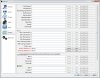
Screenshot

How to Install?
Unzip motion-effect.zip and Put it to the obs-studio installation folder
How to use motion transition?
1. Add to your transition list then switch scene. just this one
Behavior of motion transition
1. The bounding box option must be "no-bound"
2. You can't use same source in one scene simultaneously .
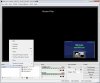
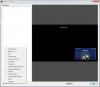
How to use motion -filter ? (Screenshot in Attached Files)
1.Add a motion filter to a "scene" (It's important, this filter won't work directly with source)
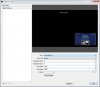
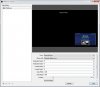
2.Choose a source which you want to animate and give a destination position and scale on property page.
3.Use Forward and Backward button to check results.
4.Go to hotkeys page in OBS settings and choose set hotkey you want to use.
5. Done, you can try it now
How to set a curve path In motion-transition?
Use different acceleration on x-axis & y-axis
Why motion-filter can't be used on source?
The item position information is held by scene , and also it's more easy to preview results in scene filter page.
How to set a curve path In motion-filter?
You need to set control points position for Bezier curve. If you don't know what's that , Wikipedia gives a very good demonstration animation.
Features
motion transition : Animate all sources between scene switch (easy to use)
motion filter : Animate one source in the scene.
Screenshot
How to Install?
Unzip motion-effect.zip and Put it to the obs-studio installation folder
How to use motion transition?
1. Add to your transition list then switch scene. just this one
Behavior of motion transition
- Source in both scene : linear transform animation
- Source only in previous scene : zoom out
- Source only in next scene : zoom in
1. The bounding box option must be "no-bound"
2. You can't use same source in one scene simultaneously .
How to use motion -filter ? (Screenshot in Attached Files)
1.Add a motion filter to a "scene" (It's important, this filter won't work directly with source)
2.Choose a source which you want to animate and give a destination position and scale on property page.
3.Use Forward and Backward button to check results.
4.Go to hotkeys page in OBS settings and choose set hotkey you want to use.
5. Done, you can try it now
How to set a curve path In motion-transition?
Use different acceleration on x-axis & y-axis
Why motion-filter can't be used on source?
The item position information is held by scene , and also it's more easy to preview results in scene filter page.
How to set a curve path In motion-filter?
You need to set control points position for Bezier curve. If you don't know what's that , Wikipedia gives a very good demonstration animation.