

You are using an out of date browser. It may not display this or other websites correctly.
You should upgrade or use an alternative browser.
You should upgrade or use an alternative browser.

Advanced Scene Switcher 1.37.0
- Author Warmuptill
- Creation date
- Featured
Important notes:
- The minimum supported OBS version is OBS 31.1.1.
- Please make sure to back up your settings!
- If you run into any issues, please either post in the OBS forums or create an issue on GitHub!
- Windows users installing via zip archive: The plugin layout changed with OBS 33.
The windows-x64.zip archive is intended for OBS 33 and newer.
For OBS 32 and older use the windows-x64-obs32.zip or windows-x64-portable-obs32.zip archives instead.
The installer supports both OBS 32 and OBS 33.Additions:
- Added undo / redo support for macros.
Renaming, adding, removing, grouping and modifying macros, as well as adding, removing and changing conditions and actions, can now be undone.
Undo / redo can be disabled in the "General" tab if not desired or causes unexpected issues.- Added the option to prompt users for input when importing macros.
When exporting, values such as scenes, sources or file paths that only exist on your setup can be marked as "replaceable".
Whoever imports the macro will then be asked to supply their own values for each of them.
Defaults can be provided and a list of options to choose from can be defined.
This should hopefully make sharing macros across different setups a bit easier.- Added a "Now Playing" condition (Windows only).
It can check the playback state, title, artist, album and app name of media currently playing on the system, for example in Spotify or a browser.The values are also exposed as macro properties.
- Added a "Create source" action.

- Macro groups can now be nested inside other macro groups.

- Added new options to the "Variable" action:
- Current scene
- Previous scene
- Preview scene
- Current transition
- Date / time
- Date / time with offset
- Unix timestamp
- Time since last scene change
- JSON array length
- Set JSON field
- Format number
- Added an option to the "Audio" condition to check if a source is enabled on a specific audio track.
- Added a "Mono" option to the "Play audio" action.
Changes:
- The "Get user input" option of the "Variable" action now also supports file, folder, scene and source selection widgets.
- The "Variables" tab now shows how many macros use each variable. Hovering over the entry lists the macros.
- The macro search can now search for macros using a given variable.
- The macro export dialog now selects the variables used by the exported macros by default.
- Added an option to the "General" tab to disable blinking of the inactive status label in the settings window and status dock. (nanopink)
- The selected setting of the "Source" and "Filter" actions and conditions is now kept visible if the source is currently unavailable.
- Improved drag behavior of macro segments. (nanopink)
- The "Cursor" condition now supports drawing a screen region rectangle instead of having to enter the coordinates manually. (nanopink)
- The dock window name field in the macro dock settings is now a combo box, making it easier to combine docks into a single dock window without having to know the exact dock window titles beforehand.
- Improved KWin window detection support for the OBS Flatpak on Linux.
- Setting Twitch stream tags now supports Unicode letters.
- Added the AdvancedSceneSwitcherVersion vendor request to the obs-websocket API, which returns version and commit information.
- Added Ubuntu 26 packages.
- Updated the Chinese translation. (Rygtx)
Fixes:
- Fixed the "Video" condition not supporting variables properly.
- Fixed the "Source" action not being able to modify settings that were never set before and have no default value (e.g. the text of a newly created text source).
- Fixed potential crashes in the "Speech Recognition" condition.
- Fixed the Twitch token being treated as invalid after loading a broken config.
- Fixed the Twitch token status not reflecting reality if the cached user ID is empty.
- Fixed a crash when rapidly inserting or removing conditions and actions.
- Fixed a crash in the "Run" action on macOS.
- Fixed a crash when changing the scene collection on macOS.
- Fixed a crash on shutdown when using the "Play audio" action.
- Fixed a crash on shutdown related to obs-websocket vendor events. (TheRealAlexV)
- Fixed macro pause hotkey descriptions not showing macro name in the OBS settings.

Important notes:
- The minimum supported OBS version is OBS 31.1.1.
- Please make sure to back up your settings!
- If you run into any issues, please either post in the OBS forums or create an issue on GitHub!
Additions:
- Added a "Speech Recognition" condition.

It listens to an OBS audio source and uses whisper.cpp to transcribe speech in real time.
The condition can check whether any speech was detected, whether the transcript contains a specific phrase, or whether it matches a regular expression.
A quantized model of the variant "tiny" is bundled with the plugin.
Larger GGML models can be downloaded separately for improved accuracy.- Added a "Loop" action.

It defines an inline set of conditions and actions. The actions are executed repeatedly for as long as the conditions are true, up to a configurable maximum iteration count.- Added a "Clone variable context" option to action queues.

When enabled, the current values of all variables are captured at the moment an action is inserted into the queue.Actions then read from and write to this snapshot during execution, so later changes to global variables do not affect them.- Added pause and unpause options to the macro tab context menu.
Fixes:
- Fixed compatibility issues with other plugins also shipping SSL libraries on Windows.
- Fixed source selection widgets containing duplicate entries in the "Filter" action and condition.
Important notes:
- The minimum supported OBS version is OBS 31.1.1.
- Please make sure to back up your settings!
- If you run into any issues, please either post in the OBS forums or create an issue on GitHub!
1.35.1 Hotfix Changes:
- Fixed a crash on shutdown when using the "Profile" condition type.
Additions:
- Added an option wait for a scene item transition to the "Scene item visibility" action.

- Added an option to wait for a variable to change in the "Wait" action type.

- Added an option to get Twitch ad info in the Twitch action.

- Added an option to start and stop Twitch polls in the Twitch action.

Unfortunately, this feature is untested. So, if you run into any issues, please do let me know!- Added variable support for color selections in the "Video" condition.

- Added an option to automatically extract a value from a JSON query result in the Variable action.

Changes:
- The Twitch chat and event subscriptions connections are now closed when the plugin is stopped.
- The macro export dialog now sorts resources alphabetically and adds scrollbars for easier navigation.
- The condition / action type selection is now focused automatically when a new condition or action is added.
- Added variable setter / getter support to inline script generated code, making it easier to read and write variables directly from inline scripts via advss_get_variable_value and advss_set_variable_value respectively.
- Improved native Wayland window tracking on Linux when using KWin. Window conditions now correctly trigger for native Wayland windows alongside XWayland windows.
- The Windows portable zip artifact has been renamed from legacy to portable for consistency with other plugin naming conventions.
- Minor UI spacing / layout changes.
Fixes:
- Fixed a freeze when stopping a waiting macro via the "Run macro" button.
- Fixed variables of nested macros' actions not being resolved correctly.
- Fixed nested macro actions being executed twice when added to a queue.
- Fixed window conditions not triggering for native Wayland windows on Linux.
- Fixed a crash on transition start in Studio Mode.
Important notes:
- The minimum supported OBS version is OBS 31.1.1.
- Please make sure to back up your settings!
- If you run into any issues, please either post in the OBS forums or create an issue on GitHub!
Additions:
- Added an option wait for a scene item transition to the "Scene item visibility" action.

- Added an option to wait for a variable to change in the "Wait" action type.

- Added an option to get Twitch ad info in the Twitch action.

- Added an option to start and stop Twitch polls in the Twitch action.

Unfortunately, this feature is untested. So, if you run into any issues, please do let me know!- Added variable support for color selections in the "Video" condition.

- Added an option to automatically extract a value from a JSON query result in the Variable action.

Changes:
- The Twitch chat and event subscriptions connections are now closed when the plugin is stopped.
- The macro export dialog now sorts resources alphabetically and adds scrollbars for easier navigation.
- The condition / action type selection is now focused automatically when a new condition or action is added.
- Added variable setter / getter support to inline script generated code, making it easier to read and write variables directly from inline scripts via
advss_get_variable_valueandadvss_set_variable_valuerespectively.- Improved native Wayland window tracking on Linux when using KWin. Window conditions now correctly trigger for native Wayland windows alongside XWayland windows.
- The Windows portable zip artifact has been renamed from legacy to portable for consistency with other plugin naming conventions.
- Minor UI spacing / layout changes.
Fixes:
- Fixed a freeze when stopping a waiting macro via the "Run macro" button.
- Fixed variables of nested macros' actions not being resolved correctly.
- Fixed nested macro actions being executed twice when added to a queue.
- Fixed window conditions not triggering for native Wayland windows on Linux.
- Fixed a crash on transition start in Studio Mode.
Important notes:
- The minimum supported OBS version is OBS 31.1.1.
- Please make sure to back up your settings!
- If you run into any issues, please either post in the OBS forums or create an issue on GitHub!
1.34.2 Hotfix Changes:
- The Windows installer will now support both, installations directly in the OBS installation directory, and the ProgramData directory.
- Improved Twitch event subscription reconnection handling.
- Fixed a freeze when choosing invalid OCR model in the "Video" condition.
- Fixed a crash when importing macros is exceptionally slow.
- Fixed a crash on shutdown.
1.34.1 Hotfix Changes:
- Fixed a crash on startup when using conditions or actions referencing multiple other macros.
Additions:
- Added an option to check the file path of a running process in process-related conditions.
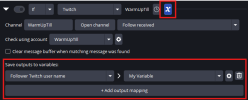
- Added the ability to map macro property values directly to variables, removing the need for a separate "Variable" action.
- Added a "Keep source active" option to the "Game Capture" and "Video" condition types, allowing video sources to remain active even if they are not visible.
- Added a new "Macro Schedule" tab.
It is intended to ease scheduling the execution of macro actions at a given date / time.- Added a "Run macro" option to the "Macro" action type. When triggered, it evaluates the selected macro's conditions and runs either its actions or else-actions based on the result.
Changes:
- Added a "Get current values" button to the "Streaming" action, making it easier to populate settings from the active stream configuration.
- Reworked shutdown handling for greater stability.
If you experience any issues when closing OBS and suspect this plugin may be involved, please report them.- All tabs are now visible by default when the setup wizard is skipped.
- Updated the Windows installation path for plugin files.
The zip archive contains the backward-compatible old directory structure alongside the new one.- The "Ignore entry" logic selector in conditions now uses a toggle button, consistent with how it is handled for actions.
- Fixed minor logging and UI highlighting issues affecting paused macros.
- Renamed the "Reevaluate the condition state before executing this action" setting found in the "Run macro actions" option of the "Macro" action to "Check conditions now, even if macro is paused" for clarity.
- You can now explicitly choose which variables, action queues, and other resources to export alongside a selected macros.
Previously, exporting a macro would automatically include all associated variables and action queues, while silently skipping items with potential privacy implications (e.g. Twitch connections).- Added macro properties to the "Window" condition for the window position and size.
- Added position and size macro properties to the "Video" condition's option to detect patterns.
Fixes:
- Fixed a potential freeze when closing OBS.
- Fixed an issue where the Twitch condition could stop receiving new events under certain circumstances.
- Fixed transition signals not being connected when changing the "Scene" selection of the "Transition" condition.
- Fixed the "Transitioning from" check of the "Transition" condition not working correctly in Studio Mode.
- Fixed a crash when using OCR mode of the "Video" condition with custom training data.
- Fixed a crash when using the "Streaming" action or condition to access stream settings.
- Fixed macOS "fullscreen" detection of the "Window" condition not working.
- Improved reliability of the macOS "maximized" detection of the "Window" condition.
Important notes:
- The minimum supported OBS version is OBS 31.1.1.
- Please make sure to back up your settings!
- If you run into any issues, please either post in the OBS forums or create an issue on GitHub!
1.34.1 Hotfix Changes
- Fixed a crash on startup when using conditions or actions referencing multiple other macros.
Additions:
- Added an option to check the file path of a running process in process-related conditions.

- Added the ability to map macro property values directly to variables, removing the need for a separate "Variable" action.

- Added a "Keep source active" option to the "Game Capture" and "Video" condition types, allowing video sources to remain active even if they are not visible.

- Added a new "Macro Schedule" tab.

It is intended to ease scheduling the execution of macro actions at a given date / time.- Added a "Run macro" option to the "Macro" action type. When triggered, it evaluates the selected macro's conditions and runs either its actions or else-actions based on the result.

Changes:
- Added a "Get current values" button to the "Streaming" action, making it easier to populate settings from the active stream configuration.
- Reworked shutdown handling for greater stability.
If you experience any issues when closing OBS and suspect this plugin may be involved, please report them.- All tabs are now visible by default when the setup wizard is skipped.
- Updated the Windows installation path for plugin files.
The zip archive contains the backward-compatible old directory structure alongside the new one.- The "Ignore entry" logic selector in conditions now uses a toggle button, consistent with how it is handled for actions.

- Fixed minor logging and UI highlighting issues affecting paused macros.
- Renamed the "Reevaluate the condition state before executing this action" setting found in the "Run macro actions" option of the "Macro" action to "Check conditions now, even if macro is paused" for clarity.
- You can now explicitly choose which variables, action queues, and other resources to export alongside a selected macros.

Previously, exporting a macro would automatically include all associated variables and action queues, while silently skipping items with potential privacy implications (e.g. Twitch connections).- Added macro properties to the "Window" condition for the window position and size.
- Added position and size macro properties to the "Video" condition's option to detect patterns.
Fixes:
- Fixed a potential freeze when closing OBS.
- Fixed an issue where the Twitch condition could stop receiving new events under certain circumstances.
- Fixed transition signals not being connected when changing the "Scene" selection of the "Transition" condition.
- Fixed the "Transitioning from" check of the "Transition" condition not working correctly in Studio Mode.
- Fixed a crash when using OCR mode of the "Video" condition with custom training data.
- Fixed a crash when using the "Streaming" action or condition to access stream settings.
- Fixed macOS "fullscreen" detection of the "Window" condition not working.
- Improved reliability of the macOS "maximized" detection of the "Window" condition.
Attachments
Important notes:
- The minimum supported OBS version is OBS 31.1.1.
- Please make sure to back up your settings!
- If you run into any issues, please either post in the OBS forums or create an issue on GitHub!
Additions:
- Added an option to check the file path of a running process in process-related conditions.

- Added the ability to map macro property values directly to variables, removing the need for a separate "Variable" action.

- Added a "Keep source active" option to the "Game Capture" and "Video" condition types, allowing video sources to remain active even if they are not visible.

- Added a new "Macro Schedule" tab.

It is intended to ease scheduling the execution of macro actions at a given date / time.- Added a "Run macro" option to the "Macro" action type. When triggered, it evaluates the selected macro's conditions and runs either its actions or else-actions based on the result.

Changes:
- Added a "Get current values" button to the "Streaming" action, making it easier to populate settings from the active stream configuration.
- Reworked shutdown handling for greater stability.
If you experience any issues when closing OBS and suspect this plugin may be involved, please report them.- All tabs are now visible by default when the setup wizard is skipped.
- Updated the Windows installation path for plugin files.
The zip archive contains the backward-compatible old directory structure alongside the new one.- The "Ignore entry" logic selector in conditions now uses a toggle button, consistent with how it is handled for actions.

- Fixed minor logging and UI highlighting issues affecting paused macros.
- Renamed the "Reevaluate the condition state before executing this action" setting found in the "Run macro actions" option of the "Macro" action to "Check conditions now, even if macro is paused" for clarity.
- You can now explicitly choose which variables, action queues, and other resources to export alongside a selected macros.

Previously, exporting a macro would automatically include all associated variables and action queues, while silently skipping items with potential privacy implications (e.g. Twitch connections).- Added macro properties to the "Window" condition for the window position and size.
- Added position and size macro properties to the "Video" condition's option to detect patterns.
Fixes:
- Fixed a potential freeze when closing OBS.
- Fixed an issue where the Twitch condition could stop receiving new events under certain circumstances.
- Fixed transition signals not being connected when changing the "Scene" selection of the "Transition" condition.
- Fixed the "Transitioning from" check of the "Transition" condition not working correctly in Studio Mode.
- Fixed a crash when using OCR mode of the "Video" condition with custom training data.
- Fixed a crash when using the "Streaming" action or condition to access stream settings.
- Fixed macOS "fullscreen" detection of the "Window" condition not working.
- Improved reliability of the macOS "maximized" detection of the "Window" condition.
Important notes:
- The minimum supported OBS version is OBS 31.1.1.
- Please make sure to back up your settings!
- If you run into any issues, please either post in the OBS forums or create an issue on GitHub!
1.33.1 Hotfix Changes
- Fixed some actions and conditions not persisting their internal state properly.
- The new "Source interaction" action will now refresh its sources list when closing and opening the macro again.
Additions:
- Added the "Source Interaction" action.

It will enable you to record interactions with e.g. Browser sources and replay them at.- Added the action type "Play audio file".

- Added the option to add a new recording chapter.

- Added support for controlling the "T-Bar" in Studio Mode to the "Transition" action.

- Added additional Twitch actions:
- Send shoutout
- Cancel raid
- Enable/disable shield mode
- Enable/disable branded content
- Various user moderation actions (ban, block, VIP, moderator, ...)
- Chat settings toggles (emote-, follower-, subscriber-only, slow-mode, ...)
I wasn't able to test them all.So, if you run into any issues please do let me know!- Added the "HTTP" condition type.

It will enable you to send http requests to the advanced scene switcher to trigger macros.- Added a "Get macro info" action.

- Added macro properties to the "Sequence" and "Random" actions to expose the macro that was executed.
- Added a "Next Macro" macro property to "Sequence" actions.
- Added the option to expose the current settings of a source as a macro property.
- Added the option to suppress the crash dialog shown when an unclean shutdown is detected.
Changes:
- Removed deprecated functionality from the "File" condition.
These options were hidden when not used for a few years now.
So, I hope I didn't break anyone's setup with this change.- Validated that the user ID matches the token in the Twitch integration.
- The macro list now scrolls to newly added macro segments.
Fixes:
- Fixed the "File" condition's "content changed" and "date changed" checks incorrectly triggering on plugin startup.
- Fixed a crash when the "Mathematical expression" of the "Variable" action type was used concurrently.
- Fixed a few race conditions when accessing variables.
- Fixed the title of the "Open" dialog of the "Script" action and condition.
- Fixed macro list / macro edit area splitter resizing when horizontally large widgets (e.g. the Window condition) were part of the selected macro.
- Fixed Twitch event subscription handling:
- Revocations were sometimes not handled properly.
- Active subscriptions were not cleared on reconnect
- A server migration could cause a crash in rare circumstances.
- Improved error logging.
Important notes:
- The minimum supported OBS version is OBS 31.1.1 for Windows and macOS.
The .deb package is built for OBS 32.1.0 on Ubuntu 24.- Please make sure to back up your settings!
- If you run into any issues, please either post in the OBS forums or create an issue on GitHub!
Additions:
- Added additional modes to control how the actions of a macro are executed in case the conditions are met:

This replaces the old "Perform actions only on condition change" setting.This is now represented as "Perform actions -> only when result changes".- Added a minimal setup wizard to help with the initial configuration and explain how the plugin works.
- The "Similarity Rating" from pattern matching is now exposed as a macro property.
Fixes:
- Fixed an issue where file selection fields displayed resolved variable values instead of the variable itself.
- Fixed an issue where the first action of paused macros could still execute in certain scenarios.
- Delayed dialog popups during startup to prevent OBS from freezing on some systems.
Important notes:
- The minimum supported OBS version is OBS 31.1.1.
- Please make sure to back up your settings!
- If you run into any issues, please either post in the OBS forums or create an issue on GitHub!
Additions:
- You can now select multiple week days in the simple view of the date condition.

- Added support for OBS websocket "vendor requests" that allow you to run macros and set variables remotely.
Example messages are available here:
https://github.com/WarmUpTill/Scene...os-and-setting-variables-using-vendorrequestsFixes:
- Fixed an issue where the Stream Deck condition did not correctly detect the "key down" state.
- Fixed a crash introduced in 1.32.7 that could occur when adjusting multiple scene item transitions in parallel.