Resource icon

Zoom to Mouse 1.0.1

I downloaded the modified script because I was getting the "Failed to call frontend_event_callback for frontend API" error. The new script runs...thanks! I've been able to use it in a couple of instances but it seems that it stops working after a few minutes. It may be because I used a mouse right-click to bring up a context menu. Every time I do that it breaks the script and I have to restart it.

I can't say for sure if that's the only thing that breaks it, but right-clicks break it for sure, even if no context menu is generated. Any ideas on how to fix that>
 
I installed the script but the zoom sources select box are always empty.

i'm using flatpak version with ubuntu.

any ideas ?
 
I had the same problem on Ubuntu 24.04 and OBS 31.0.1.
To fix it for Linux you need to change a line in the get_dc_info function
(line 209 in the latest [Feb 7, 2024] obs-zoom-to-mouse.lua on the github:
https://github.com/BlankSourceCode/obs-zoom-to-mouse/blob/main/obs-zoom-to-mouse.lua)
source_id = "xshm_input"
should be
source_id = "xshm_input_v2"
Only sources with this id are added to the 'Zoom Source' list.
The display name for this id in the selection list of Sources dock is "Display Capture (XSHM)".
It seems that at some point id was changed to version 2.
unfortunately, doesn't seem to work.

Does anyone know of any forks of this that actually work on Linux with Wayland? It seems the original creator has abandoned this project, and while there are over 100 forks, I don't really want to test out each and every one of them to see if any of them happen to have fixed the Wayland issue. I understand Linux has a small percentage of the market, but does literally anybody care about fixing this?
 
I just installed the script and encountered the following error after selecting the source and I'm unsure what need to do.

[obs-zoom-to-mouse.lua] Failed to call script_update for obs_lua_script_update: [string "/Users/mytestuser/Documents/Streaming Assets/..."]:556: attempt to call field 'obs_sceneitem_get_info' (a nil value)

My system configuration is as follows:

MacBook Air M4 16GB with macOS Tahoe Version 26.2

OBS 32.1.0-rc1
 
I just installed the script and encountered the following error after selecting the source and I'm unsure what need to do.

[obs-zoom-to-mouse.lua] Failed to call script_update for obs_lua_script_update: [string "/Users/mytestuser/Documents/Streaming Assets/..."]:556: attempt to call field 'obs_sceneitem_get_info' (a nil value)

My system configuration is as follows:

MacBook Air M4 16GB with macOS Tahoe Version 26.2

OBS 32.1.0-rc1
Problem solved. I missed the the message in the review to do the following:

To reiterate, you need to go into the script and edit the following entries:

"obs_sceneitem_get_info" to "obs_sceneitem_get_info2" (3 instances)
"obs_sceneitem_set_info" to "obs_sceneitem_set_info2" (1 instance)

Works fine now.
 
kept running into the same lua errors on mac after OBS updates tbh. for tutorial recordings i just switched to OS level tools like FocuSee or TuringShot that handle zoom+cursor follow at the system level, OBS picks it up automatically since its just rendering on screen. less configurable than this script but way less fiddling
 

OBS Zoom to Mouse (WORKING IN 2026) – Updated Lua Script for OBS 30+​

Hey everyone,

I noticed that the original Zoom to Mouse Lua script has been broken for a while due to OBS API changes (especially after OBS 28+). Functions like obs_sceneitem_get_info were removed, which caused the script to stop working entirely.

So I decided to rebuild it from scratch — focusing on stability, compatibility, and simplicity.


✅ What this version does​

  • Smooth zoom in/out
  • Mouse tracking (follows cursor)
  • Lightweight and stable
  • Fully compatible with OBS Studio 28 / 29 / 30+ (tested in 2026)

⚡ What changed​

Instead of relying on deprecated sceneitem transform APIs, this version uses:

  • Crop filter (native and stable)
  • Mouse position tracking
  • Interpolation (lerp) for smooth movement
This avoids all deprecated functions and ensures forward compatibility.


Script (zoom_mouse_v2.lua)​

-- paste your script here<br>

️ How to use​

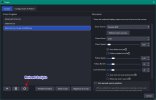
  1. Go to Tools → Scripts
  2. Add the .lua file
  3. Select your source (Display Capture recommended)
  4. Set zoom factor (e.g. 2.0)
  5. Assign a hotkey

⚠️ Notes​

  • This version is intentionally simplified for reliability
  • It does not include some legacy features like advanced safe zones or multi-monitor auto-detection
  • Works best with Display Capture sources

Why this version​

The original script became incompatible due to breaking API changes.
Instead of patching outdated code, this version was redesigned to:

  • Work with modern OBS APIs
  • Be easier to maintain
  • Avoid deprecated functions entirely

Future improvements (optional)​

If there's interest, I can extend this with:

  • Safe zone tracking
  • Smarter mouse locking
  • Multi-monitor support
  • More advanced easing animations

If you test it or improve it further, feel free to share your version

Cheers!

 

Attachments

Back
Top