ObsidianYeen
New Member
I am currently trying to test my setup before streaming, and for some reason I can hear myself through my headphones when the OBS application is open. It goes away when I change the audio source to default or a device that is not connected.
I have:
- Restarted the application
- Updated the application
- Made sure only the desired microphone was recording audio, it is currently the only microphone enabled in OBS
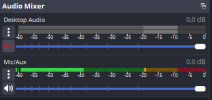
- Muted desktop audio
- Configured my camera to "Capture Audio Only"
- Changed audio monitoring to "Monitor Off"
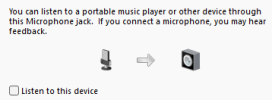
- Made sure "Listen to this device" was off in Windows settings
I have:
- Restarted the application
- Updated the application
- Made sure only the desired microphone was recording audio, it is currently the only microphone enabled in OBS
- Muted desktop audio
- Configured my camera to "Capture Audio Only"
- Changed audio monitoring to "Monitor Off"
- Made sure "Listen to this device" was off in Windows settings