Question / Help Streaming from OBS to Zoom

Footdrummer

New Member
Hello all!
I know there is a lot of chatter on her about using Zoom and OBS together. Let me put a case study to this befor I ask my question.

I am aTap Dance Teacher. I have students all over thE US that take video classes from me. I have used Zoom with my computer and phone checking into the meeting on my end (one full body the other just my feet) while the student is check in on the other.

my son turned me on to OBS for streaming with 2 cameras for social media live stream. We are still working out the bug but he has me set up with both cameras in the same window at the same time.

I downloaded, but am not sure it’s working, the plug in someone mentioned in this thread:

my question is how can I take the set up I am using to live stream and put that to zoom? So my students can see what OBS is pushing out whole I am able to see them?

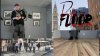
The attached pic is what is pushed out to social media.
 

Attachments

  • 0A0341D6-3E06-4B99-A8D9-3EF5D944AB11.jpeg
    0A0341D6-3E06-4B99-A8D9-3EF5D944AB11.jpeg
    912 KB · Views: 4,186
If you've installed the plugin and it is working, Zoom should see virtualcam as a video input while OBS is running, and you can use it instead of your actual cameras (which OBS will be using instead).
 
 
Im also having a problem in Zoom (But different).

I started the virtual webcam in OBS and it looks like everything is fine, but when I select the OBS camera in zoom, I dont see a picture?
 
Using OBS to stream to Zoom on Mac

Tested on MacOS Catalina v 10.15.3


From Mac - Airplay to an iPad ( might work on Apple TV also, not sure )
From Mac - OBS - Right click on Active Video, Project on Display 2
You should be having the live video on the iPad

Set up cam twist to capture the Desktop of the iPad
On zoom, Select Camtwist as camera source


Extra for the sound, you may use Loopback Audio.

Tested for 20 min worked fine.


Screenshot:
4396 × 1440 px
 
This is the Windows support forum. Please keep information relevant to the Mac version of OBS in the Mac Support forum, as there are significant differences in features, available plugins, and other aspects of operating OBS.

CamTwist and LoopBack are MacOS only software.

 
Im also having a problem in Zoom (But different).

I started the virtual webcam in OBS and it looks like everything is fine, but when I select the OBS camera in zoom, I dont see a picture?


I'm also having the same problem. Zoom wont let me use the OBS-camera i went to tools and started it :((
 
Zoom can use NDI. Install the NDI module and the NewTek NDI Tools. Run Virtual Input and choose the OBS NDI output and Zoom should let you select this as a camera.
 
Can you please expand on this? I've downloaded and installed the OBS NDI 4.7.1 and OBS-VirtualCam2.0.4 and it's still not allowing me to send anything to zoom. Am I missing something here? I go into the NDI tool and click main output, then I go into virtualcam and click start recording. Zoom still wont allow me to use obs-camera.

Thank you in advance.
 
I installed OBS-VirtualCam and everything works correctly when using Skype video chat. Zoom, however, is not working the same same way. There is an error when selecting the OBS virtual cam, zoom tells me to select another camera source.
 
The latest version of Zoom blocks the obs-virtualcam, you can use this patch for now.

 
Thank you Richard. Works just fine.
Note * using task manager kill the Zoom monitor, and Skype, etc. Also, exit OBS Studio before running the patch.
 
Ok. The best answer right now is the use of ndi tools (https://ndi.tv/tools/ - is free but not open source) and the obs plug in for ndi (https://github.com/Palakis/obs-ndi/releases/tag/4.7.1). From the ndi tools you need only the ndi virtual imput. After you instal the ndi plugin, from tools/ndi output setings you activate main output (default is obs). Then from the ndi virtual output (you have to right click on it in the task bar), you activate obs (is under your computer name and then obs). Zoom will then see a "newtek ndi video" as a video source. It works with the last zoom. Is more complicated but until the virtual cam plugin works again, is a nice workaround to have,
 
Ok. The best answer right now is the use of ndi tools (https://ndi.tv/tools/ - is free but not open source) and the obs plug in for ndi (https://github.com/Palakis/obs-ndi/releases/tag/4.7.1). From the ndi tools you need only the ndi virtual imput. After you instal the ndi plugin, from tools/ndi output setings you activate main output (default is obs). Then from the ndi virtual output (you have to right click on it in the task bar), you activate obs (is under your computer name and then obs). Zoom will then see a "newtek ndi video" as a video source. It works with the last zoom. Is more complicated but until the virtual cam plugin works again, is a nice workaround to have,

Does using NDI instead of the VirtualCam plugin have any effect on latency or other measures of performance? I'm especially interested in audio performance.
 
Ok. The best answer right now is the use of ndi tools (https://ndi.tv/tools/ - is free but not open source) and the obs plug in for ndi (https://github.com/Palakis/obs-ndi/releases/tag/4.7.1). From the ndi tools you need only the ndi virtual imput. After you instal the ndi plugin, from tools/ndi output setings you activate main output (default is obs). Then from the ndi virtual output (you have to right click on it in the task bar), you activate obs (is under your computer name and then obs). Zoom will then see a "newtek ndi video" as a video source. It works with the last zoom. Is more complicated but until the virtual cam plugin works again, is a nice workaround to have,

I tried the instructions above, however, when I reboot my pc and re-launch OBS I do not see NDI output settings. I copied the ndi v4.7.1 by copying to my obs-studio root directory. The installation instructions want to install to a newtek directory. Do I install it to that directory or force it o install in the obs-studio directory? Thanks.
 
I tried the instructions above, however, when I reboot my pc and re-launch OBS I do not see NDI output settings. I copied the ndi v4.7.1 by copying to my obs-studio root directory. The installation instructions want to install to a newtek directory. Do I install it to that directory or force it o install in the obs-studio directory? Thanks.

 
i was getting a black screen. the part that was missing for me but was hinted at by (" Then from the ndi virtual output (you have to right click on it in the task bar) " was to CONFIGURE ndi virtual input, to select the output from the plugin in obs , i had to run the "NDI VIRTUAL INPUT" app which then appears in the system tray
1587182439045.png
and pick the output that is configured in OBS
1587182629612.png
1587182663095.png

Hope this helps
 
Back
Top