


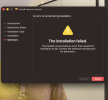
I'm trying to install it on my M1 Macbook Air, and this (image below) keeps coming up on the installer after I try to install it. I'm installing the arm64 version, as from what I've been seeing, it seems to be the version for M series Macs. I've tried the universal and x86 versions as well and they show the same thing, too. And yes, OBS is closed.
You are using an out of date browser. It may not display this or other websites correctly.
You should upgrade or use an alternative browser.
You should upgrade or use an alternative browser.

Supergamer2E
New Member
Does this have support for audio yet? I love this plugin but I NEED it to record audio (like from my mic and game) to upload to YouTube later on.

Tallicia
Member
Would it be possible to have a Source Record Dock/Panel/"Widget"?
Something that shows all the filters/instances created with meta/state data:
And also be able to toggle each instance + through an OBS web socket command:
Something that shows all the filters/instances created with meta/state data:
- Enabled/Disabled
- Recording/Idle
- Bytes Written
- CPU/GPU Usage
- Time Duration recording/Date time when recording last occurred
- Frames Skipped/Dropped
- selected audio and video bitrates, encoder, framerate, filenames
And also be able to toggle each instance + through an OBS web socket command:
- Enabled/Disabled
- Record/ Stop
- Automatic Recording Start&Stop ( Recording, Streaming, etc
I was using this plugin last night to record some gameplay and today when i went to look at the video i noticed the audio is distorted, does anyone have any suggestions on how to fix that for next time because i cant use the recording for content like i originally planned
Thank you in advance
Thank you in advance
Phoenix_025
New Member
Is there a chance to increase the record limit on replay buffer from 1000 maximum to somewhere in the 1500 limit please?
I just started using this plugin with the latest OBS on Mac ARM and I’m seeing (actually hearing) the same problem but only some tracks are distorted for me.I was using this plugin last night to record some gameplay and today when i went to look at the video i noticed the audio is distorted, does anyone have any suggestions on how to fix that for next time because i cant use the recording for content like i originally planned
Thank you in advance
i.e. I have 4 scenes each with their own camera and each scene having the source record as a filter. All the scenes have the same audio source (an aux via usb for a wireless mic)
But what is weird (to me at least) is that some of the tracks (files for each scene) have the audio distorted and others don’t have distortion.
I don’t see any differences in the filter configs, wondering if there is anything I can do to not have the distortion. I’m not blocked by it right now as I have a single audio source.
SwitchLeafe
New Member
love the plug in works great except I don't seem to be getting audio from my scene am I missing something or is it just broken
Love the idea behind this plug in and am looking forward to using it as soon as the video's have audio. when dragging the mp4 into the editor there is no audio sound on the audio track at all. any idea what I am doing wrong?


Love the idea behind this plug in and am looking forward to using it as soon as the video's have audio. when dragging the mp4 into the editor there is no audio sound on the audio track at all. any idea what I am doing wrong?
SwitchLeafe
New Member
restarted pc and now audio works guess it was a first time problem will update if returnslove the plug in works great except I don't seem to be getting audio from my scene am I missing something or is it just broken
Love the idea behind this plug in and am looking forward to using it as soon as the video's have audio. when dragging the mp4 into the editor there is no audio sound on the audio track at all. any idea what I am doing wrong?
View attachment 117453View attachment 117454

iggzy
New Member
Just started using the plugin and its great. Only question is, is there a reason you haven't been able to include the PNG encoder, or some other encoding that can record without the alpha layer? I'd love to be able to be capturing a transparent layer, as keying on it has been less clean looking than in the stream

dighawaii
Member
Aloha all - @Exeldro thanks again for all the amazing work and knowledge you share here.
Is there a way to get Source Record to include an alpha channel? I've been able to get one working on the main output with Color Format BGRA, Space: sRGB, in Advanced OBS settings and using MOV, and PNG encoder. These file outputs seem really large, but that's a secondary issue, it works.
Is there a way to use Custom Encoder Options within the Source Record settings to achieve this same behavior?
I'd like to send a $20 or something, a drop in the bucket I know, but I do appreciate all the efforts.
What is preferred dono platform and address please? (Edit- found your website/paypal)
Is there a way to get Source Record to include an alpha channel? I've been able to get one working on the main output with Color Format BGRA, Space: sRGB, in Advanced OBS settings and using MOV, and PNG encoder. These file outputs seem really large, but that's a secondary issue, it works.
Is there a way to use Custom Encoder Options within the Source Record settings to achieve this same behavior?
I'd like to send a $20 or something, a drop in the bucket I know, but I do appreciate all the efforts.
What is preferred dono platform and address please? (Edit- found your website/paypal)

Exeldro
Active Member
@dighawaii If you want custom encoders I would suggest using an extra canvas from Aitum Vertical or Aitum Stream Suite instead of source record

ChrisHanel
New Member
Client is running into a bug where we have 3 sources recording separately, each with a 30 minute split time.
Intermittently, one of the recordings will only be a partial capture - something like 12-15 minutes. Not experiencing any other distortion or issues with the files.
Running on a Mac, still trying to debug but haven't been able to narrow down the cause.
Intermittently, one of the recordings will only be a partial capture - something like 12-15 minutes. Not experiencing any other distortion or issues with the files.
Running on a Mac, still trying to debug but haven't been able to narrow down the cause.
Exeldro
Active Member
@ChrisHanel I would look at error messages in the OBS log file

NO7TO
New Member
Hello all! - @Exeldro I have a quick question/issue...
Even after checking "Replay Buffer" option inside filter settings, the dedicated hotkey is not appearing for me.
Latest versions of both OBS and the Plugin*


Is that something that has been removed or is definitely working sketchy for me?
Thanks in advance!
Even after checking "Replay Buffer" option inside filter settings, the dedicated hotkey is not appearing for me.
Latest versions of both OBS and the Plugin*
Is that something that has been removed or is definitely working sketchy for me?
Thanks in advance!
ilham.mapper49
New Member
Yo, i want to ask, why is my OBS studio always crashed when using this plugin... AI said my PC's spec doesn'y compatible enough to do this plugin runtime, and as a result my OBS keep crashing...
My PC's spec is :
Processor Intel(R) Core(TM) i3-4130 CPU @ 3.40GHz 3.40 GHz
Installed RAM 8,00 GB
Storage 466 GB HDD TOSHIBA DT01ACA050
Graphics Card Intel(R) HD Graphics 4400 (113 MB)
Device ID 834F7575-E697-4074-9773-F4E577EAD918
Product ID 00330-80000-00000-AA760
System Type 64-bit operating system, x64-based processor
Pen and touch No pen or touch input is available for this display
And I'll insert the crash log file, pls someone help....
My PC's spec is :
Processor Intel(R) Core(TM) i3-4130 CPU @ 3.40GHz 3.40 GHz
Installed RAM 8,00 GB
Storage 466 GB HDD TOSHIBA DT01ACA050
Graphics Card Intel(R) HD Graphics 4400 (113 MB)
Device ID 834F7575-E697-4074-9773-F4E577EAD918
Product ID 00330-80000-00000-AA760
System Type 64-bit operating system, x64-based processor
Pen and touch No pen or touch input is available for this display
And I'll insert the crash log file, pls someone help....
Attachments
I'm having trouble where the source record will always record - even if im not using that scene or if i click the hide button to hide that source recording. the only way to stop it from recording is to manually switch the record mode to none. is there a better way to stop this?Exeldro submitted a new resource:
Source Record - Record a source using a filter
Read more about this resource...
GleasonRyan
New Member
Im having an issue with source record on my Elgato HD60X. The audio is off just a few beats, when I add source record to my webcam and use the mic for audio its just fine, just my gameplay audio is off. Ive been having this problem for some time now, have uninstalled and reinstalled OBS and Source record to no success
Exeldro
Active Member
Exeldro updated Source Record with a new update entry:
Version 0.4.7
Read the rest of this update entry...
Version 0.4.7
- Add filename formatting for replay buffer
- Add hybrid mov support
- Fix background color
Read the rest of this update entry...