


rdot89
New Member
Hey all,
Apologies if this has been posted and answered elsewhere. I did a quick search online and in these forums before signing up and posting but couldnt find anything remotely similar to my issue...
I'm trying to set up Twitch's Enhanced broadcasting mode in OBS. I've tried testing the setup by turning on "Enable Bandwidth Test Mode" and via the Twitch Inspector; it detects and runs fine without any issue.
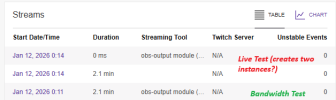
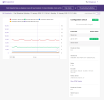
However, when I turn off the test mode, both the Twitch Inspector and my Twitch Dashboard still detect as Offline. The weird thing is that in the Inspector, it still detects my "live" stream, but reports no data...
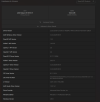
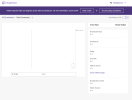
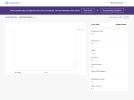
Ive attached all I could think of to show my findings, but feel free to request anything else from me and I'll get it to you ASAP.
Streaming without Enhanced Broadcasting works fine, but of course only allows me to send one track (which I usually do at approx 7000 Kbps), so getting this resolved is not an immediate issue; but an annoying one nonetheless.
Thanks for any assistance you're willing to provide!
LOGS:
EDIT 2: replaced Twitch Inspector Bandwidth Test image, as I accidentally submitted an older Live version with same error/issues
Apologies if this has been posted and answered elsewhere. I did a quick search online and in these forums before signing up and posting but couldnt find anything remotely similar to my issue...
I'm trying to set up Twitch's Enhanced broadcasting mode in OBS. I've tried testing the setup by turning on "Enable Bandwidth Test Mode" and via the Twitch Inspector; it detects and runs fine without any issue.
However, when I turn off the test mode, both the Twitch Inspector and my Twitch Dashboard still detect as Offline. The weird thing is that in the Inspector, it still detects my "live" stream, but reports no data...
Ive attached all I could think of to show my findings, but feel free to request anything else from me and I'll get it to you ASAP.
Streaming without Enhanced Broadcasting works fine, but of course only allows me to send one track (which I usually do at approx 7000 Kbps), so getting this resolved is not an immediate issue; but an annoying one nonetheless.
Thanks for any assistance you're willing to provide!
LOGS:
- Log 1 - Bandwidth Test ENABLED
- Log 2 - Bandwidth Test DISABLED
EDIT 2: replaced Twitch Inspector Bandwidth Test image, as I accidentally submitted an older Live version with same error/issues
Attachments
Last edited: