Hello all, thank you for giving my post the time of day.
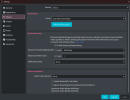
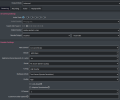
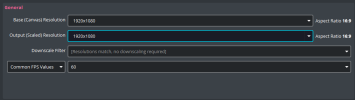
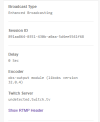
I'm in a very frustrating situation. I've made a move from SLOBS to OBS and despite having the exact same settings, as well as following the guidance of several online tutorials and performing bandwith tests, I won't get a source resolution higher than 720p. Up until now I have had 1080p used without any issues whatsoever but the moment I transferred to OBS, I can't get to it anymore. I've screenshotted my settings and attached them so you can peruse them. I've also included a screenshot of my bandwith tests which, for some reason, were not displaying the video resolution or any other stream information like they usually would.
Any help at all would be appreciated. I'd prefer not to have to forsake all the work I put in and go back to SLOBS!
I'm in a very frustrating situation. I've made a move from SLOBS to OBS and despite having the exact same settings, as well as following the guidance of several online tutorials and performing bandwith tests, I won't get a source resolution higher than 720p. Up until now I have had 1080p used without any issues whatsoever but the moment I transferred to OBS, I can't get to it anymore. I've screenshotted my settings and attached them so you can peruse them. I've also included a screenshot of my bandwith tests which, for some reason, were not displaying the video resolution or any other stream information like they usually would.
Any help at all would be appreciated. I'd prefer not to have to forsake all the work I put in and go back to SLOBS!