so whenever i stream on obs i get frametime issues like my game stops for like a tenth of second every few seconds and that makes it hard to stream as i cant enjoy what im playing due to the framtime issues. i also have a decently average pc my gpu is a rx7800 xt i got 32gb of ddr5 6000mhz ram and a ryzen 5 7600. currently im streaming gta online but i was getting these problems in gta vice city gta 3 and gta sa as well wehn i streamed them. for my webcam i connect my phone to my pc and use iriun webcam. ive tried capping my moniters refresh rate to 120hz and my games fps to 60 but that still didnt fix the issue. i used vsync i used my moniters freesync premium but nothing seems to work. i use aitum for my yt vertical livestreams and also have replay buffer enabled at 120s for both my vertical and horizontal live stream and i also record the horizontal live stream occasionally to make it a long form video later on. ive also attached a pic of my obs settings any help is greatly appreciated
Attachments
-
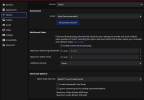 Screenshot 2026-07-11 080818.png50.5 KB · Views: 62
 -
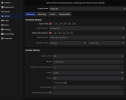 Screenshot 2026-07-11 081016.png56 KB · Views: 62
 -
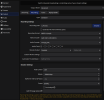 Screenshot 2026-07-11 081033.png70.8 KB · Views: 61
 -
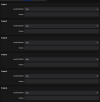 Screenshot 2026-07-11 081045.png20 KB · Views: 57
 -
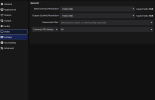 Screenshot 2026-07-11 081053.png26.8 KB · Views: 56
 -
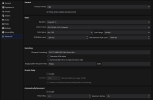 Screenshot 2026-07-11 081140.png80.5 KB · Views: 57
 -
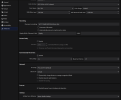 Screenshot 2026-07-11 081201.png97.1 KB · Views: 74
 -
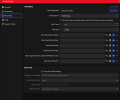 Screenshot 2026-07-11 081257.png54.9 KB · Views: 64
 -
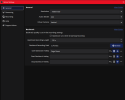 Screenshot 2026-07-11 081304.png40.5 KB · Views: 78