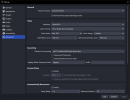
OBS crash. Someone can help me?

Cynki

New Member
Hi!

I never had any problems with OBS, but a few months ago it started crashing for some reason. This began when I was using Windows 10 Pro and OBS 30.2.

I'm currently using Windows 10 IoT Enterprise LTSC 21H2 and OBS 32.2.2.

Is it possible to learn how to read the .txt file to understand what the error was? I'd like to learn that so I can fix it myself in the future. Thanks.


[ Specs ]
- Ryzen 5 1600AF
- 2x8GB 2666Mhz Adata Premier
- RX 570 RS 8GB XXX Edition
- SSD Kingston A400 240GB
- HDD 3.5" 7200RPM (x2)
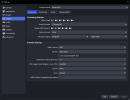
 

Attachments

  • Crash 2026-08-31 05-30-11.txt
    Crash 2026-08-31 05-30-11.txt
    54.3 KB · Views: 4
  • 1.png
    1.png
    36.4 KB · Views: 3
  • 2.png
    2.png
    43.8 KB · Views: 3
Code:
Unhandled exception: c0000005
Date/Time: 2026-08-31, 05:30:11
Fault address: 200000000 ((null))
libobs version: 32.2.2 (64-bit)
Windows version: 10.0 build 19044 (release: 21H2; revision: 7663; 64-bit)
CPU: AMD Ryzen 5 1600 Six-Core Processor            


Thread 2980: (Crashed)
Stack            EIP              Arg0             Arg1             Arg2             Arg3             Address
000000765AFFF6C8 0000000200000000 0000000000000000 000000765AFFF6A0 000095FE9B8F98B2 0000000000000000 <unknown>!0x200000000
000000765AFFF6D0 00007FFD37DB8FD6 000000765AFFF6A0 000095FE9B8F98B2 0000000000000000 0000022112924280 mmdevapi.dll!0x7ffd37db8fd6
...
You likely running 3rd party plugin that did something wrong (something that was not expected), and thus it crashed OBS. Running OBS safe mode (without the plugins) should work OK. What plugin? The plugin can be any: from media/midi to win audio capture (these kind of plugins make calls to the "mmdevapi.dll" that was listed in the crashed thread). Regular OBS log file (not crash report) has list of loaded plugins, so you may look at it too.
 
Code:
Unhandled exception: c0000005
Date/Time: 2026-08-31, 05:30:11
Fault address: 200000000 ((null))
libobs version: 32.2.2 (64-bit)
Windows version: 10.0 build 19044 (release: 21H2; revision: 7663; 64-bit)
CPU: AMD Ryzen 5 1600 Six-Core Processor           


Thread 2980: (Crashed)
Stack            EIP              Arg0             Arg1             Arg2             Arg3             Address
000000765AFFF6C8 0000000200000000 0000000000000000 000000765AFFF6A0 000095FE9B8F98B2 0000000000000000 <unknown>!0x200000000
000000765AFFF6D0 00007FFD37DB8FD6 000000765AFFF6A0 000095FE9B8F98B2 0000000000000000 0000022112924280 mmdevapi.dll!0x7ffd37db8fd6
...
You likely running 3rd party plugin that did something wrong (something that was not expected), and thus it crashed OBS. Running OBS safe mode (without the plugins) should work OK. What plugin? The plugin can be any: from media/midi to win audio capture (these kind of plugins make calls to the "mmdevapi.dll" that was listed in the crashed thread). Regular OBS log file (not crash report) has list of loaded plugins, so you may look at it too.
Hi! the only plugin I have installed for now is "win-capture-audio". Do you think it's already obsolete?
 
Back
Top