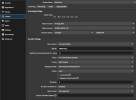
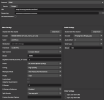
Please update the obs-multi-rtmp plug-in to work in portable mode. The non-standard plug-in folder location of Program Data prevents this.
It looks like you're using the installer.
Here's a word of advice if you are using the installer:
Don't.
Two things:
- In case you weren't aware, C:\ProgramData\obs-studio\plugins is NOT non-standard. It's actually becoming the preferred location for installing plugins for installed copies of OBS Studio. It just does not work with portable installs. That takes me to the following:
- There's a zip file, e.g. obs-multi-rtmp-0.7.3.0-windows-x64.zip for situations like this. It uses the same unpacked tree layout that zipped OBS Studio distribution uses.
A big reason to use C:\ProgramData\obs-studio\plugins is to keep the C:\Program Files\obs-studio (default root of an installed OBS Studio install tree on a typical Windows system) clean, allowing for equally-clean complete reinstalls of OBS Studio. The biggest downside is most installers that aren't the Multi-RTMP output and DistroAV plugins or even their zip files that aren't from Exeldro (with some exceptions) are a bit more labor-intensive to maintain, but it's still doable.
Fun fact: Uninstalling OBS Studio removes not just OBS Studio and its own bundled plugins, but
EVERYTHING ELSE in that directory tree, whether you want it removed or not.
This works normally here,its probably something on your device or in your OBS thats preventing it from running e.e
This is not the case here. The issue here is different. The person's concerns were well-founded, but not so well-informed.
The OP for this particular thread was griping about installers placing files in the "non-standard" location rooted in the C:\ProgramData\obs-studio\plugins directory, which, actually
is a standard location,
for installed copies of OBS Studio and not portable copies.
What I was saying above is that it is
never a good idea to use installers in portable installations of OBS Studio, opting for a zip file for just this reason. A "portable installation" of OBS Studio happens when you unpack an OBS Studio zip file into a directory on your hard drive, then create a special file called "obs_portable_mode" in that directory where the OBS Studio zip file was unpacked into.
When you start OBS Studio after this, instead of keeping your data files in %APPDATA%\obs-studio\data, it anchors the "data" directory in the same area as your portable install.
Starting OBS Studio in portable mode has an additional side effect: It ignores any plugins installed in C:\ProgramData\obs-studio\plugins. This is
PRECISELY why you should use zip files of OBS Studio plugins to provision a portable install, not a plugin installer..
TL;DR: In summary, if you want to install a plugin into a "portable" OBS install, do NOT use an installer! Instead, use a zip file, unpacking to the base of your portable install. That will populate the right directories which are within the install itself.
--Katt. =^.^=