

You are using an out of date browser. It may not display this or other websites correctly.
You should upgrade or use an alternative browser.
You should upgrade or use an alternative browser.
macOS 10.15 Catalina Support Status
- Thread starter dodgepong
- Start date
- Status
- Not open for further replies.

martyedwards
New Member
Thanks very much. I deeply appreciate all your and the team's efforts. That was the last issue with OBS. And, it was easy to work around.24.0.6 should fix the authentication crashing.

Narcogen
Active Member
how i put the advanced scene switcher in version 24.0.5 in Mac Version, the folder /recources/obs-plugin aren´t in this version
thanks all
It appears to be at Contents/plugins
SleepyWaffles
New Member
I have an issue now (after updating to the newest version of obs) where my display captured video is super choppy. Like as soon as I hit record my cpu jumps crazy high and whatever i'm watching on my computer becomes very choppy, and is even more so in the recorded video afterward. This was not an issue in previous versions of obs
Last edited:
thanks, but it don´t worksIt appears to be at Contents/plugins

ijaureguialzo
New Member
how i put the advanced scene switcher in version 24.0.5 in Mac Version, the folder /recources/obs-plugin aren´t in this version
thanks all
Try this, it's working for me. I compiled it from source and put together some instructions while we wait for an official release: https://github.com/ijaureguialzo/SceneSwitcher/releases
steveyoungeve
New Member
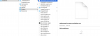
NDI Source is not showing up (anymore) in OBS Studio (see screenshot) so now I can't add my Nintendo Switch through my Elgato HD60 S.
I currently have:
- Latest version of OBS Studio (24.0.5)
- Latest version of OBS Link
- Latest NDI (4.7.1)
- Latest version of macOS Catalina
Good to know:
- I am using a Elgato HD60 S
- A couple of weeks ago the NDI Source did show up but after updating something it suddenly disappeared (but since I have been out for a while I can't remember what I updated exactly)
- I want to stream/record my Nintendo Switch
- I have no problems using Elgato's 'Game Capture HD' software
- I deleted all OBS software, restarted computer and reinstalled

I currently have:
- Latest version of OBS Studio (24.0.5)
- Latest version of OBS Link
- Latest NDI (4.7.1)
- Latest version of macOS Catalina
Good to know:
- I am using a Elgato HD60 S
- A couple of weeks ago the NDI Source did show up but after updating something it suddenly disappeared (but since I have been out for a while I can't remember what I updated exactly)
- I want to stream/record my Nintendo Switch
- I have no problems using Elgato's 'Game Capture HD' software
- I deleted all OBS software, restarted computer and reinstalled
what i make false, i copy the advanced scene switcher.so file in and then i do Terminal with this construction, but it dont works for my OBS StudioTry this, it's working for me. I compiled it from source and put together some instructions while we wait for an official release: https://github.com/ijaureguialzo/SceneSwitcher/releases
Attachments


steveyoungeve
New Member
NDI Source is not showing up (anymore) in OBS Studio (see screenshot) so now I can't add my Nintendo Switch through my Elgato HD60 S.
I currently have:
- Latest version of OBS Studio (24.0.5)
- Latest version of OBS Link
- Latest NDI (4.7.1)
- Latest version of macOS Catalina
Good to know:
- I am using a Elgato HD60 S
- A couple of weeks ago the NDI Source did show up but after updating something it suddenly disappeared (but since I have been out for a while I can't remember what I updated exactly)
- I want to stream/record my Nintendo Switch
- I have no problems using Elgato's 'Game Capture HD' software
- I deleted all OBS software, restarted computer and reinstalled
Solved it, I apparently only downloaded the NDI Lib but not actually 4.7.1
For other people who have the same problem; make sure you download 4.7.1 from the bottom of the page, don't click on the 'download it here' link underneath macOS - https://github.com/Palakis/obs-ndi/releases/tag/4.7.1
Narcogen
Active Member
That section reads in full:
That's not intended to be the link to the plugin, that's the link to the NDI runtime *if the installer fails to include it*.
"If it doesn't install the NDI runtime, download it here."
That's not intended to be the link to the plugin, that's the link to the NDI runtime *if the installer fails to include it*.
ijaureguialzo
New Member
what i make false, i copy the advanced scene switcher.so file in and then i do Terminal with this construction, but it dont works for my OBS Studio
On the first screenshot, it seems yo linked the file instead of copying it; doesn't have to show the arrow (just copy-paste and overwrite). Also, you should launch the commands from the instructions on Github (points 2 and 3).
martyedwards
New Member
Dodgepong, I just want to report that I do have 24.0.6 loaded on Catalina and tried to enter data in an authentication screen, and it once again crashed. It's not a major issue. I just make sure I close OBS before entering such data. I just want to report so you would know the issue still persists. One another note, last night I put my iMac to sleep, and OBS was left open, but not recording or streaming, and when I got on the iMac this morning, OBS had the crash log on the screen. I'm running the base iMac Pro with the latest version of Catalina.24.0.6 should fix the authentication crashing.
Thanks a lot, it worksOn the first screenshot, it seems yo linked the file instead of copying it; doesn't have to show the arrow (just copy-paste and overwrite). Also, you should launch the commands from the instructions on Github (points 2 and 3).

hoffsiderunner
New Member
Make sure you install the latest version of the NDI plugin here: https://github.com/Palakis/obs-ndi/releases/tag/4.7.1
Cant install obs-ndi-4.7.1-macOS.pkg do you need a special software to install it? the runtime does install
Attachments

24.0.6 should fix the authentication crashing.
I'm observing OBS 24.0.6 crash whenever I login on a web page (OBS forums included) in the browser (Chrome/Firefox). I'm a little confused how this is causing a crash?
I've attached crash logs. Not sure if there's anything else I can try to work around the issue.
Attachments
- Status
- Not open for further replies.