Getting DV Camera and VCR input working

VVinfield

New Member
Hello, I'm trying to use a MiniDV camera, specifically a Sony HC-30 as a webcam connected Via firewire PCIe card and use it as a video capture device OBS Studio. Discord, Zoom, Teams etc all recognize the camera as a Windows DV Camera and VCR input and it works just fine. However OBS doesn't seem to like the input. I searched the forums and reddit and the only way people have gotten it to work is through VLC camera capture and recording that window, but this was also from around 2016 or so. This adds way too much delay to be usable as a webcam. Is there any magic I'm missing here? Drivers or something I've overlooked?

Thanks!

Most recent log:
 
If you open the Device Manager, does it show under Cameras?
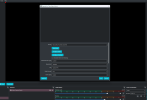
Yep! Shows up under device manager and the video feed works perfectly in Discord, Teams, Google Meet, etc. Only OBS doesn't recognize it and makes a 1x1 pixel little error thing in the corner of my frame.
 
Does it show up in the Device list when you try to add a new Video Capture Device? If so, the resolution and FPS may not be correct and you may have to manually set them. Looks like the resolution should be 640 × 480.
Yeah it shows up as Windows DV Camera and VCR, the same listing as the other apps that allow it to work. Custom resolution doesn't fix it either, it still appears as a 1x1 pixel on the frame
 

Attachments

  • Screenshot 2024-05-09 005419.png
    Screenshot 2024-05-09 005419.png
    53.5 KB · Views: 274
I have the identical issue but I'm using a Sony HandiCam DV camcorder (DCR-TRV510). Any solid solutions out there besides "delete the video capture device and create it again" or "set your graphics performance preference to not let windows choose..."? Neither of these work for me with the Windows DV Camera and VCR capture device.
 
Anyone ever figure out a solution to this? Looks like I have the same exact issue with a Canon Elura 100. It shows up in Device Manager and in OBS as 'Microsoft DV Camera and VCR', and I see the "1x1 pixel little error thing in the corner of my frame". Connected via Firewire PCIe card. I was using WinDV but it would lose connection randomly after a few minutes. Scenalyzer was also working intermittently. And I noticed just recently an error message popping up on Scenalyzer "ScLive has not received any video from the driver. Close any other program that uses this capturing-device, or disconnect and reconnect the firewire-connection."

I've tried disconnecting/reconnecting, rebooting, etc., and nothing's worked so far. I'm thinking it could be the driver, or something else trying to use it. Trying to see if/how to figure that out. Also considering a new firewire PCIe card. Mine has the VIA chipset, which I've heard has issues, so getting a TI chipset card.

Any suggestions please let me know!

Thx!
 
Back
Top