
Encoding overload - was never an issue until about 2 months ago?

harlequinflame

New Member
As title says, I have only just recently run into this problem where I get notified by OBS that I have run into an encoding issue, none of my settings have changed and my hardware is fairly beefy, but it usually happens when switching scenes, sometimes it happens at random while I'm on any given scene. Is someone able to offer some advice? Log should be attached.
 

Attachments

There's no encoding session in that log. You should check every plugin & verify that that are vetted for the version of OBS you're using. Update them if needed. HAGS should be disabled before you run OBS again.
 
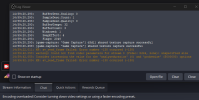
Just took this screenshot with the error and the current log open.
Just disabled HAGS, thank you!
 

Attachments

  • Screenshot 2024-05-16 150000.png
    Screenshot 2024-05-16 150000.png
    50.7 KB · Views: 89
Some plugins appear to be failing. Lots of errors in the log.

You have a touch of rendering lag, aka GPU overload. Try setting monitor 1 @ 60HZ. You may need to make some in game adjustments or set monitor 2 @ 120HZ. Let's see if the rendering lag remains.

Encoding settings look OK for a 4090, encoding lag should go away with the rendering lag. If not, drop to Preset P5.

15:19:07.341: Output 'adv_stream': Number of lagged frames due to rendering lag/stalls: 81 (0.9%)
15:19:07.341: stream_stopped_event
15:19:07.341: Video stopped, number of skipped frames due to encoding lag: 81/8516 (1.0%)
 
So up until maybe 3 weeks ago, both my monitors were 60HZ, now I have a 240HZ to replace one of those, so nothing had changed until then.
I've been streaming with the same settings for over a year so I'm super confused as to whats changed, other then as you said possibly some plugins, but checking the pages for the plugins they only give a "minimum OBS version" that I can see
 
I would hold off on a fresh install, don't think it's necessary.

Anyway, you were running (2) monitors @ 60. Now (1) is @ 75 & the other @ 240, that's almost 3x the work.
 
Sorry. I meant they were both 75, until the one got upgraded.
OK so maybe it was the Advance SS that did it? I don't even recall ever using it. I have just reinstalled and re-set up OBS just to be sure, I'm gonna try it now and see how it goes.
 
Here's your list of plugins installed:
  • source-clone
  • move-transition
  • pixel-art
  • obs_google_caption_plugin
  • 3d-effect
  • scale-to-sound
  • waveform
  • obs-stroke-glow-shadow
  • obs-composite-blur
  • obs-teleport
  • source-copy
  • time-warp-scan
  • advanced-scene-switcher
  • freeze-filter
  • recursion-effect
  • StreamDeckPlugin
  • obs-plugin-countdown
  • streamup
  • gradient-source
  • win-spout
  • obs-shaderfilter
 
Since reinstalling without installing the Advance SS plugin it doesn't appear to be doing it, I'll keep testing and get back to this with any results.

I use StreamUp so I could just click on the plugin names and it would show me the information pages, I couldn't see any that were incompatible at a quick glance.
 
Right, nothing changed. Monitors are still @ 75 & 240. No reduction in load, what did you expect?
17:21:13.799: Output 'adv_stream': Number of lagged frames due to rendering lag/stalls: 86 (2.1%)
17:21:13.799: Video stopped, number of skipped frames due to encoding lag: 86/4060 (2.1%)
 
Back
Top