New Feature: Live Chat Polls
Engage your chat with the new Live Poll widget. Ask a question, set your options, and viewers can vote by typing !vote 1, !vote 2, etc., in chat. The on-screen bar chart will dynamically update in real time.
- Customize the color of each bar individually.
- Pause, reopen, and reset votes with a single click.
New Feature: Event Alert Box
You can now display on-screen alerts for Twitch and Kick Subscriptions, Gifted Subs, and Raids directly inside Poltergeist.
- Customize your alert text using variables like {user} and {amount}.
- Add a direct link to display your own image or GIF.
- Animation Integration: Create a custom animation on the timeline, and Poltergeist will automatically animate the alert in, hold it on screen for your chosen duration, and smoothly animate it back out.
Element Grouping
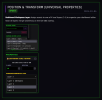
Building complex layouts just got easier. You can now hold Shift to select multiple assets on your canvas, then click Group in the properties panel. They will lock together, allowing you to move, scale, and animate them as a single unit. Click Ungroup to separate them again.
Clear Current Layer
A new Clear Current Layer button has been added to the left sidebar. This allows you to instantly delete all unlocked assets on your currently selected layer (1 to 4) to quickly clean up your workspace. If you make a mistake, simply press CTRL+Z to undo it.
Bug Fixes & Performance
- Fixed an issue where the Mirror Image setting would sometimes fail to save.
- Fixed an issue where timeline animations could warp, speed up, or play twice if the dashboard browser tab was minimized in the background.
- Improved overall background performance and dashboard stability during long streaming sessions.