Question / Help WARNING: High CPU encoding?

KryptoMadness

New Member
How do I fix this? I have an Intel Core i5 4690 Quad Core @3.5GHz. While I'm streaming this is showing up quite a bit now, all I'm running is OBS, stream chat in google chrome (pop out chat) and the game I'm playing, nothing else. My max bitrate is set to 2300, so what do I do to fix this? The past few days I've been streaming and it hasn't been showing up but ever since this morning it's just showing all the time?

Video Encoding
Settings: Encoder: x264
Use CBR: yes
Max Bitrate: 2300
Audio Encoding
Codec: AAC
Bitrate: 128
Format: 48kHz
Channel: Stereo
Video Settings
Resolution: Custom: 1280x720
Resolution Downscale: None
FPS: 30
 
14:43:04: CLR host plugin strings not found, dynamically loading 4 strings
14:43:04: CLRHost::Initialize() attempting to load and start the .NET runtime (null)
14:43:04: CLRHost::Initialize() Found version v2.0.50727 .NET runtime
14:43:04: CLRHost::Initialize() Found version v4.0.30319 .NET runtime
14:43:04: CLRHost::Initialize() attempting to use v4.0.30319 .NET runtime
14:43:04: CLRHost::LoadInteropLibrary() load the assembly plugins\CLRHostPlugin\CLRHost.Interop.dll
14:43:04: CLRHost::LoadPlugins() attempting to load the plugin assembly CLRBrowserSourcePlugin
14:43:04: CLRHost:: Could not find/load browser settings at location C:\Users\Krypto\AppData\Roaming\OBS\pluginData\browser.json
14:43:04: CLRHost:: Exception: System.IO.FileNotFoundException: Could not find file 'C:\Users\Krypto\AppData\Roaming\OBS\pluginData\browser.json'.
14:43:04: File name: 'C:\Users\Krypto\AppData\Roaming\OBS\pluginData\browser.json'
14:43:04: at System.IO.__Error.WinIOError(Int32 errorCode, String maybeFullPath)
14:43:04: at System.IO.FileStream.Init(String path, FileMode mode, FileAccess access, Int32 rights, Boolean useRights, FileShare share, Int32 bufferSize, FileOptions options, SECURITY_ATTRIBUTES secAttrs, String msgPath, Boolean bFromProxy, Boolean useLongPath, Boolean checkHost)
14:43:04: at System.IO.FileStream..ctor(String path, FileMode mode, FileAccess access, FileShare share)
14:43:04: at CLRBrowserSourcePlugin.Shared.BrowserSettings.Reload()
14:43:04: CLRHost::LoadPlugins() successfully added CLR plugin [Type: CLRBrowserSourcePlugin.CLRBrowserSourcePlugin, Name: CLR Browser Source Plugin]
14:44:28: CLR host plugin instance deleted; removing dynamically loaded localization strings


Last game capture log:
2015-08-12, 19:08:52: we're booting up:
19:08:52: CaptureThread: attached to process GTA5.exe
19:08:53: D3D9 Present
19:08:53: DXGI Present
19:08:53: DXGI: Found D3D 11
19:08:53: setting up d3d11 data
19:08:53: ---------------------- Cleared D3D11 Capture ----------------------
19:08:53: found dxgi format (dx11) of: 87, size: {1920, 1080}, multisampled: false
19:08:53: GL Present
19:08:53: DirectDraw capture: Windows 8 not supported yet
19:08:53: (half life scientist) everything.. seems to be in order
19:09:08: DoD3D11Hook: success
19:09:08: successfully capturing d3d11 frames via GPU
19:10:11: stop requested, terminating d3d11 capture
19:10:11: ---------------------- Cleared D3D11 Capture ----------------------
19:10:11: DoD3D11Hook: success
19:10:11: successfully capturing d3d11 frames via GPU
19:10:14: DirectDraw capture: Windows 8 not supported yet
19:10:22: stop requested, terminating d3d11 capture
19:10:22: ---------------------- Cleared D3D11 Capture ----------------------
19:10:22: DoD3D11Hook: success
19:10:22: successfully capturing d3d11 frames via GPU
19:10:23: DirectDraw capture: Windows 8 not supported yet
19:13:33: stop requested, terminating d3d11 capture
19:13:33: ---------------------- Cleared D3D11 Capture ----------------------
19:13:33: DoD3D11Hook: success
19:13:33: DirectDraw capture: Windows 8 not supported yet
19:13:33: successfully capturing d3d11 frames via GPU
19:21:48: stop requested, terminating d3d11 capture
19:21:48: ---------------------- Cleared D3D11 Capture ----------------------
19:21:48: DoD3D11Hook: success
19:21:48: successfully capturing d3d11 frames via GPU
19:21:49: DirectDraw capture: Windows 8 not supported yet

 
thats an incomplete log.

giphy.gif
 
please dont use multiple capture methods in a single scene if possible.

right now the warning might be cause by the fact that you are running monitor capture and gamecapture in the same scene and probably both checked active

which also causes duplicated frames and late frames.

720p30 with veryfast preset on an i5 shouldnt be a problem at all.


if you are using window capture for twitchalerts try using the clr browser plugin.
 
please dont use multiple capture methods in a single scene if possible.

right now the warning might be cause by the fact that you are running monitor capture and gamecapture in the same scene and probably both checked active

which also causes duplicated frames and late frames.

720p30 with veryfast preset on an i5 shouldnt be a problem at all.


if you are using window capture for twitchalerts try using the clr browser plugin.
um... I am not using multiple capture methods.. I am running monitor capture, webcam, I am already using clr browser bro... also webcam overlay and follower goal today which is a text and a picture....
 
14:48:39: Audio Encoding: AAC
14:48:39: bitrate: 128
14:48:39: Using text output
14:48:40: Using bitmap image
14:48:40: ------------------------------------------
14:48:40: device: Logitech HD Pro Webcam C920,
14:48:40: device id \\?\usb#vid_046d&pid_082d&mi_00#8&149ed1b&0&0000#{65e8773d-8f56-11d0-a3b9-00a0c9223196}\{bbefb6c7-2fc4-4139-bb8b-a58bba724083},
14:48:40: chosen type: I420, usingFourCC: false, res: 1280x720 - 1280x720, frameIntervals: 333333-2000000
14:48:40: use buffering: false - 0, fourCC: 'I420'
14:48:40: audio device: Disable,
14:48:40: audio device id Disabled,
14:48:40: audio time offset 0,
14:48:40:
14:48:40: Using directshow input
14:48:40: Using Monitor Capture
14:48:40: Scene buffering time set to 700


shows a game capture and monitor capture in the same scene


15:17:13: New Scene
15:17:13: Using bitmap image
15:17:13: Using Window Capture
15:17:13: Using Monitor Capture


next scene has window capture and monitor, depending on what you are doing with it and if you have multiple monitors on what monitor the window is running.

if possible even on win8 and newer try to always use game capture and window capture only dont bother about using monitor capture if possible (might be a win10 problem currently)

another question does the warning show up while gaming or when you alt-tab?
 
14:48:39: Audio Encoding: AAC
14:48:39: bitrate: 128
14:48:39: Using text output
14:48:40: Using bitmap image
14:48:40: ------------------------------------------
14:48:40: device: Logitech HD Pro Webcam C920,
14:48:40: device id \\?\usb#vid_046d&pid_082d&mi_00#8&149ed1b&0&0000#{65e8773d-8f56-11d0-a3b9-00a0c9223196}\{bbefb6c7-2fc4-4139-bb8b-a58bba724083},
14:48:40: chosen type: I420, usingFourCC: false, res: 1280x720 - 1280x720, frameIntervals: 333333-2000000
14:48:40: use buffering: false - 0, fourCC: 'I420'
14:48:40: audio device: Disable,
14:48:40: audio device id Disabled,
14:48:40: audio time offset 0,
14:48:40:
14:48:40: Using directshow input
14:48:40: Using Monitor Capture
14:48:40: Scene buffering time set to 700


shows a game capture and monitor capture in the same scene


15:17:13: New Scene
15:17:13: Using bitmap image
15:17:13: Using Window Capture
15:17:13: Using Monitor Capture


next scene has window capture and monitor, depending on what you are doing with it and if you have multiple monitors on what monitor the window is running.

if possible even on win8 and newer try to always use game capture and window capture only dont bother about using monitor capture if possible (might be a win10 problem currently)

another question does the warning show up while gaming or when you alt-tab?
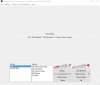
Dood there isn't 2 screen captures.. don't know what kinda stuff you are seeing but it's not there... look I'll even provide a screenshot to show what stuff is in the scene. If you say so I'll try game capture instead... :P
 

Attachments

  • Capture.JPG
    Capture.JPG
    40 KB · Views: 17
Back
Top