Question / Help too much fps drops help!

Riccardo

New Member
hello everyone

im dropping so much fps in game and i keep dont understand why...today i bought a new cpu thinking my old i5 wasnt enaugh for streams..now with my new i7 is the same..i saw a video how to set obs but with wuicksync i got this error http://prntscr.com/86tfqh . i also updated my intel gpu but nothing
here my pc spec
intel i7-3770
nvidia GTX 660 ti
ram corsair 8GB 1600mhz
mobo asrock z77 extreme4
net 50mb donwload / 10.5mb upload

im looking for someone that can help me.
 
My current settings:
Most of it are the default settings, I'll post which are not:
Encoding: Max Bitrate: 3000
Video: Base Resolution: Costum: 1920x1080
Filter: Bilinear
FPS:60
I am using the x264 CPU Preset on "ultrafast" and I am streaming on twitch.tv
process priority class : normal
 
Helpful, but not quite what Osiris meant.
A GIF for demonstration:
giphy.gif

and here is the forum tutorial in case you can't see the GIF for some reason.
 
If its your stream that's buffering, I can totally see why. The video you're sending to Twitch is really high quality, so your viewers are probably buffering heavily. Try broadcasting at a downscaled resolution of 1280x720@30fps and 2000kbps instead.
Also, you're using Bandicam at the same time as OBS. OBS can actually record games at the same time as it's streaming them, but I think they have to be recorded at the same bitrate as they're streaming at. If its your computer that's lagging heavily, it might be a good idea to try streaming without Bandicam recording at the same time as well as downscaling the resolution to 1280x720+recording at 30fps+encoding at 2000kbps.
 
Encoding at a high resolution/fps can be really CPU intensive and cause FPS drops in-game, yes. Can you to try the settings I suggested and say if that was actually the issue?
 
well i tested everything like u said..as u can see https://gist.github.com/7100e874fba9bf3af91c but im kindly still dropping some fps.. and with this setup quality in game s**k as f**k :(

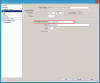
I know it looks really terrible, but in order to avoid having stream viewers buffer (unless you're a Twitch partner), it has to look like that. Although the log says you're playing in 1920x1080 but have set your base resolution to 1280x720, so I suggest you either play at 1280x720 resolution, or set your base resolution to 1920x1080 and just use the resolution downscale feature (pictured), as it may improve quality.
That being said, playing at a smaller resolution may improve your performance. The FPS drops may be because you're trying to do a lot of stuff at one time. I know you're, at the very least, recording the game with Bandicam, streaming it with OBS, and playing it, all at the same time. Your CPU may be pretty good, but your GPU is doing a lot of work, and it might not be able to handle it.
I suggest not using Bandicam to record while you are streaming, as this may cause FPS drops because it creates a lot of work for your GPU.
If you absolutely must record while you are streaming, try to play games in windowed mode at smaller resolutions or something, though this may not be as effective as just not recording while streaming.
Do you have any questions?
 

Attachments

  • resolutionDownscaleLocation.png
    resolutionDownscaleLocation.png
    5.7 KB · Views: 26
idk why u guys talking about bandicam..im not using bandicam meanwhile im broadcasting :(
anyway is webcam capture giving much work to do to my pc stuff? i mean..without webcam capture it will work better?
 
Back
Top