TavidzTV
New Member
Hi Everyone,
Yours Truly .
Tavidz!
I go by the name of Tavidz on Twitch.tv. I have started streaming a couple of months ago and when I first started I pretty much figured everything out on my own with little to no guides. I found that they didn't seem to apply to my situation so I had to go on my own path to figuring out my issues. Eventually I found a nice sweet spot for my stream quality that looked "DECENT". The problem is, I don't want decent. I want AMAZING quality. For this reason, I went out and spent 2K on a computer with some of the most top of the line specs to deal with almost anything that someone can throw at it. And yet still I cannot figure out how or why my stream sometimes looks blocky on movement with pixels everywhere...(You can pay the channel a visit and look at some of my Highlights or my Recent Broadcasts to see what I'm talking about here: twitch.tv/tavidz) it's infuriating me to utter desperation! However, here's the weird part... : the moment I stop and stand still or there's no motion going on the screen...It looks PERFECT IMAGE FIDELITY!!?!? I'm sorry, I'm a little worked up about it because I've spent months stressing out over this and wanting to put out great quality content because I'm very serious about streaming and establishing a certain standard of quality for my viewers. Some other streamers even have weaker or inferior PC hardware to mine and yet they somehow manage to get away with better image fidelity... Please help me. These are my PC Specs:
Processor1 x Intel® Core™ i7-4790K
Processor Cooling1 x Asetek 510LC Liquid CPU Cooling System [SOCKET-1150] - Standard 120mm Fan
Memory1 x 16 GB [8 GB x2] DDR3-2133 G.SKILL Ripjaws X
Video Card1 x NVIDIA GeForce GTX 970 - 4GB - Single Card
MotherboardASUS Z97-K -- 2x PCIe x16, 4x USB 3.0, 2x USB 2.0
Power Supply1 x 1000W Standard
Primary Hard Drive1 x Read: 450MB/s Write: 450MB/s 240GB Kingston V300 SSD* (Single Drive Only)
Data Hard Drive1 x 1 TB HARD DRIVE -- 32M Cache, 7200 RPM, 6.0Gb/s - Single Drive
Optical Drive1 x 14X LG Blu-ray Re-writer
Sound Card1 x 3D Premium Surround Sound Onboard
Network Card1 x Onboard LAN Network (Gb or 10/100)
Operating System1 x Windows 8.1 + Office 365 Trial [Free 30-Day !!!] 64-bit
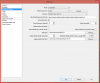
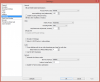
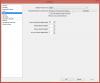
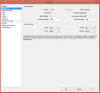
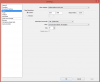
So now that you see these specs...what is the issue I'm facing? Oh and I'm using an El Gato HD60 capture Card. I have a few screenshots of what my obs settings are so that you can see what I call my "sweet spot". The reason I have it on NVENC as encoder is because I drop frames with x264 and not sure why. That shouldn't happen. Here's the screen shots:
Please help me out best you guys can. I put a lot of effort into my streams and it also took a lot of effort to come on this thread and make it look nice and neat for you guys to be able to target the problem. I will be calling the company that provided this PC to me through my purchase to see if it may be an issue with hardware. I'm troubleshooting in EVERY possible way guys. I'm desperate for that AMAZING quality that I would only achieve through my dream of owning a Powerful PC. Now it's finally here and the news isn't that great. :/ Again thanks for taking the time to read this hefty topic/thread and troubleshooting with me. I will be checking up on this thread DAILY and another one that I have with a crash report issue I'm currently facing. I will be STARING those email notifications down to see if anyone has replied to my thread. :P Thanks again guys.
Yours Truly .
Tavidz!