StormRao
New Member
Using Mint with Cinnamon (and posting for user) - User is new to Linux but has been streaming successfully all of January. I am windows based but have some tech background.
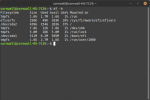
Used space on computer: 3% - Computer to best knowledge has not been changed since OBS last produced a successful stream
Has worked normally until 2/2/26 when error first presented but was resolved with computer restart done AFTER a router reboot that had no effect when stream was restarted.
Error log: https://obsproject.com/logs/XsyCc8Us2p1iQC6Y
Troubleshooting:
After each step OBS was checked. If stream had continued then no alteration in error, if stream was restarted then the error presented immediately.
Open OBS as per normal and attempt to start stream with no changed settings from last stream. - Lag presents immediately with "Encoding overload" issue. Visible presentation on Twitch is a stream updating maybe 1 in every 24 frames.
Close down additional programs without stopping stream. No change.
Shut down and restart computer running no additional programs but OBS and game. No change.
Changed OBS settings: Video encoding - MP4 to MKV. No change.
Changed OBS settings: encoding - fast to medium fast. No change.
Checked game settings: Game set to framerate vSynch with monitor.
Output checked as 1080p from OBS
OBS settings: checked for standards, all presenting as had previously been entered and working.
Disconnected and reconnected twitch account. No change.
Checked hard-drive space in case of overload to temp storage. 3% full unless misread by new Linux users.
Changed priority on Task-Manager-Equivalent (system manager) to "high priority" to give priority on resources. No change.
Created log to try and identify any plugin or system conflicts. Unable to see obvious error, moved to present logs to forum.
Log created during two attempts to start, then stop a stream. over 50% frame drop in both.
Can grab all settings in a few hours, User currently playing game to decompress after failed attempt to stream.
Used space on computer: 3% - Computer to best knowledge has not been changed since OBS last produced a successful stream
Has worked normally until 2/2/26 when error first presented but was resolved with computer restart done AFTER a router reboot that had no effect when stream was restarted.
Error log: https://obsproject.com/logs/XsyCc8Us2p1iQC6Y
Troubleshooting:
After each step OBS was checked. If stream had continued then no alteration in error, if stream was restarted then the error presented immediately.
Open OBS as per normal and attempt to start stream with no changed settings from last stream. - Lag presents immediately with "Encoding overload" issue. Visible presentation on Twitch is a stream updating maybe 1 in every 24 frames.
Close down additional programs without stopping stream. No change.
Shut down and restart computer running no additional programs but OBS and game. No change.
Changed OBS settings: Video encoding - MP4 to MKV. No change.
Changed OBS settings: encoding - fast to medium fast. No change.
Checked game settings: Game set to framerate vSynch with monitor.
Output checked as 1080p from OBS
OBS settings: checked for standards, all presenting as had previously been entered and working.
Disconnected and reconnected twitch account. No change.
Checked hard-drive space in case of overload to temp storage. 3% full unless misread by new Linux users.
Changed priority on Task-Manager-Equivalent (system manager) to "high priority" to give priority on resources. No change.
Created log to try and identify any plugin or system conflicts. Unable to see obvious error, moved to present logs to forum.
Log created during two attempts to start, then stop a stream. over 50% frame drop in both.
Can grab all settings in a few hours, User currently playing game to decompress after failed attempt to stream.