FlowerpotOnHead
New Member
OS - CachyOS X86_64
Kernel used during reporting - Linux 7.1.5-1-cachyos
DE - KDE Plasma 6.7.3 (Wayland)
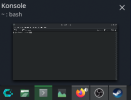
So I have been running the flatpak version of OBS on my system, and when I use the Pipewire window/screen capture, it runs normal. Once I close the window that is captured by window capture, and then hover my cursor over any application in the taskbar, the window capture instantly starts capturing the hovered-over window.
In the attached log I used a new, empty scene, added the window capture to capture an arbitrary window, close the window and then hover over another program in the taskbar, causing it to switch the capture to that
Kernel used during reporting - Linux 7.1.5-1-cachyos
DE - KDE Plasma 6.7.3 (Wayland)
So I have been running the flatpak version of OBS on my system, and when I use the Pipewire window/screen capture, it runs normal. Once I close the window that is captured by window capture, and then hover my cursor over any application in the taskbar, the window capture instantly starts capturing the hovered-over window.
In the attached log I used a new, empty scene, added the window capture to capture an arbitrary window, close the window and then hover over another program in the taskbar, causing it to switch the capture to that