
OBS & Teams no virtual camera

Hi guys, I successfully work with obs and zoom using obs virtual camera. Now I wanted to do the same with teams, but unfortunately, OBS virtual camera is not in the selection list of devices. Also restart did not work, any idea what is causing it?
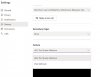
 

Attachments

  • teams settings camera.JPG
    teams settings camera.JPG
    53.8 KB · Views: 2,301
1st time postings...My teams join meeting preview sometimes works, sometimes actually joins meeting, sometimes video freezes after a few minutes and eventually teams crashes. bad dll?
 
Using the new OBS "Start Virtual Camera" button, rather than the old drop-down-menu seems to work much better.
...Also had to update Teams settings to use the new virtual camera device. Hope this helps!
 
So to fix this you should start the obs virtual cam BEFORE launching teams (make sure teams is fully closed) this works for me hope it helps you guys.
 
Same issue on MacOS.

Restarting teams doesn't help.

When I plug in my HDMI USB capture device teams switches immediately to that source, but no virtual OBS webcam :-(
 
Hi all! Thanks for the info. I also had the same issue on Windows with OBS 26.0.2 (x64) and Teams (1.5.00.2164 x64). I could fix it by making sure to press "Start Virtual Camera" on OBS, BEFORE opening Teams. Could be useful for a temporary fix.
 
just close all open apps of Teams by going to Task Manager (Ctrl+Alt+Del) and then start OBS VCAM then open Teams. It works.
 
Back
Top