StarFallen
New Member
Hello all,
Issue:
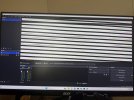
Every time I set up a Display Capture or a Window Capture with the source being on my primary monitor and the OBS window being on my secondary monitor, the OBS output display shows up as distorted horizontal lines (see attachments for pics). This is with a clean OBS install (32.2.1) on Windows 11 Pro (25H2). Any suggestions would be immensely appreciated! It seems to be some sort of issue with my secondary monitor, but I don't know if there are any OBS settings I may be missing or have overlooked.
Log:
Steps to replicate and confirm issue:
Attempts to fix (no success):
Attachments:
Issue:
Every time I set up a Display Capture or a Window Capture with the source being on my primary monitor and the OBS window being on my secondary monitor, the OBS output display shows up as distorted horizontal lines (see attachments for pics). This is with a clean OBS install (32.2.1) on Windows 11 Pro (25H2). Any suggestions would be immensely appreciated! It seems to be some sort of issue with my secondary monitor, but I don't know if there are any OBS settings I may be missing or have overlooked.
Log:
- Link: https://obsproject.com/logs/8NqdPCSWAIR3heoA
- Notes:
- Log was done with a 1-minute test recording while running as administrator
- Test recording video file shows up perfectly without any visual distortion, issue is strictly on secondary monitor display within OBS
Steps to replicate and confirm issue:
- Two-monitor setup, HDMI connections to both (primary is connected to dedicated GPU HDMI port, secondary is connected to motherboard HDMI port)
- OBS Version: 32.2.1
- Run OBS as Administrator
- Make OBS full-screen on secondary monitor
- Run configuration wizard for recording
- Open a browser tab on primary monitor
- Add new Display Capture or Window Capture source
- In properties, change Window/Display source to be on primary monitor
- Verify that the display preview in properties looks correct, apply and close properties pop-up
- OBS output display shows up as distorted horizontal lines with some of the source's color palette
- Move OBS window to primary monitor
- OBS output display shows up as normal
- Move OBS window back to secondary monitor
- OBS output display still shows up as normal, no change from primary monitor
- Make OBS window full-screen on secondary monitor
- Distortion shows back up
- Move OBS window out of full-screen mode
- Distortion stays the same
- Take screenshot of OBS window
- OBS output display shows up correctly in screenshot but not on secondary monitor
- Move OBS window to primary monitor
- Set Display/Window source to secondary monitor
- OBS displays without issue
Attempts to fix (no success):
- Verified that Windows 11 is updated
- Verified that dedicated GPU drivers are updated
- Verified that monitor drivers are updated (for both monitors)
- Restarted OBS
- Restarted PC
- Turned secondary monitor off and back on using power button
- Unplugged all connections to secondary monitor and plugged back in
Attachments:
- What OBS looks like on the secondary monitor
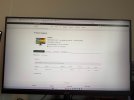
- What OBS is trying to capture from the primary monitor
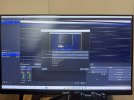
- What OBS capture properties display preview/thumbnail looks like on secondary monitor
- OBS log in .txt