Question / Help no sound while use avermedia gl510e(c985 lite) to streaming.....help....!

helloobs

New Member
i have 2 pc for streaming game.

pc1 : 3930k + gtx970
pc2: 2600k + gtx680 + avermedia gl510e

i use HDMI cable to connected gtx 970 with avermedia gl 510e and it works for streaming( images+sound ).
but once i connect my headset to pc1,the streaming just lost sound.
what should i do so i can use my headset for game and streaming still got sound?
pls help~~~
 
What type of headset? Is it USB or does it plug into the 3.5mm speaker jack on the back of your PC? What if you connect your headset prior to beginning the stream?
 
siberia v2 ,its not USB version.
What if you connect your headset prior to beginning the stream?>>>its the same ,still no sound..............
 

Attachments

  • QQ图片20150113043753.jpg
    QQ图片20150113043753.jpg
    67 KB · Views: 34
How are you sending audio from your gaming PC to the streaming PC when everything works? In other words how are you getting your gaming PC's audio onto the HDMI connection that runs to your streaming PC?
 
i just have to take out my headset from 3.5mm speaker jack , so the streaming will be have sound.( but i don have sound while gaming becoz my headset cant use right now )
if i connect my headset back into the 3.5mm speaker jack , i will have sound on my headset,but the livestream just lost sound.

sry my english is terrible .
 
Okay, but how are you getting your gaming PC's audio onto the HDMI connection that runs to your streaming PC? Using Stereo Mix? Some other method?
 
sry,i don get wat u mean.....isnt it HDMI cable always has a audio channel? (i use only HDMI cable to connect 2 pcs.)......
 
Okay, but how are you getting your gaming PC's audio onto the HDMI connection that runs to your streaming PC? Using Stereo Mix? Some other method?
should i screenshoot the setting page on obs of avermedia capture card or should i buy a usb headset....im confused
 
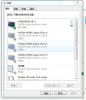
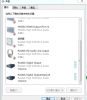
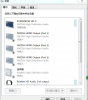
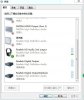
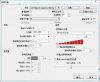
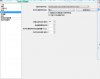
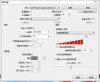
Neither, but I'm having difficulty getting you to understand/answer the question I'm asking. Go to Control Panel > Sound and take two screenshots of the Playback tab, one before you plug in your headset and one after. Take a third screenshot of the Recording tab.
 
Neither, but I'm having difficulty getting you to understand/answer the question I'm asking. Go to Control Panel > Sound and take two screenshots of the Playback tab, one before you plug in your headset and one after. Take a third screenshot of the Recording tab.
sry,fall sleep last night.
really ty for your help.
heres the screenshot
before: picture 1 & 2
after:picture 3 & 4
 

Attachments

  • 1.jpg
    1.jpg
    51 KB · Views: 36
  • 2.png
    2.png
    44.4 KB · Views: 34
  • 3.png
    3.png
    45 KB · Views: 21
  • 4.jpg
    4.jpg
    45.2 KB · Views: 33
  • 5.jpg
    5.jpg
    58 KB · Views: 35
  • 6.jpg
    6.jpg
    42.8 KB · Views: 35
i switch my headset from pv1 to pc2 and set the capture card like picture 1, now i got sound from headset and stream also got sound.
but i got a new problem,my micphone cant use.
i have tested ,the micphone isnt broken.
 

Attachments

  • 1.jpg
    1.jpg
    58.4 KB · Views: 36
  • 2.jpg
    2.jpg
    54.5 KB · Views: 34
Back
Top