

You are using an out of date browser. It may not display this or other websites correctly.
You should upgrade or use an alternative browser.
You should upgrade or use an alternative browser.
macOS 10.15 Catalina Support Status
- Thread starter dodgepong
- Start date
- Status
- Not open for further replies.
souke5dolla
New Member
Go here: https://github.com/Palakis/obs-ndi/releases/tag/4.7.1Can anyone help my ndi source just disappeared when updated to the newest version not sure what I need to do
D
Deleted member 166350
Hi, I have problem with obs link ndi source too. I have all the lastes version of OBS, Catalina and obs link, but the installation of obs ndi 4.7.1 crash.
Can you help me please, my elgato don't work with obs.....
View attachment 50110View attachment 50111
To debug package installer errors, you can enable the log window from the menubar (or press CMD+L) and change the filter to show "all messages" - this way you might find out what the actual error is and e.g. create an issue at Palakis' Github repository about it (pls check if there is an issue for it already though).
souke5dolla
New Member
Hey guys I was thrilled to not have to run OBS from terminal anymore however, after getting the newest OBS update, I've been experiencing really annoying things:
1) My NDI source audio keeps cutting out randomly sometimes - just completely going out and then it'll randomly come back
2) my OBS will just literally quit and crash on me. I'm not sure why? It just disappears from my screen.
I stream anywhere from 6-10 hours a day and it's really rough having to go through these issues and I'm not sure what to do to resolve??
1) My NDI source audio keeps cutting out randomly sometimes - just completely going out and then it'll randomly come back
2) my OBS will just literally quit and crash on me. I'm not sure why? It just disappears from my screen.
I stream anywhere from 6-10 hours a day and it's really rough having to go through these issues and I'm not sure what to do to resolve??


Hok
New Member
any clue?I downloaded for catalina but OBS doesnt record Discord calls, before it did. I can normally record youtube and other stuff.

RBeta
New Member
This is the same issue I posted on the thread a month ago. ElGato support team is in contact with me but hasn't been able to solve my issue. :(Hi, I have problem with obs link ndi source too. I have all the lastes version of OBS, Catalina and obs link, but the installation of obs ndi 4.7.1 crash.
Can you help me please, my elgato don't work with obs.....
View attachment 50110View attachment 50111
RBeta
New Member
There is. This is the linkTo debug package installer errors, you can enable the log window from the menubar (or press CMD+L) and change the filter to show "all messages" - this way you might find out what the actual error is and e.g. create an issue at Palakis' Github repository about it (pls check if there is an issue for it already though).
https://github.com/Palakis/obs-ndi/issues/276
juanda9230
New Member
Hello good afternoon, I have been the obs studio for several months and I had a problem.
it turns out that when I upgrade to mac os catalina,
I stop recording a recording and in half the audio is synchronized and checked
I could not find any solution to the problem, please help me
Thanks
it turns out that when I upgrade to mac os catalina,
I stop recording a recording and in half the audio is synchronized and checked
I could not find any solution to the problem, please help me
Thanks
D
Deleted member 166350
That (and related) error(s) are usually due to the NDI library not existing on the system.
If you open Terminal.app and punch in
ls /usr/local/lib/libnd* you should get something along the lines of /usr/local/lib/libndi.4.dylib /usr/local/lib/libndi_licenses.txt if the SDK was installed correctly.That's the dynamic library the current NDI plugin needs to work - you can download the most current SDK installer directly from Newtek via https://new.tk/NDIRedistV4Apple to manually install the SDK if necessary.
RBeta
New Member
@TylerDurd0n Thanks a lot for getting back to me I've been trying to fix this for more than a month.
I figured out that the issue was that the NDI Runtime was not being detected by obs nor obs link (or not installed properly if applies). The thing here is that I've tried to install it and it gives me no errors whatsoever but I'm not able to get it working.
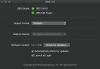
Here the screenshots of the terminal command and the other related apps


I figured out that the issue was that the NDI Runtime was not being detected by obs nor obs link (or not installed properly if applies). The thing here is that I've tried to install it and it gives me no errors whatsoever but I'm not able to get it working.
Here the screenshots of the terminal command and the other related apps
D
Deleted member 166350
I'm using:
1. obs-ndi-4.7.1-macOS
2. libNDI_for_Mac
3. obs-mac-24.0.6
4. OBSLink-1.0.1.159
Also here another screenshoot
What's the output of
ls /usr/local/lib/libnd* after you've manually installed the SDK? Also with the installer still open, press CMD+L to open the installer log, switch to "All Messages" and check if there are any errors mentioned there.EDIT: On top of that I'm aware that OBS Link uses NDI, but I'm not sure which version. If the OBS-NDI plugin requires NDIv4, but OBS Link requires NDIv3 (meaning: it's looking for a file named
libndi.3.dylib) you might run into this issue. That is not necessarily a problem, as long as both (OBS NDI and OBS-Link) use the NDI protocol to "talk" with each other, but then you'd need to have both versions of the library present in your system.What does the "Please Install NDi library" menu item do?
RBeta
New Member
What's the output ofls /usr/local/lib/libnd*after you've manually installed the SDK? Also with the installer still open, press CMD+L to open the installer log, switch to "All Messages" and check if there are any errors mentioned there.
EDIT: On top of that I'm aware that OBS Link uses NDI, but I'm not sure which version. If the OBS-NDI plugin requires NDIv4, but OBS Link requires NDIv3 (meaning: it's looking for a file namedlibndi.3.dylib) you might run into this issue. That is not necessarily a problem, as long as both (OBS NDI and OBS-Link) use the NDI protocol to "talk" with each other, but then you'd need to have both versions of the library present in your system.
What does the "Please Install NDi library" menu item do?
Thanks again for getting back on this. here my answers:
What's the output of ls /usr/local/lib/libnd* after you've manually installed the SDK?
First it says
Permission denied , after run it with sudo it says /usr/local/lib/libnd: No such file or directory . However if I run sudo ls /usr/local/lib/ it shows libmp3lame.0.dylib libmp3lame.dylib libndi.4.dylib
libmp3lame.a libndi.3.dylib libndi_licenses.txtAlso with the installer still open, press CMD+L to open the installer log, switch to "All Messages" and check if there are any errors mentioned there.
I don't see any errors on the installation, here the "only errors" log:
Code:
Jan  2 23:34:28 Rubens-MacBook-Pro-2 Installer[38600]: Package Authoring Error: <background_scaling> has an unsupported MIME type: X-NSObject/NSNumber
Jan  2 23:34:28 Rubens-MacBook-Pro-2 Installer[38600]: Package Authoring Error: <background_alignment> has an unsupported MIME type: X-NSObject/NSNumber
Jan  2 23:34:28 Rubens-MacBook-Pro-2 Installer[38600]: Package Authoring Error: <layout-direction> has an unsupported MIME type: X-NSObject/NSNumber
Jan  2 23:34:28 Rubens-MacBook-Pro-2 Installer[38600]: Failed to load specified background image
Jan  2 23:34:28 Rubens-MacBook-Pro-2 Installer[38600]: Could not load resource readme: (null)
Jan  2 23:34:41 Rubens-MacBook-Pro-2 installd[9134]: PackageKit: ----- Begin install -----
Jan  2 23:34:42 Rubens-MacBook-Pro-2 installd[9134]: PackageKit: ----- End install -----
And here the "all logs" log:
Code:
Jan  2 23:34:28 Rubens-MacBook-Pro-2 Installer[38600]: @(#)PROGRAM:Install  PROJECT:Install-1000
Jan  2 23:34:28 Rubens-MacBook-Pro-2 Installer[38600]: @(#)PROGRAM:Installer  PROJECT:Installer-965.1
Jan  2 23:34:28 Rubens-MacBook-Pro-2 Installer[38600]: Hardware: MacBookPro11,2 @ 2.20 GHz (x 8), 16384 MB RAM
Jan  2 23:34:28 Rubens-MacBook-Pro-2 Installer[38600]: Running OS Build: Mac OS X 10.15.2 (19C57)
Jan  2 23:34:28 Rubens-MacBook-Pro-2 Installer[38600]: Env: USER=ruben
Jan  2 23:34:28 Rubens-MacBook-Pro-2 Installer[38600]: Env: SECURITYSESSIONID=1899f
Jan  2 23:34:28 Rubens-MacBook-Pro-2 Installer[38600]: Env: MallocNanoZone=0
Jan  2 23:34:28 Rubens-MacBook-Pro-2 Installer[38600]: Env: COMMAND_MODE=unix2003
Jan  2 23:34:28 Rubens-MacBook-Pro-2 Installer[38600]: Env: PATH=/usr/bin:/bin:/usr/sbin:/sbin
Jan  2 23:34:28 Rubens-MacBook-Pro-2 Installer[38600]: Env: LOGNAME=ruben
Jan  2 23:34:28 Rubens-MacBook-Pro-2 Installer[38600]: Env: SSH_AUTH_SOCK=/private/tmp/com.apple.launchd.x2dhUsM83u/Listeners
Jan  2 23:34:28 Rubens-MacBook-Pro-2 Installer[38600]: Env: HOME=/Users/ruben
Jan  2 23:34:28 Rubens-MacBook-Pro-2 Installer[38600]: Env: SHELL=/bin/bash
Jan  2 23:34:28 Rubens-MacBook-Pro-2 Installer[38600]: Env: LaunchInstanceID=8958BD37-DAD7-4414-AB87-36E416240BA8
Jan  2 23:34:28 Rubens-MacBook-Pro-2 Installer[38600]: Env: __CF_USER_TEXT_ENCODING=0x1F5:0x0:0x0
Jan  2 23:34:28 Rubens-MacBook-Pro-2 Installer[38600]: Env: TMPDIR=/var/folders/hj/t3n54w7d52zgyhyngcvd80hw0000gn/T/
Jan  2 23:34:28 Rubens-MacBook-Pro-2 Installer[38600]: Env: XPC_SERVICE_NAME=com.apple.xpc.launchd.oneshot.0x10000082.Installer
Jan  2 23:34:28 Rubens-MacBook-Pro-2 Installer[38600]: Env: XPC_FLAGS=0x0
Jan  2 23:34:28 Rubens-MacBook-Pro-2 Installer[38600]: NewTek NDI redistributable  Installation Log
Jan  2 23:34:28 Rubens-MacBook-Pro-2 Installer[38600]: Opened from: /Users/ruben/Desktop/libNDI_for_Mac.pkg
Jan  2 23:34:28 Rubens-MacBook-Pro-2 Installer[38600]: Package Authoring Error: <background_scaling> has an unsupported MIME type: X-NSObject/NSNumber
Jan  2 23:34:28 Rubens-MacBook-Pro-2 Installer[38600]: Package Authoring Error: <background_alignment> has an unsupported MIME type: X-NSObject/NSNumber
Jan  2 23:34:28 Rubens-MacBook-Pro-2 Installer[38600]: Package Authoring Error: <layout-direction> has an unsupported MIME type: X-NSObject/NSNumber
Jan  2 23:34:28 Rubens-MacBook-Pro-2 Installer[38600]: Failed to load specified background image
Jan  2 23:34:28 Rubens-MacBook-Pro-2 Installer[38600]: Product archive /Users/ruben/Desktop/libNDI_for_Mac.pkg trustLevel=350
Jan  2 23:34:28 Rubens-MacBook-Pro-2 Installer[38600]: External component packages (1) trustLevel=350
Jan  2 23:34:28 Rubens-MacBook-Pro-2 Installer[38600]: Could not load resource readme: (null)
Jan  2 23:34:37 Rubens-MacBook-Pro-2 Installer[38600]: ================================================================================
Jan  2 23:34:37 Rubens-MacBook-Pro-2 Installer[38600]: User picked Standard Install
Jan  2 23:34:37 Rubens-MacBook-Pro-2 Installer[38600]: Choices selected for installation:
Jan  2 23:34:37 Rubens-MacBook-Pro-2 Installer[38600]:     Upgrade: "NewTek NDI redistributable"
Jan  2 23:34:37 Rubens-MacBook-Pro-2 Installer[38600]:     Upgrade: "(null)"
Jan  2 23:34:37 Rubens-MacBook-Pro-2 Installer[38600]:         libNDI_for_Mac.pkg#libNDIComponent.pkg : com.newtek.libndi.4 : 0
Jan  2 23:34:37 Rubens-MacBook-Pro-2 Installer[38600]: ================================================================================
Jan  2 23:34:37 Rubens-MacBook-Pro-2 Installer[38600]: It took 0.00 seconds to summarize the package selections.
Jan  2 23:34:38 Rubens-MacBook-Pro-2 Installer[38600]: -[IFDInstallController(Private) _buildInstallPlanReturningError:]: location = file://localhost
Jan  2 23:34:38 Rubens-MacBook-Pro-2 Installer[38600]: -[IFDInstallController(Private) _buildInstallPlanReturningError:]: file://localhost/Users/ruben/Desktop/libNDI_for_Mac.pkg#libNDIComponent.pkg
Jan  2 23:34:38 Rubens-MacBook-Pro-2 Installer[38600]: Set authorization level to root for session
Jan  2 23:34:40 Rubens-MacBook-Pro-2 Installer[38600]: Administrator authorization granted.
Jan  2 23:34:40 Rubens-MacBook-Pro-2 Installer[38600]: Will use PK session
Jan  2 23:34:40 Rubens-MacBook-Pro-2 Installer[38600]: Using authorization level of root for IFPKInstallElement
Jan  2 23:34:41 Rubens-MacBook-Pro-2 Installer[38600]: Starting installation:
Jan  2 23:34:41 Rubens-MacBook-Pro-2 Installer[38600]: Configuring volume "Macintosh HD"
Jan  2 23:34:41 Rubens-MacBook-Pro-2 Installer[38600]: Preparing disk for local booted install.
Jan  2 23:34:41 Rubens-MacBook-Pro-2 Installer[38600]: Free space on "Macintosh HD": 104.44 GB (104443781120 bytes).
Jan  2 23:34:41 Rubens-MacBook-Pro-2 Installer[38600]: Create temporary directory "/var/folders/hj/t3n54w7d52zgyhyngcvd80hw0000gn/T//Install.38600YXcrCn"
Jan  2 23:34:41 Rubens-MacBook-Pro-2 Installer[38600]: IFPKInstallElement (1 packages)
Jan  2 23:34:41 Rubens-MacBook-Pro-2 installd[9134]: PackageKit: Adding client PKInstallDaemonClient pid=38600, uid=501 (/System/Library/CoreServices/Installer.app/Contents/MacOS/Installer)
Jan  2 23:34:41 Rubens-MacBook-Pro-2 Installer[38600]: PackageKit: Enqueuing install with framework-specified quality of service (utility)
Jan  2 23:34:41 Rubens-MacBook-Pro-2 installd[9134]: PackageKit: ----- Begin install -----
Jan  2 23:34:41 Rubens-MacBook-Pro-2 installd[9134]: PackageKit: request=PKInstallRequest <1 packages, destination=/>
Jan  2 23:34:41 Rubens-MacBook-Pro-2 installd[9134]: PackageKit: packages=(
        "<null>"
    )
Jan  2 23:34:41 Rubens-MacBook-Pro-2 installd[9134]: PackageKit: Set reponsibility for install to 38600
Jan  2 23:34:41 Rubens-MacBook-Pro-2 installd[9134]: PackageKit: Will do receipt-based obsoleting for package identifier com.newtek.libndi.4 (prefix path=usr/local/lib)
Jan  2 23:34:41 Rubens-MacBook-Pro-2 installd[9134]: PackageKit: Extracting file:///Users/ruben/Desktop/libNDI_for_Mac.pkg#libNDIComponent.pkg (destination=/Library/InstallerSandboxes/.PKInstallSandboxManager/850B5A56-9BC4-4233-A203-F0BF73F51D31.activeSandbox/Root/usr/local/lib, uid=0)
Jan  2 23:34:41 Rubens-MacBook-Pro-2 installd[9134]: PackageKit: prevent user idle system sleep
Jan  2 23:34:41 Rubens-MacBook-Pro-2 installd[9134]: PackageKit: suspending backupd
Jan  2 23:34:41 Rubens-MacBook-Pro-2 installd[9134]: PackageKit: Using trashcan path /var/folders/zz/zyxvpxvq6csfxvn_n0000000000000/T/PKInstallSandboxTrash/850B5A56-9BC4-4233-A203-F0BF73F51D31.sandboxTrash for sandbox /Library/InstallerSandboxes/.PKInstallSandboxManager/850B5A56-9BC4-4233-A203-F0BF73F51D31.activeSandbox
Jan  2 23:34:41 Rubens-MacBook-Pro-2 installd[9134]: PackageKit: Shoving /Library/InstallerSandboxes/.PKInstallSandboxManager/850B5A56-9BC4-4233-A203-F0BF73F51D31.activeSandbox/Root (1 items) to /
Jan  2 23:34:41 Rubens-MacBook-Pro-2 install_monitor[38622]: Temporarily excluding: /Applications, /Library, /System, /bin, /private, /sbin, /usr
Jan  2 23:34:41 Rubens-MacBook-Pro-2 installd[9134]: PackageKit: Writing receipt for com.newtek.libndi.4 to /
Jan  2 23:34:41 Rubens-MacBook-Pro-2 installd[9134]: Installed "NewTek NDI redistributable" ()
Jan  2 23:34:41 Rubens-MacBook-Pro-2 install_monitor[38622]: Re-included: /Applications, /Library, /System, /bin, /private, /sbin, /usr
Jan  2 23:34:42 Rubens-MacBook-Pro-2 installd[9134]: PackageKit: releasing backupd
Jan  2 23:34:42 Rubens-MacBook-Pro-2 installd[9134]: PackageKit: allow user idle system sleep
Jan  2 23:34:42 Rubens-MacBook-Pro-2 installd[9134]: PackageKit: Cleared responsibility for install from 38600.
Jan  2 23:34:42 Rubens-MacBook-Pro-2 installd[9134]: PackageKit: Cleared permissions on Installer.app
Jan  2 23:34:42 Rubens-MacBook-Pro-2 installd[9134]: PackageKit: ----- End install -----
Jan  2 23:34:42 Rubens-MacBook-Pro-2 installd[9134]: PackageKit: 0.8s elapsed install time
Jan  2 23:34:42 Rubens-MacBook-Pro-2 installd[9134]: PackageKit: Running idle tasks
Jan  2 23:34:42 Rubens-MacBook-Pro-2 installd[9134]: PackageKit: Removing client PKInstallDaemonClient pid=38600, uid=501 (/System/Library/CoreServices/Installer.app/Contents/MacOS/Installer)
Jan  2 23:34:42 Rubens-MacBook-Pro-2 installd[9134]: PackageKit: Done with sandbox removals
Jan  2 23:34:42 Rubens-MacBook-Pro-2 Installer[38600]: Running install actions
Jan  2 23:34:42 Rubens-MacBook-Pro-2 Installer[38600]: Removing temporary directory "/var/folders/hj/t3n54w7d52zgyhyngcvd80hw0000gn/T//Install.38600YXcrCn"
Jan  2 23:34:42 Rubens-MacBook-Pro-2 Installer[38600]: Finalize disk "Macintosh HD"
Jan  2 23:34:42 Rubens-MacBook-Pro-2 Installer[38600]: Notifying system of updated components
Jan  2 23:34:42 Rubens-MacBook-Pro-2 Installer[38600]:
Jan  2 23:34:42 Rubens-MacBook-Pro-2 Installer[38600]: **** Summary Information ****
Jan  2 23:34:42 Rubens-MacBook-Pro-2 Installer[38600]:   Operation      Elapsed time
Jan  2 23:34:42 Rubens-MacBook-Pro-2 Installer[38600]: -----------------------------
Jan  2 23:34:42 Rubens-MacBook-Pro-2 Installer[38600]:        disk      0.02 seconds
Jan  2 23:34:42 Rubens-MacBook-Pro-2 Installer[38600]:      script      0.00 seconds
Jan  2 23:34:42 Rubens-MacBook-Pro-2 Installer[38600]:        zero      0.00 seconds
Jan  2 23:34:42 Rubens-MacBook-Pro-2 Installer[38600]:     install      1.17 seconds
Jan  2 23:34:42 Rubens-MacBook-Pro-2 Installer[38600]:     -total-      1.20 seconds
Jan  2 23:34:42 Rubens-MacBook-Pro-2 Installer[38600]:
Jan  2 23:34:42 Rubens-MacBook-Pro-2 Installer[38600]: IFDInstallController 5A51B790 state = 5
Jan  2 23:34:42 Rubens-MacBook-Pro-2 Installer[38600]: Displaying 'Install Succeeded' UI.
EDIT: On top of that I'm aware that OBS Link uses NDI, but I'm not sure which version. If the OBS-NDI plugin requires NDIv4, but OBS Link requires NDIv3 (meaning: it's looking for a file named libndi.3.dylib) you might run into this issue. That is not necessarily a problem, as long as both (OBS NDI and OBS-Link) use the NDI protocol to "talk" with each other, but then you'd need to have both versions of the library present in your system.
As you saw above it seems that I have both files needed but from the error I see in obs link and obs it seems that they are not detecting the runtime thing or not finding what they need to run.
What does the "Please Install NDi library" menu item do?
It takes me to newtek.com/ndi/tools/#download-tools and it redirects me to https://ndi.tv/tools/
Thanks again, I really appreciate it.

FlyersPh9
New Member
I followed the same guide and am running into the same problem. From my Googling it appears that SyphonInject no longer works without disabling very important security settings on your Mac -- something I am not willing to do. This issue has been around for a couple of years without a really good work around.I can't get Syphon to inject into OBS, whether I use the filter dialog or launch the separate application. Trying to follow these instructions: https://www.rightpoint.com/thought/...ur-video-meetings-on-skype-with-green-screens
Using 24.0.3-21-g4cb53279-modified
One other option I saw was using a USB-C to HDMI cable going into a HDMI game capture card but this option costs at least $120.
Is anyone aware of any additional work arounds or options that I may have missed? I've only been researching this for about an hour so I may have missed some updates.

OBS was working for the most part perfectly fine and I finally decided to start streaming after a month or so of not using it. I saw that an update was available for OBS (24.0.6) and decided to download it. Now my elgato hd60 S is not appearing as an option when selecting my video capture device on OBS. Does anyone have any insight on how i may go about fixing this, the Elgato is showing up fine with my live gameplay on other software such as Elgato's Game Capture HD software and it appears and is selected on OBS Link
- Status
- Not open for further replies.