Resource icon

Image Reaction 1.2.2

Hey I just installed this plug in. The image reaction thing shows up but what ever I am sound the image reaction doesn't work. Pls be mind full that I never installed plug in's before on obs. So I might have installed the wrong part of the plug in. Should I attach video or screenshots?
 
Thanks a lot scaled, for this wonderful plugin, that let me to put my own designed animated 'Avatar' with my photo in my 'Streams'.

This plugin can be used for to do very much things with imagination.

NOTE: You are credited as 'Plug-ins Creator' at the credits of my 'Streams' at the end of them. ;)
 
Is this compatible with the new obs update. It became notably harder for me to speak into my mic to make the image react.
(Also how do I update my plugins?)
 
Honestly, I'd love to see this expanded to also include image transparency alongside image-switching. Something like an alternate mode or along those lines. There's no plugin out there (that I've found, but again I'm new) that makes it easy to scale the transparency of an image based on the input level. Like imagine having a border around the screen that fades in and out just based on the mic level. It'd be awesome.
 
the plugin works great but when im starting csgo or smh like that it dosent work. anyone have the same problem or anyone know whats wrong?
 
Is anyone out there having issues getting the plugin to work in OBS portable mode? Nothing I do seems to get it to show up? OBS 26 if it matters. Need the old virtual cam so.
 
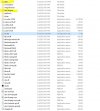
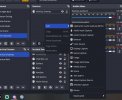
So, I feel like I'm the only one having this issue. Downloaded the zip, extracted and copied the files over to the OBS directory, but the image reaction source still doesn't show up after restarting and rebooting my computer. I tried reinstalling several times and can't seem to figure this out. If someone would be willing to help me out I'd really appreciate it.
 

Attachments

  • Capture1.JPG
    Capture1.JPG
    103.5 KB · Views: 190
  • Capture2.jpg
    Capture2.jpg
    59.5 KB · Views: 189
So, I feel like I'm the only one having this issue. Downloaded the zip, extracted and copied the files over to the OBS directory, but the image reaction source still doesn't show up after restarting and rebooting my computer. I tried reinstalling several times and can't seem to figure this out. If someone would be willing to help me out I'd really appreciate it.
What version of OBS are you using?
 
Is there something like this available for non-sound reactions, for instance when a new message appears in the chat? I would love to have something like this animate my custom asset, but it's not a reaction to sound that I need
 
why does this plugin needs access to my email address and how do i stop it from asking literally every 60 seconds?
1699292724087.png
 
I really love this plugin and thank you for making it!
Are there any plans on adding more features to it?
My Suggestions:
  • Blinking option (with intervals)
  • Idle Movement
  • Ability to add video format (for example webm)
 
hi, Do you have any plans to update APNG to work?
When you load APNG, only the first scene is loaded and stopped
GIF can't express the colors I want
please, I'm begging you
 
hi, Do you have any plans to update APNG to work?
When you load APNG, only the first scene is loaded and stopped
GIF can't express the colors I want
please, I'm begging you
Is it even supported by usual OBS image source? My implementation is limited to what OBS itself supports.
 
This is amazing, I’m surprised that I’m just now finding this plugin! I use Honk for my pngtube model, as it has sound recognition to allow different images for different sounds (a, e, I, o, u, s, f, etc.). Not sure if that’s possible for a plugin but it’d for sure be a game changer!!
 
This is very interesting. Is it possible to have several thresholds and several images. that would allow us to create interesting custom music visualizations. T

his could lead to extending it with frequency based triggers so we can have visual effect based for example on bass in music.
 
Back
Top