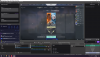
Looked at multiple other threads and nothing has worked. Game and Studio are both running on my graphics card, game mode is turned off, and the screen is still black. I've got no clue what to do
I've been searching for a fix on this for a while and didn't find anything. I don't know if this will work for you but I accidentally discovered a fix for myself. So this is what I did:
1. Delete Game Capture from Sources
2. Launch Valorant
3. Add Game Capture then add valorant from specific window
4. Alt tab to valorant
5. Alt tab back to OBS
Always remove game capture first before launching the game.
i had the same issue exactly and i tried running it on display capture it worked. and then i found the salutation which is :
1- run OBS in administrator mode
2- make sure the game capture has valorant as the specific game
3- go the game and make it windowed full screen and apply and then back to full screen apply.
Since Game capture isn't working, I've found the following solution to work perfectly.
You don't have to run OBS in Administrator mode. It's the most simple solution called: Window Capture
Yes, I know I know. That also doesn't work flawlessly, but with a bit of change in the properties, it will work.
What is that hidden sauce, you might ask? It's called Capture Method. By default, it's automatic. Simply change it to Windows 10 (1903 and up (at the time of writing)) and you'll be able to capture valorant without issues. That's the solution I've worked with and it works like a charm.
TL;DR: Change the Capture method to Windows 10 and it will work.
This site uses cookies to help personalise content, tailor your experience and to keep you logged in if you register.
By continuing to use this site, you are consenting to our use of cookies.