
Question / Help FPS Lag and Buffering while streaming.

BlakeLane

New Member
Hey guys, this is the first ever forum I've posted on so forgive me if there's some kind of manner I'm meant to do things in.

Anyway, my issue is that when I stream games (League of Legends for instance), I get a crazy amount of fps drop, (goes from around 70-ish to about 22) and it's really unplayable. I figure this is happening because OBS is telling me that I'm using too much CPU usage. Any Idea on how to get rid of fps drop?

And my second issue is that a fair few of my viewers tend to get a lot of lag and buffering times. They're telling me that the stream buffers for anywhere between 10 seconds and 10 minutes, then plays video fine for a bit and then buffers again. I've read a lot of stuff on how to reduce these issues but nothing seems to work.

I'm with Internode in Australia and I have NBN, my speedtest tells me I get around 98Mbps download and 34Mbps Upload when pinging to Hobart (where I live). The twitch server I'm trying to connect to is the Sydney one.

Encoding: I've got the CBR and Enable CBR padding boxes ticked. I've set the max bitrate to 2500kbps.
Video: My video adapter is a AMD Radeon R9 200 series (Which I've heard doesn't fair well when streaming). Resolution is set to 1280 x 720 and no resolution downscale. 30fps.

As I said before, I'm new to this so if I need some kind of log or picture please feel free to let me know and how to get them.

Oh and on Twitch it tells me my configuration is 'Excellent' if that helps at all.
 

Attachments

Hey guys, this is the first ever forum I've posted on so forgive me if there's some kind of manner I'm meant to do things in.

Anyway, my issue is that when I stream games (League of Legends for instance), I get a crazy amount of fps drop, (goes from around 70-ish to about 22) and it's really unplayable. I figure this is happening because OBS is telling me that I'm using too much CPU usage. Any Idea on how to get rid of fps drop?

And my second issue is that a fair few of my viewers tend to get a lot of lag and buffering times. They're telling me that the stream buffers for anywhere between 10 seconds and 10 minutes, then plays video fine for a bit and then buffers again. I've read a lot of stuff on how to reduce these issues but nothing seems to work.

I'm with Internode in Australia and I have NBN, my speedtest tells me I get around 98Mbps download and 34Mbps Upload when pinging to Hobart (where I live). The twitch server I'm trying to connect to is the Sydney one.

Encoding: I've got the CBR and Enable CBR padding boxes ticked. I've set the max bitrate to 2500kbps.
Video: My video adapter is a AMD Radeon R9 200 series (Which I've heard doesn't fair well when streaming). Resolution is set to 1280 x 720 and no resolution downscale. 30fps.

As I said before, I'm new to this so if I need some kind of log or picture please feel free to let me know and how to get them.

Oh and on Twitch it tells me my configuration is 'Excellent' if that helps at all.
make sure you aren't watching your own stream (close chrome or firefox) when streaming. disable the preview window in OBS as well.

your GPU has almost nothing to do with streaming, streaming typically uses CPU. in fact, there is an OBS build that uses your GPU stead called VCE.
you could try using the VCE fork of OBS:

https://obsproject.com/forum/threads/obs-branch-with-amd-vce-support.13996/page-79#post-127123
 
Thank you so much dude, disabling the preview thing while streaming has kept my fps at 80 at all times now. I don't think I'll need to use that VCE thing.

Do you have any idea on why a fair few of my viewers would be buffering a lot?

If not you've been a great help anyway.

Cheers,
Blake
 
Thank you so much dude, disabling the preview thing while streaming has kept my fps at 80 at all times now. I don't think I'll need to use that VCE thing.

Do you have any idea on why a fair few of my viewers would be buffering a lot?

If not you've been a great help anyway.

Cheers,
Blake
I'd blame the internet L:D but seriously, its more than likely on their side as you are only streaming at 2500 bitrate. but I often keep this tool handy.

http://www.teamliquid.net/forum/tech-support/478845-twitchtest-twitch-bandwidth-tester this will ensure (at least to the ingest) that everything is alright on your side.
 
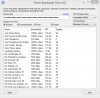
I downloaded that program.

If you disregard the ping, it appears that the 'Quality' of the Australian server is not the highest.

I included a screenshot of the test if you wanted to check it out. Not sure if it changes anything or not haha.
 

Attachments

  • TwitchBandwidthTest.jpg
    TwitchBandwidthTest.jpg
    116.1 KB · Views: 57
I downloaded that program.

If you disregard the ping, it appears that the 'Quality' of the Australian server is not the highest.

I included a screenshot of the test if you wanted to check it out. Not sure if it changes anything or not haha.
97% is plenty. Use that one
 
Hey guys, this is the first ever forum I've posted on so forgive me if there's some kind of manner I'm meant to do things in.

Anyway, my issue is that when I stream games (League of Legends for instance), I get a crazy amount of fps drop, (goes from around 70-ish to about 22) and it's really unplayable. I figure this is happening because OBS is telling me that I'm using too much CPU usage. Any Idea on how to get rid of fps drop?

And my second issue is that a fair few of my viewers tend to get a lot of lag and buffering times. They're telling me that the stream buffers for anywhere between 10 seconds and 10 minutes, then plays video fine for a bit and then buffers again. I've read a lot of stuff on how to reduce these issues but nothing seems to work.

I'm with Internode in Australia and I have NBN, my speedtest tells me I get around 98Mbps download and 34Mbps Upload when pinging to Hobart (where I live). The twitch server I'm trying to connect to is the Sydney one.

Encoding: I've got the CBR and Enable CBR padding boxes ticked. I've set the max bitrate to 2500kbps.
Video: My video adapter is a AMD Radeon R9 200 series (Which I've heard doesn't fair well when streaming). Resolution is set to 1280 x 720 and no resolution downscale. 30fps.

As I said before, I'm new to this so if I need some kind of log or picture please feel free to let me know and how to get them.

Oh and on Twitch it tells me my configuration is 'Excellent' if that helps at all.
What game are you playing? I have the same GPU and my fps goes from 250 to 50...
 
Back
Top