Encoding issues with multi-stream setup on RTX5070Ti

rockbottom

Active Member
No, correct the configuration & then set all of your monitors to 60HZ.

Open OBS, run another test, When finished, close/re-open OBS & then post the previous log.
 

rockbottom

Active Member
Lots of plugins, I'm going to leave it up to you to make sure they're all updated to the latest. Some of them are good, some I have no idea. If you're not using a any of those plugins, remove them.
 

Jsmith345

Member
Lots of plugins, I'm going to leave it up to you to make sure they're all updated to the latest. Some of them are good, some I have no idea. If you're not using a any of those plugins, remove them.

Lots of plugins, I'm going to leave it up to you to make sure they're all updated to the latest. Some of them are good, some I have no idea. If you're not using a any of those plugins, remove them.
difficult to remove them, i dont know which of them came with the aitum plugin. Before i used that i just installed sorayukis multi rtmp and source record plugin, but with the aitum suite (which came with an own complete clean portable version) i don't use them anymore. Ikd what i could safely turn off.
 

Jsmith345

Member
Okay, turned off igpu in bios and set every monitor to 60hz

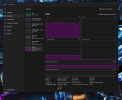
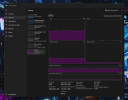
The results:

Also a pic 60hz in comparison to 144hz


Some words for streaming behaviour:

Test#1 in The Finals:

Encoding values (basic settings for everyone)
Frame Interval and B-Frames always at 2
Tuning: High Quality
2 Encoding rounds, quarter resolution
profile main
adaptive quantization on

nvenc av1 1440p:
bitrate 15.000kbits
Preset P5
lookahead off

nvenc av1 1080x1920
bitrate 4.000kbits
Preset P5
lookahead off

nvenc hevc 4480x1440
cqp: 25
preset p1
lookahead on

1st round:
I tested in 60hz mode first. Set all monitors to this value.
In stream i got a little bit more stable performance, but the stutters still appeared.

1440p stream had less failures
vertical stream was perfect
recording was perfect
Multi Frame Gen off, all graphics to max, locked Frames at 59fps

2nd round:
Set all monitors back to 144hz after that.
Stutters appearing more often, but again just with high bitrate for the av1 stream.

1440p stream had more failures
vertical stream was perfect
recording was perfect

Multi Frame Gen off, all graphics to max, locked Frames at 138fps


Now repeating everything with 8.000kbits @ 1440p av1 ...

PS: I have the feeling turning igpu completely off is better for cpu performance, as its less loaded.

 

Attachments

  • 144hz.png
    144hz.png
    678.5 KB · Views: 5
  • 60hz.png
    60hz.png
    526 KB · Views: 4

Jsmith345

Member
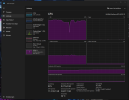
Another log with 8.000 kbits:

Test#2 in The Finals:

Encoding values (basic settings for everyone)
Frame Interval and B-Frames always at 2
Tuning: High Quality
2 Encoding rounds, quarter resolution
profile main
adaptive quantization on

nvenc av1 1440p:
bitrate 8.000kbits
Preset P5
lookahead off

nvenc av1 1080x1920
bitrate 4.000kbits
Preset P5
lookahead off

nvenc hevc 4480x1440
cqp: 25
preset p1
lookahead on
1st and only round:
I tested in 144hz mode.

1440p stream was also perfect now!
vertical stream was perfect
recording was perfect
Multi Frame Gen off, all graphics to max, locked Frames at 138fps


I think the issue is tracked down, it has definetely something to do with the bitrate, as my results got confirmed!
 

Attachments

  • 8000kbits.png
    8000kbits.png
    167.2 KB · Views: 1

rockbottom

Active Member
The logs could be better if the directions were followed.

You should have left those monitors @ 60HZ.....

Rendering Lag is GPU overload

Network/Bandwidth issues

03:56:40.109: Output 'Aitum Stream Suite Output YouTube - Story Let's Plays - Horizontal [16:9] Feed ': stopping
03:56:40.109: Output 'Aitum Stream Suite Output YouTube - Story Let's Plays - Horizontal [16:9] Feed ': Total frames output: 2248 (3066 attempted)
03:56:40.109: Output 'Aitum Stream Suite Output YouTube - Story Let's Plays - Horizontal [16:9] Feed ': Total drawn frames: 3052 (3103 attempted)
03:56:40.109: Output 'Aitum Stream Suite Output YouTube - Story Let's Plays - Horizontal [16:9] Feed ': Number of lagged frames due to rendering lag/stalls: 51 (1.6%)
03:56:40.109: Output 'Aitum Stream Suite Output YouTube - Story Let's Plays - Horizontal [16:9] Feed ': Number of dropped frames due to insufficient bandwidth/connection stalls: 818 (26.7%)
03:56:40.109: [rtmp stream: 'Aitum Stream Suite Output YouTube - Story Let's Plays - Horizontal [16:9] Feed '] Freeing 65 remaining packets
03:56:40.109: Video stopped, number of skipped frames due to encoding lag: 51/3078 (1.7%)


Jsmith345

Member
Staying with 60hz is not an ideal option. Theres no real difference to 144hz at the end. I could use it for campaign games, but not for online first person shooters.

I know about the 144hz Hz paradoxon in terms of streaming, because its not divisable through 60. That was a much bigger issue with an elgato 4k60 pro mk2 capture card on my previous dual pc setup. But also tested with 120Hz. It makes no real difference.

Network errors seem to fit the picture best here. Even if i controlled it in the router, maybe OBS cant use all of my bandwidth effectively. Set my QoS to Streaming.

Guess theres nothing more i can do about it. I'll stay with 8mbits for the 1440p AV1 Stream, quality is good enough for me.
 

rockbottom

Active Member
But it is the best option when using OBS. 120, 240, 360 are next. Anyway, I disagree with most of that. Timing is everything.

Running multiple streams requires more bandwidth. Logs were incomplete but one of them was dropping frames @ 26%. OBS isn't doing it.
 

Jsmith345

Member
To be 100% sure about excluding encoder overload i could test all the stream canvas as recordings. I bet its just network. Be back soon with results ...

When its about bitrates, i dont see any headroom to go lower anymore or at least it wouldnt make a difference, 2 streams are the limit at the moment, i have to accept that. Alternatively i could use restream io.
But my internet provider is currently installing fiber optic cables locally and i already preordered for better conditions, shouldnt take too much time, until i have better network conditions ...
 

Jsmith345

Member
Results:

Test#1: I ran all the streaming canvas as encodes, but left the bitrate of the youtube horizontal stream at 15.000kbits.

Played a round of BF6, no Frame Gen, Rest all maxed out.
- CPU Load at 40%
- Video Encode Load at 27%
- GPU Load at 96%

All 3 records were perfect with no errors in the video itself.

Test #2: Added Twitch as 4th record (nvenc h264, 6500kbits, P5)

- CPU Load at 40%
- Video Encode Load at 43%
- GPU Load at 97%

All 4 records were perfect with no errors in the video itself.

Test #3: Harcore Mode, adding a hypothetically TikTok Stream record (nvenc h264, 6500kbits, P5, 1080x1920)

- CPU Load at 40%
- Video Encode Load at 67%
- GPU Load at 97%

All 5 records were perfect with no errors in the video itself.


If there was an encoding issue in the log, it must have been a false flag due to the Aitum Suite. It's definetely upload related.
Thank you for the tip to avoid mixing loads with the igpu and just completely avoiding it, that helped a lot with cpu load.

Im pretty sure now, that my hardware is able to encode every scenario i could imagine for multistreaming. Just need to upgrade my internet connection or switch to restream.
We can close this case.
 
Top