Encoder error crashing obs/stream but GPU is not overloading

Bored_Banana

New Member
Having a strange problem this week where my stream will completely stop and OBS will sometimes crash (the OBS crash doesn't happen everytime the stream is cancelled). I've uploaded relevant logs to the analyzer and the most notible things to me are "#% GPU Encoder Overload" and "Encoder start error".

I just ran a benchmark stream + recording session that lasted 5-10minutes before crashing, here's the link to the log's analyzer
Also attached is the OBS crash report, and an AMD hardware log, showing the highest usage my GPU reaches is 80-85% but that was 5 minutes before the OBS crash. CPU does reach 100% but that seems to be ~15s after the crash so I'm not convinced its causing the crashing.
For some hardware context, I upgraded my GPU from a 1070 to a 9070xt in Novemeber, and haven't noticed any sort of encoder or OBS issues until now. I never had any problem like this with the 1070, and do not believe I have increased the graphics settings too much in the games I stream since upgrading, so I don't know how it could be a GPU load issue unless there is something I'm missing.

I have noticed in all the logs where the stream crashes (with or without OBS crashing), the following lines are present towards the end of the file;
Code:
[texture-amf-h264: 'advanced_video_stream'] amf_encode_tex: SubmitInput timed out: AMF_INPUT_FULL
Error encoding with encoder 'advanced_video_stream'
[rtmp stream: 'adv_stream'] Encoder error, disconnecting
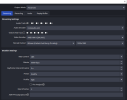
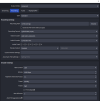
This makes me think its something to do with the encoder I have selected, but my only options in OBS for streaming are AMD HW H.264 (AVC) and x264. My understanding is x264 is a CPU bound encoder which I am trying to avoid, so I'm not sure what to do, espeically because I'm not even sure if thats the actual issue. I have added screenshots of my streaming and recording settings, wasn't sure how else to share them here.

Any suggestions or ideas would be greatly appreciated thanks
 

Attachments

  • 2026-01-20 11-36-48.txt
    2026-01-20 11-36-48.txt
    68.5 KB · Views: 21
  • Crash 2026-01-20 11-46-14.txt
    Crash 2026-01-20 11-46-14.txt
    200 KB · Views: 17
  • Hardware.20260120-114637.txt
    Hardware.20260120-114637.txt
    21.6 KB · Views: 21
  • Recording Settings.png
    Recording Settings.png
    44.8 KB · Views: 28
  • Streaming settings.png
    Streaming settings.png
    36 KB · Views: 27
SE sucks, your Scene Collection is a mess & yes your GPU is overloaded.

Create a New Scene Collection, add just (1) source & see if things improve.
 
SE sucks, your Scene Collection is a mess & yes your GPU is overloaded.

Create a New Scene Collection, add just (1) source & see if things improve.
I was unaware scenes were being loaded all together and needed to be in a seperate collection. I'll try that out and see if I get any crashes thanks.

Is there a way you can see the GPU being overloaded other than the log analyzer just saying it is? I am just trying to find the underlying issue resulting in extra load/usage because I'm pretty sure I havent changed any settings in OBS (other than the encoder from NVENC to AMD HW H.264) and the games I stream so I'm a little confused on that front
 
Rendering lag is GPU overload.

FYI, as you're going to need it to start cleaning up the old Scene Collection. There should be only (1) Display, Game or Window Capture per Scene to avoid interference & in your case reduce load.

 
Last edited:
You can save some more resources here:

11:36:49.208: Driver Version: 32.0.22029.9039
11:36:49.209: output 0:
11:36:49.209: name=C49HG9x
11:36:49.209: pos={0, 0}
11:36:49.209: size={1920, 1080}
11:36:49.209: attached=true
11:36:49.209: refresh=144 > 120
11:36:49.209: bits_per_color=10 > 8

11:36:49.209: space=RGB_FULL_G22_NONE_P709
11:36:49.209: primaries=[r=(0.682617, 0.308594), g=(0.272461, 0.659180), b=(0.151367, 0.057617), wp=(0.313477, 0.329102)]
11:36:49.209: relative_gamut_area=[709=1.290443, P3=0.951278, 2020=0.682478]
11:36:49.209: sdr_white_nits=80
11:36:49.209: nit_range=[min=0.500000, max=270.000000, max_full_frame=270.000000]
11:36:49.209: dpi=96 (100%)
11:36:49.209: id=\\?\DISPLAY#SAM0E5E#7&29bfb179&0&UID264#{e6f07b5f-ee97-4a90-b076-33f57bf4eaa7}
11:36:49.209: alt_id=\\.\DISPLAY1
11:36:49.210: output 1:
11:36:49.210: name=C49HG9x
11:36:49.210: pos={1920, 0}
11:36:49.210: size={1920, 1080}
11:36:49.210: attached=true
11:36:49.210: refresh=144 > 60
11:36:49.210: bits_per_color=10 > 8

11:36:49.210: space=RGB_FULL_G22_NONE_P709
11:36:49.210: primaries=[r=(0.682617, 0.308594), g=(0.272461, 0.659180), b=(0.151367, 0.057617), wp=(0.313477, 0.329102)]
11:36:49.210: relative_gamut_area=[709=1.290443, P3=0.951278, 2020=0.682478]
11:36:49.210: sdr_white_nits=80
11:36:49.210: nit_range=[min=0.500000, max=270.000000, max_full_frame=270.000000]
11:36:49.210: dpi=96 (100%)
11:36:49.210: id=\\?\DISPLAY#SAM0E5D#7&29bfb179&0&UID268#{e6f07b5f-ee97-4a90-b076-33f57bf4eaa7}
11:36:49.210: alt_id=\\.\DISPLAY2

If HDR is not enabled on your system

 
Your internet looks weak & is clearly struggling. I would lower the bit-rate to something like 5500 & see if it stabilizes.

11:43:37.017: [rtmp stream: 'adv_stream'] bitrate increased to: 3000, waiting
11:43:37.017: [rtmp stream: 'adv_stream'] going back to prev bitrate
11:43:37.017: [rtmp stream: 'adv_stream'] bitrate decreased to: 2400
11:43:41.026: [rtmp stream: 'adv_stream'] bitrate increased to: 3000, waiting
11:43:42.989: [rtmp stream: 'adv_stream'] going back to prev bitrate
11:43:42.989: [rtmp stream: 'adv_stream'] bitrate decreased to: 2400
11:43:47.000: [rtmp stream: 'adv_stream'] bitrate increased to: 3000, waiting
11:43:48.663: [rtmp stream: 'adv_stream'] going back to prev bitrate
11:43:48.663: [rtmp stream: 'adv_stream'] bitrate decreased to: 2400
11:43:52.675: [rtmp stream: 'adv_stream'] bitrate increased to: 3000, waiting
11:43:52.675: [rtmp stream: 'adv_stream'] going back to prev bitrate
11:43:52.675: [rtmp stream: 'adv_stream'] bitrate decreased to: 2400
11:43:56.684: [rtmp stream: 'adv_stream'] bitrate increased to: 3000, waiting
11:43:58.853: [rtmp stream: 'adv_stream'] going back to prev bitrate
11:43:58.853: [rtmp stream: 'adv_stream'] bitrate decreased to: 2400
11:44:02.872: [rtmp stream: 'adv_stream'] bitrate increased to: 3000, waiting
11:44:06.883: [rtmp stream: 'adv_stream'] bitrate increased to: 3600, waiting
11:44:07.991: [rtmp stream: 'adv_stream'] going back to prev bitrate
11:44:07.991: [rtmp stream: 'adv_stream'] bitrate decreased to: 3000
11:44:12.002: [rtmp stream: 'adv_stream'] bitrate increased to: 3600, waiting
11:44:16.017: [rtmp stream: 'adv_stream'] bitrate increased to: 4200, waiting
11:44:17.742: [rtmp stream: 'adv_stream'] going back to prev bitrate
11:44:17.742: [rtmp stream: 'adv_stream'] bitrate decreased to: 3600
11:44:21.750: [rtmp stream: 'adv_stream'] bitrate increased to: 4200, waiting
11:44:22.100: [rtmp stream: 'adv_stream'] going back to prev bitrate
11:44:22.100: [rtmp stream: 'adv_stream'] bitrate decreased to: 3600
11:44:26.101: [rtmp stream: 'adv_stream'] bitrate increased to: 4200, waiting
11:44:30.114: [rtmp stream: 'adv_stream'] bitrate increased to: 4800, waiting
11:44:32.462: [rtmp stream: 'adv_stream'] bitrate decreased to: 4300
11:44:36.468: [rtmp stream: 'adv_stream'] bitrate increased to: 4900, waiting
11:44:38.819: [rtmp stream: 'adv_stream'] bitrate decreased to: 4700
11:44:42.830: [rtmp stream: 'adv_stream'] bitrate increased to: 5300, waiting
11:44:45.167: [rtmp stream: 'adv_stream'] bitrate decreased to: 5100
11:44:49.186: [rtmp stream: 'adv_stream'] bitrate increased to: 5700, waiting
11:44:51.533: [rtmp stream: 'adv_stream'] bitrate decreased to: 5400
11:44:55.533: [rtmp stream: 'adv_stream'] bitrate increased to: 6000, done
11:45:15.900: [rtmp stream: 'adv_stream'] bitrate decreased to: 4400
11:45:19.918: [rtmp stream: 'adv_stream'] bitrate increased to: 5000, waiting
11:45:23.938: [rtmp stream: 'adv_stream'] bitrate increased to: 5600, waiting
11:45:27.950: [rtmp stream: 'adv_stream'] bitrate increased to: 6000, done
11:45:34.328: [rtmp stream: 'adv_stream'] bitrate decreased to: 5900
11:45:38.338: [rtmp stream: 'adv_stream'] bitrate increased to: 6000, done
11:45:42.860: [rtmp stream: 'adv_stream'] going back to prev bitrate
11:45:42.860: [rtmp stream: 'adv_stream'] bitrate decreased to: 5900
11:45:46.873: [rtmp stream: 'adv_stream'] bitrate increased to: 6000, done
11:45:46.873: [rtmp stream: 'adv_stream'] going back to prev bitrate
11:45:46.873: [rtmp stream: 'adv_stream'] bitrate decreased to: 5900
11:45:50.884: [rtmp stream: 'adv_stream'] bitrate increased to: 6000, done
11:45:50.884: [rtmp stream: 'adv_stream'] going back to prev bitrate
11:45:50.884: [rtmp stream: 'adv_stream'] bitrate decreased to: 5900
11:45:54.894: [rtmp stream: 'adv_stream'] bitrate increased to: 6000, done
11:46:03.867: [rtmp stream: 'adv_stream'] going back to prev bitrate
11:46:03.867: [rtmp stream: 'adv_stream'] bitrate decreased to: 5900
11:46:07.877: [rtmp stream: 'adv_stream'] bitrate increased to: 6000, done
11:46:11.341: [rtmp stream: 'adv_stream'] going back to prev bitrate
11:46:11.341: [rtmp stream: 'adv_stream'] bitrate decreased to: 5900
11:46:11.754: [rtmp stream: 'adv_stream'] bitrate decreased to: 5800
11:46:16.989: [texture-amf-h264: 'advanced_video_stream'] amf_encode_tex: SubmitInput timed out: AMF_INPUT_FULL
11:46:16.989: Error encoding with encoder 'advanced_video_stream'
11:46:16.989: [rtmp stream: 'adv_stream'] Encoder error, disconnecting
11:46:16.989: [rtmp stream: 'adv_stream'] Socket send buffer is 65536 bytes
11:46:16.989: Output 'adv_stream': stopping
11:46:16.989: Output 'adv_stream': Total frames output: 9484
11:46:16.989: Output 'adv_stream': Total drawn frames: 10013 (10056 attempted)
11:46:16.989: Output 'adv_stream': Number of lagged frames due to rendering lag/stalls: 43 (0.4%)
 
Back
Top