

You are using an out of date browser. It may not display this or other websites correctly.
You should upgrade or use an alternative browser.
You should upgrade or use an alternative browser.

DistroAV - Network Audio/Video in OBS-Studio using NDI® technology 6.2.2
- Thread starter Palakis
- Start date
In Task Manager, my "Send" is stuck at average 50-70 Mbps (jumps around +-30%) when operating the software to send dynamic video output (and with static content as well), while using LAN Speed Test it goes up to 500 Mbps write 900Mbps read when interacting with a folder on the stream PC. (from the gaming PC)
edit: Minor additions. Also sending to a different OBS instance on the same PC seems to work without problem on both systems btw.
edit: Same issues when relaying video from stream PC to game PC. Although max Mbps sent is even lower.
edit: Minor additions. Also sending to a different OBS instance on the same PC seems to work without problem on both systems btw.
edit: Same issues when relaying video from stream PC to game PC. Although max Mbps sent is even lower.
Last edited:


RayneYoruka
New Member
Chiming in from the DistroAV team since these has been reported within the discord server. I normally test within Windows 10 with all updates being disabled to avoid any variables.
There has always been the knowledge of windows 11 messing things from time to time.. specially when OBS ran in the background and not as the focused window.
All of you with issues mind checking the latest windows updates and the windows build of your systems?
Reporting within the Github would be better yet we can't ask every user to do that. Once I have enough information I'll be creating a bug report.
There has always been the knowledge of windows 11 messing things from time to time.. specially when OBS ran in the background and not as the focused window.
All of you with issues mind checking the latest windows updates and the windows build of your systems?
Reporting within the Github would be better yet we can't ask every user to do that. Once I have enough information I'll be creating a bug report.
RayneYoruka
New Member
I do have the same issue. On sunday it worked fine. Today there is stuttering. Router is Fritzbox 6690.
Really odd. For some reason today I get random stutters every few seconds on the 2nd PC and I never did prior to that. I uninstalled both the NDI and DistroAV apps, and then manually made extra sure to delete their folders, then reinstalled. This is on Windows 11 for both machines.
Main specs:
-Gaming
5900x
32 gigs
RTX 3080
-Streaming
5700x
32 gigs
RTX 3060
GE800 is the router, which has all 2.5 and 10 gig ports. Running a fairly new firmware 1.2.1. I tried resetting the network settings in Windows, tried Framesync, etc.
I've been using this for years and only now is this happening. I wonder if it is some Windows update or some bug with the router's firmware, etc. I don't get it. I've tried re-adding the source after deleting it, etc. It will be smooth and then chug like it's dropping frames even though OBS does not report any dropped frames.
2nd PC settings - CBR/6000, 2 sec, fast, high, none
If I use a single pc to stream it's smooth as butter but I want to continue using the 2 pc setup I've had for years.
I wonder if it is a setting in the router? I have Flow Control turned off on the NICs, the router for WAN and LAN. I do not limit game capture fps.
? can anyone assist
Ran perfectly (besides minor audio blips) yesterday now I have the same issues as Jaybonaut. Did some windows/gpu driver updates and rolling back gpu driver updates did not fix the issue. (Using DDU, although not in safe mode)
Choosing "Lowest" for "Bandwidth" makes the source less of a slideshow but that's not what I'm looking to use. It's also still not the full 48fps I'm looking for. Tried restarting router multiple times and ran a bandwidth test for it, looks like very stable half gigabit per second.
edit: added info
Pinging in case the forum doesn't do it.
Gaming PCChiming in from the DistroAV team since these has been reported within the discord server. I normally test within Windows 10 with all updates being disabled to avoid any variables.
There has always been the knowledge of windows 11 messing things from time to time.. specially when OBS ran in the background and not as the focused window.
All of you with issues mind checking the latest windows updates and the windows build of your systems?
Reporting within the Github would be better yet we can't ask every user to do that. Once I have enough information I'll be creating a bug report.
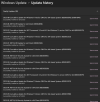
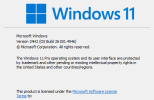
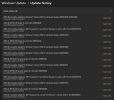
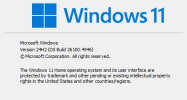
Win 10 Pro 22H2
OS Build: 19045.6216
Today's Update added: KB5063709
Streaming PC
Same as above but added update above was 2 days ago and things were fine.

Jaybonaut
Member
Here you go. Let me know what else you need. OBS 31.1.2. Note that Tivvy is reporting the issue with Windows 10. I use all CPU encoding btw. Switching to NVENC shows the exact same issues. Must be a Windows network thing, has to be. Single PC is smooth as silk.Pinging in case the forum doesn't do it.
Attachments
RayneYoruka
New Member
For those who might stumble late on this. The current thread is at Github in these link: https://github.com/DistroAV/DistroAV/issues/1337

KattPhloxworthy
Member
Running:
I haven't updated to 24H2 yet on any of my production streaming systems to test this yet.
--Katt. =^.^=
- Windows 11 Pro Release 23H2
- NDI 6.2.1.0 (also affected 6.2.0.1)
- DistroAV 6.1.1
- OBS Studio -> OBS Studio: Does NOT work
- OBS Studio -> NDI Studio Monitor: Does NOT work
- VTube Studio outputting NDI -> NDI Studio Monitor: DOES work
I haven't updated to 24H2 yet on any of my production streaming systems to test this yet.
--Katt. =^.^=
Last edited:
Jaybonaut
Member
We are getting more information via this link:Uninstalling the windows update fixed two instances of this. Please tell me this has been reported to Microsoft.
[Bug]: Windows 10/11 Update (KB5063709/KB5063878) create audio/video lag. - [Solved] by KB5065429 · Issue #1337 · DistroAV/DistroAV
Issue is fixed For everyone coming here from search results or been active in this issue. update Windows - any update released September 9, 2025 (KB5065429) or later have a fix for this issue! let ...
 github.com
KattPhloxworthy
Member
Note: runtime 6.2.1 is now available.
Regarding the issues - apparently VMix, DistroAV team, NDI team, Newtek, Neowin, and Microsoft are all aware of this problem and are monitoring the github entry.
For the record, the runtime update does not address the issue as I had described.
As of right now, I need to remove two updates from Win11 23H2, KB5063878 and KB5063875. Removing '878 by itself isn't enough. If '875 is present, it must also be removed for current NDI (in the context of DistroAV) to work properly.
--Katt. =^.^=

DistroAV
Member
PSA to those affected by the recent regression introduced by Windows update : KB5063709 and KB5063878.
The recommended fix is to actively select the "single-TCP" or UDP, using the NDI Access Manager tool (tab Advanced).
Follow the "how-to" process by DistroAV
These update will keep re-installing and sometimes cannot be uninstalled
The recommended fix is to actively select the "single-TCP" or UDP, using the NDI Access Manager tool (tab Advanced).
Follow the "how-to" process by DistroAV
These update will keep re-installing and sometimes cannot be uninstalled
Jaybonaut
Member
Is this a band-aid that will be fixed by Microsoft in the future?PSA to those affected by the recent regression introduced by Windows update : KB5063709 and KB5063878.
The recommended fix is to actively select the "single-TCP" or UDP, using the NDI Access Manager tool (tab Advanced).
Follow the "how-to" process by DistroAV
These update will keep re-installing and sometimes cannot be uninstalled
KattPhloxworthy
Member
Is this a band-aid that will be fixed by Microsoft in the future?
Sorry for my reaction there. I mean, seriously, after all, this is Microsoft we're talking about here.
--Katt. =^.^=
DistroAV
Member
This is a Temporary solution until Microsoft fix their issue.Is this a band-aid that will be fixed by Microsoft in the future?
The issue is so deep-level that we cannot even fix-it in the DistroAV code.
I've been working on this problem all day and just discovered the known issue from Microsoft. The only thing that works for me is Single-TCP. I have to disable all other protocols in Access Manager. I tried just disabling Reliable UDP (such an ironic name) and video was better but still not smooth.
MECHa 4293
New Member
Hello everyone,
Do not install NVidia's Newest driver 581.29 It cause distro AV to studder while gaming. If you did update would suggest redownloading 581.15(or the pervious driver depending on your GPU), also I don't know if AMD has this problem(because I have NVidia in both of my systems).
Do not install NVidia's Newest driver 581.29 It cause distro AV to studder while gaming. If you did update would suggest redownloading 581.15(or the pervious driver depending on your GPU), also I don't know if AMD has this problem(because I have NVidia in both of my systems).
KattPhloxworthy
Member
Hello everyone,
Do not install NVidia's Newest driver 581.29 It cause distro AV to studder while gaming. If you did update would suggest redownloading 581.15(or the pervious driver depending on your GPU), also I don't know if AMD has this problem(because I have NVidia in both of my systems).
Curious, how recent are you on your Windows updates, and which release of Windows are you running? There's a chance you may be looking at entirely the wrong problem. There have been serious problems with NDI thanks to some bum updates last month's Patch Tuesday (August 2025). One workaround is to use the NDI bundle's Access Manager and setting inputs to "single TCP". I did, arguably, the right thing by keeping those bum updates off my computers entirely because it has even more serious problems, like either seeing SSDs fall offline which a reboot can bring back, SSDs fall offline which a reboot can bring back but with corrupted data, and worse, it outright turns SSDs into very expensive and very useless bricks. This affects primarily drives with PHISION controller chips.
I am going to run the Windows Update rigamarole to see if it hoses my NDI setup.
More soon on both the NDI-vs-Microsoft and NVidia (which I have not gone past 575.whatever yet) fronts, separately and together.
--Katt. =^.^=