
Bitrate drops to 0 in almost every game

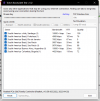
To more accuratelly test your internet connections against Twitch use this tool:
Post an screenshoot of the results. Anything bellow 90 quality isn't good.

Restart the computer, not just turn it off and on.

You have 15741MB total RAM memory, less than it should be for the 16GB. Posibly issues in there. Use memtest to check it.
For some people with new computers windows 11 works fine but not for others as it has its own issues. If in win10 everything worked well, go back to it.
Enable Game Mode in windows. It helps.
Run OBS as admin.

Check if you are using one of this programs known to cause conclict:
 
Welp I did everything except for going back to windows 10, and I have the same problem. In other words it was not fixed ;;
 

Attachments

  • MemTest86-Report-20220823-160006.html.pdf
    MemTest86-Report-20220823-160006.html.pdf
    132.3 KB · Views: 68
  • 2022-08-23 19-39-42.txt
    2022-08-23 19-39-42.txt
    9.5 KB · Views: 61
  • twitchtest.png
    twitchtest.png
    31.4 KB · Views: 95
01:49:32.031: [rtmp stream: 'adv_stream'] bitrate decreased to: 50
...
01:50:02.037: [rtmp stream: 'adv_stream'] bitrate increased to: 300, waiting

01:50:10.355: Output 'adv_stream': Total drawn frames: 10759 (10762 attempted)
01:50:10.355: Output 'adv_stream': Number of lagged frames due to rendering lag/stalls: 3 (0.0%)
01:50:10.356: Video stopped, number of skipped frames due to encoding lag: 5/10707 (0.0%)
01:50:10.361: ==== Streaming Stop

Your bitrate is certainly dropping but you're not dropping frames.
 
01:49:32.031: [rtmp stream: 'adv_stream'] bitrate decreased to: 50
...
01:50:02.037: [rtmp stream: 'adv_stream'] bitrate increased to: 300, waiting

01:50:10.355: Output 'adv_stream': Total drawn frames: 10759 (10762 attempted)
01:50:10.355: Output 'adv_stream': Number of lagged frames due to rendering lag/stalls: 3 (0.0%)
01:50:10.356: Video stopped, number of skipped frames due to encoding lag: 5/10707 (0.0%)
01:50:10.361: ==== Streaming Stop

Your bitrate is certainly dropping but you're not dropping frames.
that's the issue :c
 
Use task manager to check what's using bandwidth on your PC and check your router too. If everything is good, setup a restream account linked to your twitch account and configure OBS to use restream.
 
Back
Top