Audio tracks not recording

I’m having issues with one not recording multiple audio tracks. The mkv file does not record my game audio (track 2). The track is selected to be exported track 1 and track two.

It’s either the exporting or the audio pick up channels. I have all my audio nested and use either a window capture or application capture but have tried both and both will not pick up audio on recording saved video file and remux version.

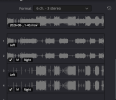
In one it shows audio is being picked up for the game but is not recording. Does anyone know of a fix
 
Two possible problems:
  1. You don't have multiple tracks enabled to record. If you're using Simple mode, you only have Track 1. In Advanced mode, you can record any combination of all 6. You can still only stream one, but at least you get to pick which one.
  2. You are in fact recording multiple tracks, but they don't mix. That's on purpose, for alternate languages, visually impaired descriptions, things like that. Some people use them to mix later in post-production. Players only use one at a time, and the crummy ones don't even let you switch. They're just stuck on Track 1. The good players let you pick one, but it's still just one at a time. If you want to hear multiple things at the same time, they need to be on the same track.
 
I need two separate tracks for video editing. There are some videos with it enabled and the tracks are separate but it’s likenibs picks and chooses which it wants to use
 
To check your multi track recordings, you need to actively switch audio tracks in your media player. The media player will play only one at a time. It will not present a mix of tracks - creating a mix is the task for your postprocessing.
 
...VLC...no audio
VLC does read alternate tracks. Are you sure you've selected the right one? Again, they don't mix, so you have to select one to hear it, and then you don't hear the others. VLC selects Track 1 by default, but it's possible that you changed that at some point.

And as I said before, make sure you're actually recording what you think you're recording. Look through all the settings. It may also help - so we don't keep hammering on things that you can clearly see are right - to post screenshots of those things so we can see too. What you *don't* post, is just as much of a clue as what you do: some things are in weird places, and you may not have found them yet.
 
VLC does read alternate tracks. Are you sure you've selected the right one? Again, they don't mix, so you have to select one to hear it, and then you don't hear the others. VLC selects Track 1 by default, but it's possible that you changed that at some point.

And as I said before, make sure you're actually recording what you think you're recording. Look through all the settings. It may also help - so we don't keep hammering on things that you can clearly see are right - to post screenshots of those things so we can see too. What you *don't* post, is just as much of a clue as what you do: some things are in weird places, and you may not have found them yet.
Yeah I saw the other post in OBS about it but there is just no recording of MIC only game.
1740337619235.png
 
Yeah I saw the other post in OBS about it but there is just no recording of MIC only game. View attachment 111612
there is audio being picked up View attachment 111613View attachment 111614 and both are on right tracks
That *should* work. A lot of people miss the Advanced Audio Properties, but you got that too, and it's good.

So...
Track 1 does NOT work? Even if you explicitly select it in VLC?
Track 2 does work? And has the correct content?
Track 3...???

It does look like a bit of a mess, but if you really do *need* all of those sources at the same time, then there's not much to do about that...except to pop the audio work out to an external tool (usually a DAW or physical console) so that OBS becomes completely silent except for the final finished soundtrack to pass through completely unchanged. Then everything connects directly to that other tool, not to OBS, and you'd deal with *that* support instead of this one, if you even need to.
(record multitrack audio-only in that other tool, along with a "scratch track" in OBS for alignment; and then stick it all together in the editor and mute the scratch track)
 
I have remuxed the recordings I have and on the MKV file there is audio for both MIC and Game but when remuxing ... there is no audio
I just happened to see this part again. Can your editor take MKV directly?

Most things can. It's a pretty basic function, since MKV is so good for raw recordings. (crash resilience, for just one example)
If yours can't, along with a few other basic things, then I'd question how serious it really is in the first place. (regardless of what it's called or what it looks like or how good their marketing team is...)

Here's a good free one that does:

---

It doesn't solve the original problem - remuxing is indeed supposed to preserve everything - and it can be a bit of a learning curve to completely switch tools, but if it gets you going at least......
 
Seems like you have things configured in a way that should work but I will leave this here either way


You should be able to open your video in VLC and use the audio>audio tracks menu at the top to swap between tracks just fine.
 
Have there been any changes made to this? I've been recording multiple audio tracks without issues for years. Took a break for a few months, updated OBS to the current version (32.2.2) and when I record now, only 1 track seems to be recording audio. I've checked my settings, and it's all looking fine (source 1 on track 1, source 2 on track 2) but when I bring the recording into DaVinci, there's no only 1 track recorded...

I'm recording on a Mac using Hybrid MOV, Apple VT h264 Hardware encoder and CoreAudio AAC.
 
Have there been any changes made to this? I've been recording multiple audio tracks without issues for years. Took a break for a few months, updated OBS to the current version (32.2.2) and when I record now, only 1 track seems to be recording audio. I've checked my settings, and it's all looking fine (source 1 on track 1, source 2 on track 2) but when I bring the recording into DaVinci, there's no only 1 track recorded...

I'm recording on a Mac using Hybrid MOV, Apple VT h264 Hardware encoder and CoreAudio AAC.

Nope, but I would guess something with your import settings in Davinci would be the place you'd want to look at not OBS.
 
Right you are! I can see in the file that multiple tracks are in fact there, but when I drop it into the timeline, only the first track gets added, even though I have all three tracks marked as import targets. Will investigate - thanks for the prompt reply!
 

Attachments

  • Screenshot 2026-08-27 at 10.18.25 am.png
    Screenshot 2026-08-27 at 10.18.25 am.png
    49.7 KB · Views: 4
Slightly similar, but not really:

I recently had a 6-track recording in OBS that consistently garbled all but Track 1. All tracks were present, but only that one was clear. I switched to recording multitrack in an external DAW instead, like I mentioned earlier in this thread, with the Advanced Scene Switcher plugin sending commands to that DAW so I don't have to leave OBS, while OBS itself only has the one live-mixed master track from the DAW. That works.

It's more hassle afterward to sync the separate recordings, but not by much. Especially when the video editor can sync everything automatically while I run to the bathroom or grab a quick snack.

Not really looking for a solution. Just adding another data point to the argument that OBS's audio probably needs a complete overhaul sometime soon. It's been borderline useless for years now, for a variety of reasons. Much better to use an external tool to feed OBS a final finished master and nothing else. Anything that originates in OBS, like video playback, goes out the Monitor to that external tool, and comes back on the master with everything else. No processing in OBS, just enough routing to support the external thing.

Ubuntu Studio Linux
Yes I know this is the Windows forum, but I see similar problems here, and I also see that it's had some recent official-looking attention, unlike the Linux forum.
 
Back
Top