

You are using an out of date browser. It may not display this or other websites correctly.
You should upgrade or use an alternative browser.
You should upgrade or use an alternative browser.
Annoying issue that needs fixing
- Thread starter Axogamer
- Start date
Lawrence_SoCal
Active Member
That sounds like a computer that is overloaded (running processes/applications incl OBS Studio being more than you have hardware resources to support).
Note (and follow) pinned post in this forum about posting OBS Studio log from a session that had the problem when asking for help.
Note (and follow) pinned post in this forum about posting OBS Studio log from a session that had the problem when asking for help.
How does one do that on a video that has been recorded for a while now? Or do you need me to make a new one to send?That sounds like a computer that is overloaded (running processes/applications incl OBS Studio being more than you have hardware resources to support).
Note (and follow) pinned post in this forum about posting OBS Studio log from a session that had the problem when asking for help.
Lawrence_SoCal
Active Member
the answer to your question is in the pinned post, as well as the link in my .sig regarding posting a log (short version, there is a set of logs from recent sessions, I don't recall the exact number of logs that are kept/rotated, so in your case time is NOT a factor, but rather the number of OBS Studio sessions between one with a problem and last session)
Found the file for the video recording I attached with the post.the answer to your question is in the pinned post, as well as the link in my .sig regarding posting a log (short version, there is a set of logs from recent sessions, I don't recall the exact number of logs that are kept/rotated, so in your case time is NOT a factor, but rather the number of OBS Studio sessions between one with a problem and last session)
Please tell me what's wrong, I really need this fixed.
Attachments
rockbottom
Active Member
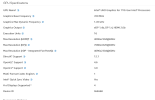
Simple fix, reduce load. Rendering lag is in fact GPU overload or in your case iGPU overload. See link below & run your monitor @ 60HZ not 100HZ (out of spec*), you're just wasting resources & screwing up your system's timing.
19:08:10.502: Output 'simple_file_output': stopping
19:08:10.502: Output 'simple_file_output': Total frames output: 79159
19:08:10.502: Output 'simple_file_output': Total drawn frames: 16729 (86579 attempted)
19:08:10.502: Output 'simple_file_output': Number of lagged frames due to rendering lag/stalls: 69850 (80.7%)
19:08:10.502: [mp4 output: 'simple_file_output'] Waiting for file writer to finish...
19:08:10.503: [mp4 output: 'simple_file_output'] File output complete. Finalization took 25 ms.
19:08:10.503: Video stopped, number of skipped frames due to encoding lag: 8/86577 (0.0%)
 obsproject.com
This Audio lag most likey indicates that not only is the iGPU overloaded but your CPU is as well.....
19:08:44.879: audio_thread(Audio): min=0.006 ms, median=1.319 ms, max=1524.78 ms, 99th percentile=280.992 ms
(*)
19:08:10.502: Output 'simple_file_output': stopping
19:08:10.502: Output 'simple_file_output': Total frames output: 79159
19:08:10.502: Output 'simple_file_output': Total drawn frames: 16729 (86579 attempted)
19:08:10.502: Output 'simple_file_output': Number of lagged frames due to rendering lag/stalls: 69850 (80.7%)
19:08:10.502: [mp4 output: 'simple_file_output'] Waiting for file writer to finish...
19:08:10.503: [mp4 output: 'simple_file_output'] File output complete. Finalization took 25 ms.
19:08:10.503: Video stopped, number of skipped frames due to encoding lag: 8/86577 (0.0%)
Encoding Performance Troubleshooting | OBS
OBS Knowledge Base. Learn best practices to solve encoding performance issues
obsproject.com
This Audio lag most likey indicates that not only is the iGPU overloaded but your CPU is as well.....
19:08:44.879: audio_thread(Audio): min=0.006 ms, median=1.319 ms, max=1524.78 ms, 99th percentile=280.992 ms
(*)
Last edited:
rockbottom
Active Member
You can disable both of these, they are not needed & with Game DVR out of the way, you may save some more resources for something else.
18:36:42.653: Game Bar: On
18:36:42.653: Game DVR: On
Fix your Scene/create another while you're at it. Only (1) Display, Game or Window Capture per Scene to avoid interference.
18:36:48.833: - scene 'Scene':
18:36:48.833: - source: 'Display Capture' (monitor_capture)
18:36:48.833: - source: 'Game Capture' (game_capture)
tick_sources: min=0.001 ms, median=0.197 ms, max=1275.63 ms, 99th percentile=15.587 ms - LAGGING!!!
18:36:42.653: Game Bar: On
18:36:42.653: Game DVR: On
Fix your Scene/create another while you're at it. Only (1) Display, Game or Window Capture per Scene to avoid interference.
18:36:48.833: - scene 'Scene':
18:36:48.833: - source: 'Display Capture' (monitor_capture)
18:36:48.833: - source: 'Game Capture' (game_capture)
tick_sources: min=0.001 ms, median=0.197 ms, max=1275.63 ms, 99th percentile=15.587 ms - LAGGING!!!
Last edited:
rockbottom
Active Member
That should tell you something, don't you think? Lowing the refresh rate, also reduces the load but your rendering lag increased from 80 to 81%. Changing the encoder will reduce load on your CPU but I highly doubt it's going to wipe out 81% GPU overload. Link above contains the info you need. Limit your games frame-rate/quality.

Fenrir
Forum Admin
That should tell you something, don't you think? Lowing the refresh rate, also reduces the load but your rendering lag increased from 80 to 81%. Changing the encoder will reduce load on your CPU but I highly doubt it's going to wipe out 81% GPU overload. Link above contains the info you need. Limit your games frame-rate/quality.
There is very little of substance in this comment, and this will not fix their issue at all. The issue is that they have the x264 encoder selected, and a CPU that is never going to be able to encode using x264 at any reasonable quality while also running a game. They need to change to QuickSync.
rockbottom
Active Member
OP has rendering lag, I really don't need to say more. It needs to be eliminated. I think the game is too demanding or there may be a possibility of a driver conflict. Second log is incomplete but I already know the CPU is overloaded. Switching the encoder is not going to fix the rendering lag.
Alright so I did a 30-ish minute recording. It still shows 1 frame every so often, and the audio's perfectly fine. I did check video settings and the resolution was recording 1920 x 1080 (my monitor's size is that as well) and outputting 1280 x 720. I changed this, but I don't know if there's anything else that needs to be fixed, so please check the file and lmk.
Attachments

qhobbes
Active Member
1. To ensure that OBS Studio has the hardware resources it needs for realtime streaming and recording, we recommend disabling the "Game DVR Background Recording" feature via these instructions.
2. We recommend #1 because your GPU is maxed out and OBS can't render scenes (40.5%) and encode frames (98.7%) fast enough. Running a game without vertical sync or a frame rate limiter will frequently cause performance issues with OBS because your GPU will be maxed out. OBS requires a little GPU to render your scene.
Enable Vsync or set a reasonable frame rate limit (30) that your GPU can handle without hitting 100% usage.
If that's not enough you may also need to turn down some of the video quality options in the game. If you are experiencing issues in general while using OBS, your GPU may be overloaded for the settings you are trying to use.
Please check our guide for ideas why this may be happening, and steps you can take to correct it: GPU Overload Issues.
3. OBS is not running as Administrator. Because of this, OBS will not be able to Game Capture certain games, and it will not be able to request a higher GPU priority for itself -- which is the likely cause of the 40.5% render lag you are currently experiencing. Run OBS as Administrator to help alleviate this problem.
4. Remove Display Capture and use Game or Window Capture for your games. Preferably Game Capture.
5. In the Video Settings, change the Common FPS Value from 60 to 30.
If still having issues, provide a new log.
2. We recommend #1 because your GPU is maxed out and OBS can't render scenes (40.5%) and encode frames (98.7%) fast enough. Running a game without vertical sync or a frame rate limiter will frequently cause performance issues with OBS because your GPU will be maxed out. OBS requires a little GPU to render your scene.
Enable Vsync or set a reasonable frame rate limit (30) that your GPU can handle without hitting 100% usage.
If that's not enough you may also need to turn down some of the video quality options in the game. If you are experiencing issues in general while using OBS, your GPU may be overloaded for the settings you are trying to use.
Please check our guide for ideas why this may be happening, and steps you can take to correct it: GPU Overload Issues.
3. OBS is not running as Administrator. Because of this, OBS will not be able to Game Capture certain games, and it will not be able to request a higher GPU priority for itself -- which is the likely cause of the 40.5% render lag you are currently experiencing. Run OBS as Administrator to help alleviate this problem.
4. Remove Display Capture and use Game or Window Capture for your games. Preferably Game Capture.
5. In the Video Settings, change the Common FPS Value from 60 to 30.
If still having issues, provide a new log.
Last edited: