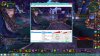
Question / Help Windows capute cuts of the bottom and right side of game

Wazzup67

New Member
Hi guys, so just as my title says when I use Windows Capture the bottom and right side of my screen are cut off. My preview is set to Scale-to-fit mode, not 1:1, and when I click on edit scene, the red boxes are in the four corners of the screen so I know it's fitting correctly. The reason I would like to use windows capture is because when I use game capture for wow, my cursor is off in the stream from where it really is in my game.

Thanks for the help!
 

Attachments

  • OBS Help1.jpg
    OBS Help1.jpg
    559 KB · Views: 44
If you right-click your WoW source, go into Position and Size and select Fit source to screen, is it still cut off?
You could see if gamecapture works better for you, it has an option "Stretch image to screen", but you might still have to fit the source to the screen as well.
 
This is a bug in OBS. Try setting your UI scale to 100% (Smaller) in display options. The option to look for in Windows is called "Change the size of all items" under "Display" in Control Panel.
 
Back
Top