Question / Help Which chat progtam/plugin?

  • Thread starter Thread starter Deleted member 30350
  • Start date Start date
D

Deleted member 30350

I am trying to find out such way of putting chat window into the stream that would allow me to the color key feature so it could be seen through. (uh, my failed english, transparency is the word)
I tried Chatty, but it doesn't really work. No matter how I experiment with the numbers, the text gets blurred or broken. I have to use full opacity. I saw some streams where the letters were perfectly fine, sharp with an outline, but I don't know how they did it.
 
Last edited by a moderator:
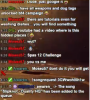
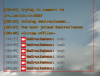
I mean like this. I can't replicate this look with Chatty, and the transparency simply doesn't work.
 

Attachments

  • chat.png
    chat.png
    212.6 KB · Views: 119
If you stream low quality video, it doesn't matter what you use, it will still show text as blurry and barely/unreadable.

Cheers.
P.S. Checked your channel info and it reads that you're streaming at 1280x800 (most likely 30 fps max) @ 2500kbit CBR and veryfast/faster CPU profile. You don't have any recorded past broadcasts so I cannot verify your video quality, but it is likely that your settings are just too low to produce readable, sharp text.
 
Last edited:
It's not related to encoding settings.
This is how it looks in OBS (and I temporarily removed the downscaling even) with Chatty.
 

Attachments

  • chat2.PNG
    chat2.PNG
    153.7 KB · Views: 84
I'd change the font to something chunky first, if that fails then you'll need to tinker with chroma key settings
 
I'd change the font to something chunky first, if that fails then you'll need to tinker with chroma key settings
"No matter how I experiment with the numbers, the text gets blurred or broken."
Obviously I did.

Feel free to suggest a font though.
 
I'd change the font to something chunky first, if that fails then you'll need to tinker with chroma key settings

a font such as Verdana with Bold like the image you referenced before. Skinny fonts like the one you used are not good for this purpose
 
Hm, still looks like crap. Sigh.
I guess I will have to find someone who would identify what exactly is in the first picture and do it that way.
When I try various numbers in the similarity box, it's either bad or horrible. The outline of the letters gets cut off too much in all cases.
 
Well I just installed Chatty and it cannot add "bold" to Verdana, however "Arial Black" works fine for me,
 
Well Verdana is bold enough, that's not a problem. It's just that the outline or black borders of the letters are simply butchered when I try to make it transparent on light background. I don't know how people do it.

Can you post a picture of the chat being transparent on very light background?
This picture is with Arial Black with default source settings (similarity 10, blend 0).
 

Attachments

  • chat3.PNG
    chat3.PNG
    182.5 KB · Views: 45
Heh it does look like poo :P
Well the problem is that there aren't any outlines/black borders in Chatty, thats just the effect of a badly set chroma key.

Other people different programs for their chat. TeeBoard, YATCP and OBS Chat are another few you could try.
 
Hm, I'd like what you can see in the first picture. It really looks the best.
TeeBoard doesn't have many customization, and YATCP I didn't like for some reason. It probably didn't look good either.
I like how Chatty can find out what the real name colours are.

Can you give me a link to the last one please?
 
Oh I tried that. There are virtually no customization options. Unless you know how to code CSS I guess. I don't.
It doesn't even seem to pull the name colours off Twitch.
 
That would be awesome. At least if there was some sort of a prewritten template, I could probably edit it myself.
 
I had a bit of trouble of getting it working last night. It would apparently connect but not show any messages.

Heres a CSS template for OBS Chat for you, just add it in the CSS tab. Theres loads of CSS tutorials online to get some nice looking text.

Code:
.chat_line {
  font-size: 24px;
  color: #white; 
  text-shadow:-1px 0 #000000, 
               0 1px #000000, 
               1px 0 #000000, 
               0 -1px #000000;
}
 
Basically that is applying 4 shadows 1 pixel thick in all 4 directions, to give the impression of an outline.

text-shadow: (x)px (y)px #colour;
 
What else can I possibly configure there? Can I add timestamps somehow? It also doesn't seem to loading the icons' colours properly, even though I don't take this as a real problem.

When I thickened the shadow by one more pixel, it actually started to look better. This might work. I already miss some of the features of Chatty though :D
 
Back
Top