Kiwi5slayer
New Member
I try to stream my favorite game, Guitar Hero 3 PC to Twitch.tv. Every time I attempt this though, the video is fine with both my game capture and my webcam capture but the audio seems to lag behind by seconds. Nothing I have tried seems to fix this issue. I've been told that it's not my computer, though I could definitely use an upgrade because I know that mine is basically a dinosaur by now. Anyways, here are my specs:
Model: Levnovo Windows7 PC
Processor: Intel(R) Core(TM) i3-2100 CPU @ 3.10GHz 3.10 GHz
Installed memory (RAM): 8.00 (7.85 GB usable)
System Type: 64-bit Operating System(I use the 64-bit version of obs)
Video Adaptor: Intel(R) HD Graphics
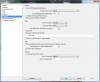
I have tried gradually lowering my Max Bitrate, but it hasn't made any difference. I eventually even took it down to 450, so it can't be that.
My upload/dl speed can't be the issue either.
I've tried downscaling my resolution, and am at the point where I'm downscaling by a factor of 2.25, and have tried streaming at 30 and 60 fps with no change.
I've tried changing the Mic Sync Offset (milliseconds) option but it didn't do anything.
I've tried changing the Scene Buffering Time (milliseconds) option, while this changed it a bit at first, it didn't actually help and sometimes made the delay worse.
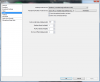
I have ticked the Force desktop audio to use video timestamps as a base for audio time option but nothing changed.
I have tried changing the Global Audio Sync Offset (milliseconds) but nothing changed.
I have ticked the Use Mic QPC timestamps but nothing changed.
I have run out of ideas, please help.
Thanks for reading.
I would include a video displaying the lag, but twitch always mutes my highlights so rip that.
Model: Levnovo Windows7 PC
Processor: Intel(R) Core(TM) i3-2100 CPU @ 3.10GHz 3.10 GHz
Installed memory (RAM): 8.00 (7.85 GB usable)
System Type: 64-bit Operating System(I use the 64-bit version of obs)
Video Adaptor: Intel(R) HD Graphics
I have tried gradually lowering my Max Bitrate, but it hasn't made any difference. I eventually even took it down to 450, so it can't be that.
My upload/dl speed can't be the issue either.
I've tried downscaling my resolution, and am at the point where I'm downscaling by a factor of 2.25, and have tried streaming at 30 and 60 fps with no change.
I've tried changing the Mic Sync Offset (milliseconds) option but it didn't do anything.
I've tried changing the Scene Buffering Time (milliseconds) option, while this changed it a bit at first, it didn't actually help and sometimes made the delay worse.
I have ticked the Force desktop audio to use video timestamps as a base for audio time option but nothing changed.
I have tried changing the Global Audio Sync Offset (milliseconds) but nothing changed.
I have ticked the Use Mic QPC timestamps but nothing changed.
I have run out of ideas, please help.
Thanks for reading.
I would include a video displaying the lag, but twitch always mutes my highlights so rip that.