Using Text GDI+ with Stream Labels Results in Empty Boxes

TheMightyNerd

New Member
So I wanted to switch from Streamlabs OBS to OBS Studio and have been liking it so far, and I wanted to add Stream Labels onto my stream. So I set up the text as I wanted it in Stream Labels after installing it, added a new source that was Text GDI+ and used the “Read from file“ option. No matter which file I select from my Stream Labels folder, I only am given an empty box no matter how I change text size and the size of the box itself (1-3).
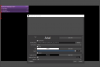
Screenshot One, Initial Settings.pngScreenshot Two, Centered Smaller Size.pngScreenshot Three, Opened Box.png

Whenever I just put normal text in though it acts normal (4).
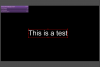
Screenshot Four, Not Reading From File.png

Am I missing something like a plugin? I am just not sure what I am doing wrong since every video or forum post I find regarding Stream Labels with OBS Studio does not have this problem. Here is my log file: https://obsproject.com/logs/3Z4xCtI3ftOmQlgz
 
The text boxes will display that way unless there is something in the file to read from. If the files are blank, it will display that way.
Pro Tip: Create a RAM Disk for your text files so Stream Labels is not constantly writing to drive. I recommend ImDisk.
 
There is something in the text files though, my alll_time_top_cheerer.txt has “Top Cheerer: FumblerTV with 400!“ inside of it, as it should from Steam Labels. But when I ask it to read that file, it just gives the same empty box.
 

Attachments

Oh, apologies for spam responses, it seems that the problem might be my font, I am attempting to use Astloch Bold for the text and that is not displaying it, yet I can display the text from the file in Arial.
 
Ok so, I found a similar post that is experiencing the same issues as this and I am experiencing the same bug where if I restart my computer, it is as if OBS forgot my custom fonts, and makes me reinstall them to use them. After this I must reboot OBS, and until I restart my computer again, the fonts seem to work. This is an inconvenience at worst, but I do hope that this does get sorted out. Here is the post I was mentioning: https://obsproject.com/forum/thread...-going-back-into-obs-after-a-shutdown.108925/
 
Back
Top