Sargon of Akkad
New Member
Hello,
I've been streaming to Youtube perfectly well using OBS until the latest update (0.655b).
I really cannot see what the problem is.
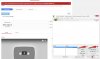
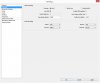
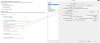
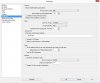
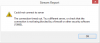
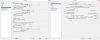
I create an event > go to custom encoding options > create event > basic ingestion at 720p (4,000 bits) > Select Other Encoders > Enter the stream name and primary (or secondary) URL into OBS > Save and go to live control room > Set up window to stream on OBS > Start streaming > Stream of 0 bits and a fail to connect message. (Please see screenshots attached).
I have three youtube channels and I have streamed to all of them using OBS and now it isn't working on any of them.
Have tried reinstalling OBS, same issue.
Does anyone have any suggestions?
Thanks everyone.
I've been streaming to Youtube perfectly well using OBS until the latest update (0.655b).
I really cannot see what the problem is.
I create an event > go to custom encoding options > create event > basic ingestion at 720p (4,000 bits) > Select Other Encoders > Enter the stream name and primary (or secondary) URL into OBS > Save and go to live control room > Set up window to stream on OBS > Start streaming > Stream of 0 bits and a fail to connect message. (Please see screenshots attached).
I have three youtube channels and I have streamed to all of them using OBS and now it isn't working on any of them.
Have tried reinstalling OBS, same issue.
Does anyone have any suggestions?
Thanks everyone.