runner1226
New Member
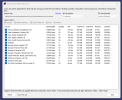
Hello, I've been researching and hacking at this issue for the past couple of weeks, reading the forums and Reddit, and watching YouTube videos and testing out many things. I thought connecting my PC directly to the modem got rid of the random disconnect/reconnect issue, but last night as I was streaming, I had two disconnects (seen in attached log). I'd streamed the previous Thursday and most of Saturday afternoon with no issues. I think I've narrowed down the culprit to either my PC (Alienware Aurora R16) and/or my router (TP-Link AXE5400 Tri-Band WiFi 6E Router (Archer AXE75)) but I wanted to ask anyone more knowledgeable if I'm missing anything glaring in the log file (I understand the issue isn't OBS). I've read all the issues about the Killer NIC and I have every service disabled and only the hardware drivers installed.
I'm connected to the router via a long CAT 7 Ethernet cable and I ran the Twitch Bandwidth Test to the NA servers with my laptop and on most all the tests (10s, 30s, 60s, 2min, and 5min), I saw all 96 Quality scores when connected directly to the modem. However, when I run the test connected to the router, the results are much worse (10s: 87, 90, 91; 60s: 68, 74, 84; 5min: 0, 2, 50). With my PC that I stream with connected to the modem, the results are lower than the laptop (60s: 68, 78, 86; 5min: 1, 3, 51) and when connected to the router, they're about the same as the modem scores.
Does anyone have any idea of what setting on my PC or in the router could be causing this? I don't have any QoS enabled on the router and I've left the settings to their defaults. We have another laptop and a PlayStation 4 also connected to the router, but both devices have been off when I've done the Twitch Bandwidth Test. I don't have any antivirus software on my PC outside of Windows Defender and I've done a malware scan which didn't turn up anything. I've also tried lowering my bitrate and output and manually choosing the desination server (when I run auto configuration wizard, it sets it to Ashburn VA), but both had the same issue with random disconnects. I feel like I'm hopefully close to a solution, I'm just not quite sure what it is and would welcome any helpful advice. Thank you!
I'm connected to the router via a long CAT 7 Ethernet cable and I ran the Twitch Bandwidth Test to the NA servers with my laptop and on most all the tests (10s, 30s, 60s, 2min, and 5min), I saw all 96 Quality scores when connected directly to the modem. However, when I run the test connected to the router, the results are much worse (10s: 87, 90, 91; 60s: 68, 74, 84; 5min: 0, 2, 50). With my PC that I stream with connected to the modem, the results are lower than the laptop (60s: 68, 78, 86; 5min: 1, 3, 51) and when connected to the router, they're about the same as the modem scores.
Does anyone have any idea of what setting on my PC or in the router could be causing this? I don't have any QoS enabled on the router and I've left the settings to their defaults. We have another laptop and a PlayStation 4 also connected to the router, but both devices have been off when I've done the Twitch Bandwidth Test. I don't have any antivirus software on my PC outside of Windows Defender and I've done a malware scan which didn't turn up anything. I've also tried lowering my bitrate and output and manually choosing the desination server (when I run auto configuration wizard, it sets it to Ashburn VA), but both had the same issue with random disconnects. I feel like I'm hopefully close to a solution, I'm just not quite sure what it is and would welcome any helpful advice. Thank you!